Superb quality and spec AB-Com PULSe 4K SE. Crazy offer! Only £129! FREE UK DELIVERY! 4K UHD, Enigma 2, Multiboot 4 images & more!...
Superb quality and spec AB-Com PULSe 4K Rev II Twin Satellite tuner only £179! FREE UK DELIVERY! 4K UHD, Enigma 2, SATA HDD facility, Multiboot 4 images & more!...

[VU+ Solo] Possible problem with build 751

satmanbasil

V.I.P
Joined
Mar 30, 2010
Messages
893
Reaction score
3
Points
0
Location
SouthEast UK
Hi

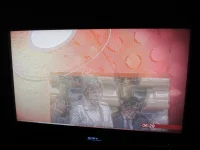
Tonight I installed build 751 to my solo on booting up all seem fine went onto fta channel 28east in the pic preview screen all seem ok picture quality but on opening full screen the screen first turned black then when it came back i got what i can best describe as a ghosting effect one picture locked over another.

Tryed it on a number of both fta and encrypted channels with the same effect in the end i have reverted to build 750 and all seems ok with that, sorry i dont have a log to share with you but i hope your be able to test this out the 751 build is showing green icon right now maybe best to red flag it until somebody checks

regards
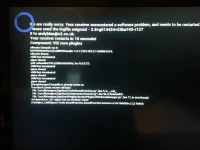
 
Not sure if related however i've just updated my Venton HD1+ and its now no longer booting:

20131016_015241.webp
 
Not sure if related however i've just updated my Venton HD1+ and its now no longer booting:

View attachment 29450
No was not related to OP's issue, but indeed a bug. This will be fixed in the next update.

A temporarily fix is to unzip the attached file to /usr/lib/enigma2/python/Plugins/SystemPlugins/ViX
 

Attachments

Thanks, I ended up reflashing as the ftp sessions would only last a few seconds and the box would then reboot.
 
Hi guys and admin
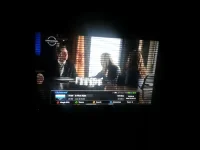
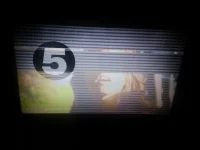
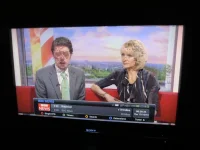
I too am getting the same ghost picture as the op has stated. attached photos. At first I got a blank screen. I navigated to a channel that uses the card i.e HD and the picture is fine. HD channels are fine.

This is on build 753 on the VU duo.

20131016_192516.webp20131016_192557.webp20131016_193202.webp20131016_193239.webp
 
Have ye updated to build 753?
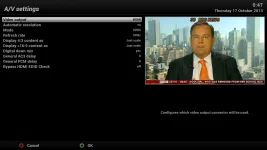
What have ye set in Menu -> Setup -> System -> A/V Settings -> Mode

Or can you take a screenshot of that screen & upload it.
 
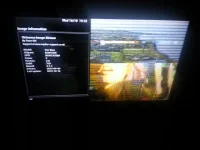
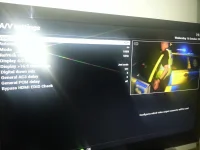
This happened after I update it to 753. Was on a much older version before. I think 749. On the main channel it is ghost effect. You can see from the screenshot when I go to to menu or even when i am selecting channels the preview picture on the right fine. As soon as i hit the exit button it goes ghost effect again.

I attached a photo
20131016_194558.webp

I can confirm that every HD channel is fine. Most SD channels have this issue, but not all of them. (i will attach a list of SD that are fine shortly)
Also ghost picture comes up for a split second when i change from HD channel to HD channel.

List
Sky2
Sky Livingit
Sky Living +1
Comedy Central Extra

Ok i have found the issue. Any channel that is 720x576i25 has ghost effect
The SD channels above use 544x576i25 these are fine like the HD channels that are 1920x1080i25

720 channels are messed up
 
Last edited:
If you set the refresh rate to multi & restart E2 does it help?
Also, it's extremely hard to see/read from photos.
Can you take proper screenshots?
Grab Tutorial
 
Hi I have a prob with 753 had to go back 749 picture is fine on my main tv hdmi but I have a scart modulator which supply's the rest of the house but go no picture messed about with av setting dint seem to make any dif thanks
 
Hi I have a prob with 753 had to go back 749 picture is fine on my main tv hdmi but I have a scart modulator which supply's the rest of the house but go no picture messed about with av setting dint seem to make any dif thanks

Going back to an older build isn't going to help us solve the issue... atleast not whitout providing a debug log first.
 
When I select multi refresh rate, all channels are good.

I did have it on 50hz
 
This happened after I update it to 753. Was on a much older version before. I think 749. On the main channel it is ghost effect. You can see from the screenshot when I go to to menu or even when i am selecting channels the preview picture on the right fine. As soon as i hit the exit button it goes ghost effect again.

I attached a photo
View attachment 29478

I can confirm that every HD channel is fine. Most SD channels have this issue, but not all of them. (i will attach a list of SD that are fine shortly)
Also ghost picture comes up for a split second when i change from HD channel to HD channel.

List
Sky2
Sky Livingit
Sky Living +1
Comedy Central Extra

Ok i have found the issue. Any channel that is 720x576i25 has ghost effect
The SD channels above use 544x576i25 these are fine like the HD channels that are 1920x1080i25

720 channels are messed up


check your 'Display 16:9 content as' and 'Display 4:3 content as' 16:9 is set incorrect and 4:3 is not set at all. think that might be your issue
 
Hi

What other ops have reported is exactly my experience preview channel looks fine but the moment you press remote to open the channel the screen turns black then the ghosting pic appears build 750 seems ok for me so will stick with it until fault has been fixed
 
(753 firmware) If you set the settings to 50hz and reboot, it is not holding them. It keeps reverting to 60hz. If set to multi, it still detects sd as 60hz. Movement like the news ticker shows jurky if set to 60hz.

This is how I have mine always set for UK TV which should be 50hz. But after a reboot, it stalls and switches to 60hz despite the settings.

screenshot.webp

Reverting to 750 and I don't have the problem.
 
Hi there

Did the update to take it to build 753 on build 750 i have refresh on multi when i updated 753 the problem was back again on multi i changed it first to 60mhz first which still gave ghosting when change to 50mhz this made the picture stable once again however i did note the screen blanking for a moment on channel zappin
 
I also have this problem since updating to the latest build last night.

IMG_2974.webpIMG_2975.webp

Edit: Switching from Multi refresh rate to 50hz sorted it for me.
 
Last edited by a moderator:
I also have this problem since updating to the latest build last night.

View attachment 29484View attachment 29485

Edit: Switching from Multi refresh rate to 50hz sorted it for me.

Yes, it does sort it for me, until I switch off the box (deep sleep). When I switch on again, it reverts back to 60hz (it doesn't remember the settings).
 
I have found just restarting Enigma solves the problem, I never turn my box off and rarely use standby, it seems the splash screen is superimposed on TV picture.
 

OpenViX Feeds Status

Back
Top