R
rossi2000
Guest
evening folks.
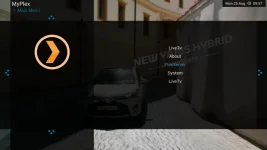
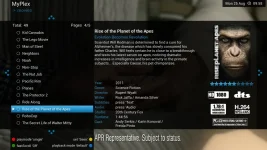
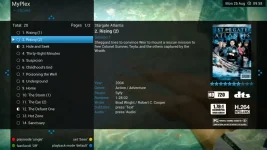
OpenViX-HD is my own personal experimental image, it is branched off from the original ViX image to support a new skin that myself and simonsez developed (YouViX) that uses the 1080 framebuffer that is enabled in the Gigablue drivers and because it doenst look right on the normal vix image. i thought i would put it out for download.
the skin is FULL-HD 1080 and the image has my own tweaks and things done to it so it may differ slightly.
Gigablue machines have support for this so the image is ONLY for Gigablue Quad atm, i dont have other devices to test. but i believe the 1080 framebuffer is enabled on Xtrend & OdinM9 machines also.
the image has the same feeds and downloads as per the original vix image, minus some bits that ive removed for compatibility.
the code in e2 has been altered for 1080 quite abit to make this happen which in turn has rendered quite a few plugins not viewable properly until i skin them. they will come soon. i dont use that many external plugins although a few extra ones have been done for those few who have been using the image already. there are a few niggles but nothing major. will all get fixed in online updates.

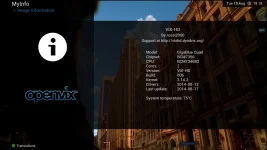



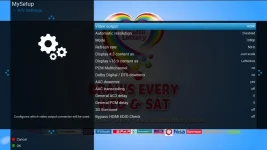
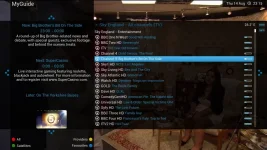
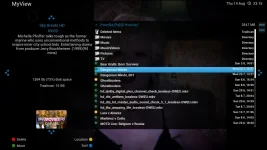
BUILD9 is built on the new oe-a 2.3 base
includes new 3.14.2 kernel
includes latest drivers.
new openvixhd animated bootlogo
YouViX-Blue is the default skin
new skin YouViX-Red in the feeds.
installation:-
REQUIRES NEW BOOTLOADER FLASHING BEFORE YOU FLASH THE IMAGE
attached to post.
OpenViX-HD is my own personal experimental image, it is branched off from the original ViX image to support a new skin that myself and simonsez developed (YouViX) that uses the 1080 framebuffer that is enabled in the Gigablue drivers and because it doenst look right on the normal vix image. i thought i would put it out for download.
the skin is FULL-HD 1080 and the image has my own tweaks and things done to it so it may differ slightly.
Gigablue machines have support for this so the image is ONLY for Gigablue Quad atm, i dont have other devices to test. but i believe the 1080 framebuffer is enabled on Xtrend & OdinM9 machines also.
the image has the same feeds and downloads as per the original vix image, minus some bits that ive removed for compatibility.
the code in e2 has been altered for 1080 quite abit to make this happen which in turn has rendered quite a few plugins not viewable properly until i skin them. they will come soon. i dont use that many external plugins although a few extra ones have been done for those few who have been using the image already. there are a few niggles but nothing major. will all get fixed in online updates.
BUILD9 is built on the new oe-a 2.3 base
includes new 3.14.2 kernel
includes latest drivers.
new openvixhd animated bootlogo
YouViX-Blue is the default skin
new skin YouViX-Red in the feeds.
installation:-
REQUIRES NEW BOOTLOADER FLASHING BEFORE YOU FLASH THE IMAGE
attached to post.
EDIT: 17/12/14
OpenViXHD is no more. The 1080 OSD enhancements have been added to mainstream image for the receivers that support it . Please install latest image.
Attachments
Last edited by a moderator: