Superb quality and spec AB-Com PULSe 4K SE. Crazy offer! Only £129! FREE UK DELIVERY! 4K UHD, Enigma 2, Multiboot 4 images & more!...
Superb quality and spec AB-Com PULSe 4K Rev II Twin Satellite tuner only £179! FREE UK DELIVERY! 4K UHD, Enigma 2, SATA HDD facility, Multiboot 4 images & more!...

Engima 2 - Samsung SMART TV Streaming app

Hi
Unfortunately, I have checked and that setting is set to Yes. I have tried altering all settings under customise and nothing seems to make the slight difference, everything behaves exactly like before.

Anybody else has problems with encrypted channels or am I the only one? Please report.

This is how customise section is setup for me:

37af40d021056387104a899fc0ac7495.jpg
 
Last edited by a moderator:
Yes, they always had. They also stream very well on the network from E2 box to E2 box through remotestreamconvert plugin and E2 box to PC running XBMC.

Do you think maybe trying an older version of your app could have a positive effect? i have only tried v4, tried to download older versions but all links point to v4.
 
An older version won't make any difference.

If you wait long enough do you eventually get an error trying to stream?
 
On some channels it says buffering forever

On some others it says buffering briefly and then
error: failed to start the channel stream, are all your tuners in use? Error message: stream communication problem

Obviously, I have made sure tuners are free, makes no difference

Same error/behaviour on recordings too which suggest to me it is not a tunner error.

FTA channels and recordings work without the smallest glitch for SD and HD channels
 
There has to be something unsual in your config on the boxes.

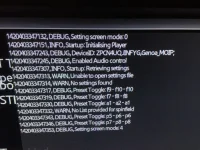
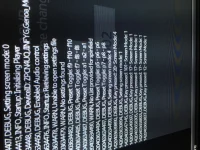
Can you press the 'tools' button on the remote, try and connect to a pay channel and take a photo of the debug log. I doubt there will be much of use in there but its worth checking... I'll add more debug to the next release to try and help identify issues here
 
This is encrypted, buffering... please wait forever
986e5e34680da8b3d9ded354067b20d8.jpg


This is encrypted, error: stream communication problem
bdb2500a774f1068c1abc7f9190f21aa.jpg


This is encrypted recording
e473badd544ff4f59924d73a5c66681e.jpg


This is FTA channel
b53a01bcac68604af94be0b981b6a214.jpg


This is FTA recording
7b91680aae1dcd0abeda54de1137da0e.jpg
 
So you're definitely getting an error whilst trying to connect to the stream.
Unfortunately the debug doesn't tell me what error, so I've added it into the next release which i'll hopefully get out either later today or tomorrow and that might give us more clues about what is wrong!

The cancel request message occurs because it's dropped into the onError block whilst trying to play the stream.
 
E2Stream v5.0 is now available to download from here:
Code:
http://www.pembo.co.uk/2015/01/04/e2stream-v5-0/

This is a major release (hence the jump to v5.0)

Features to highlight
  • Confirmation on exit dialog to allow suspend/deep suspend of the E2 box if you choose
  • Parental control pin to protect settings/lock starting bouquet
  • Experimental 'legacy' player implementation for possible D/C Series compatibility

Full Changelog:

Code:
v5.0 - 04/01/2015
 * Added system sounds to the various functions within the app
 * Return now exits from full screen back to the channel list
 * Implemented a dialog control to handle new functionality
 * Added confirm dialog when using return from channel list
   to exit.  This allows you to make the choice to: 
   - A: Cancel the exit request
   - B: Exit E2Stream App
   - C: Suspend the E2 box and Exit E2Stream
   - D: Deep Suspend the E2 box and Exit E2Stream
   Obviously, if you deep suspend the E2 box, you won't be able
   to use the app again until you wake it up again.
 * Added parental control pin and settings to allow you to
   - lock to the starting bouquet only
   - lock the settings options.  
   The PIN is currently visibile in the settings screen when 
   unlocked and will be masked in a later release. 
 * Re-architected player encapsulation and startup to allow for 
   an inline switch to the 'legacy' player to try and help with
   compatibilitiy on older model Samsung SMART TVs
 * Added Advanced settings to allow you to change from the
   default video player to the legacy player that *might* be
   compatible with C/D Series SMART TVs.  The legacy player is
   only recommended for those with older model TVs, and is
   considered experimental with limited testing right now and
   comes with some known restrictions/limitations.
    - The info-bar overlay doesn't work
    - You have to return to the channel list (enter button) to
      select another channel
    - Skip doesn't work in recordings
    - Player doesn't buffer so might be susceptile to pauses
      if network is congested or slow
 * Due to the large number of changes, the app will require you
   to re-input your settings on first execution following an
   install/update.
 
Sorry, new to this thread, is this possible on HU8500, just got one on Boxing Day?
Cheers.
Just to add and maybe quite a bit off topic the TV has an IR extender which allows me to totally integrate my duo2, pressing guide in smart hub mode gives me a full Virgin Media epg which i can press and it turns the channel over, and suggest Programs that are on SKY (VM) in the home screen with the ability to direct tune to them by voice or remote.
 
Last edited:
Will be working allso on other brands?For example,on LG Smart TV?Thanks
 
Hi pembo been waiting for this 1 pal to do d series great work!! but took of old version put this v 5 on and it won't let me put my ip in or change player when I press blue button.any ideas is anybody having same problem?
 
Hi pembo been waiting for this 1 pal to do d series great work!! but took of old version put this v 5 on and it won't let me put my ip in or change player when I press blue button.any ideas is anybody having same problem?

Hi Pembo - FANTASTIC work - I can even stream HD. I am using Vu+Solo2

I have the following Samsung TV's (all at their respective latest Samsung firmware versions):

40D7000
55F6500
65HU8500

The app installed on all TV's seamlessly, and is working brill on 55F6500 and 65HU8500, however on 40D7000 in setup I am unable to enter the IP details as with this post. I can do B to continue from first screen, and after that no ENTRY key presses will work - up / down / left / right or numeric keys. Pressing C and D will get you Parental Control and Legacy set-up screens, but again no data can be input. A will not cancel and B will not save - ONLY other working keys are Return or Exit, both actions just quit the app.


I had not tried earlier versions and the download link on your resource site is only to v5, so I am afraid I cannot comment if this behaviour is new, but loopy123 post above seems to imply that he "took off" earlier version on the "D" series?

Again - appreciate the great work, and help on this matter would be great
 
Last edited:
I'll take a look. Just to confirm - clean install, after pressing B pass the welcome screen, you can't put in any IP details?

Just saw the D-Series only comment :)

Can you press the 'tools' button on the welcome screen and try to continue. then post a picture of the debug window assuming this shows!
 
Last edited:
Hi Pembo,

1. Issue is D series only, as you have acknowledged - sorry I edited my first post to make it clearer
2. Yes clean install - never had ur app on any of the TV's before, and Yes can't input IP or port details after pressing B to move beyond welcome screen. Never used develop account before.
3. Pressing tools button at anytime does nothing - i.e. at the welcome screen or after pressing B to go past the welcome screen or after pressing C or D - tools button appears to have no function I am afraid
4. I cannot input any data on any screen - the setup, or Parental or Legacy screens - nor can I move between the various input fields with the arrow keys.
5. Using original Samsung Remote - as used to actually set-up develop account and download the app.

Hope this helps - let me know if I can provide anymore details or info. I could reset the Smart Hub and try again if you think that would be helpful, but everything else working fine; this is the very first custom app I have ever tried to use.

Thanks!
 
Hope this helps - let me know if I can provide anymore details or info. I could reset the Smart Hub and try again if you think that would be helpful, but everything else working fine; this is the very first custom app I have ever tried to use.

Thanks!

I've got an idea... let me try something - shouldn't take too long, then i'll get v5.1 out that might make it work.
I have a sneaking suspiscion the audio library doesn't fully exist in the D/C series also...
 
Hi pembo this is correct I have tried twice! Cannot get a debug because won't let me continue , will keep trying for 1
Every other version was ok putting in ip
I can use d and c button but there again can not select different player
Thanks again pembo fantastic work !!!��
 
Could you try v5.1dbg (debug) you can download from here:
Code:
http://www.pembo.co.uk/e2stream/e2stream-download/

If this works, I'll upload 5.1 full
 

OpenViX Feeds Status

Back
Top