adm
Forum Supporter

I’m trying to set up a provider .xml file for my local relay transmitter (not main transmitter) – Rouncefall.
Transmitter mux channels and predicted coverage for Rouncefall can be found at
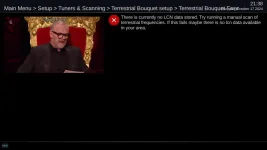
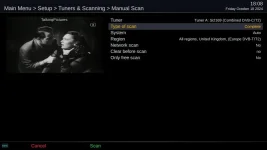
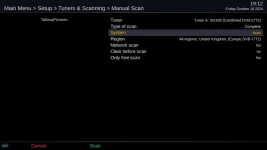
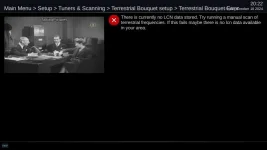
This relay carries all 6 MUXs but the DVB-T frequency finder doesn’t find the BBC B Mux which carries HD. The other 5 MUX are correctly identified with the correct broadcast channel number.
Generated terrestrial_finder.xml
<provider>
<name>East Anglia terrestrial</name>
<streamtype>dvbt</streamtype>
<protocol>lcn</protocol>
<dvbtconfigs>
<configuration key="custom" frequency="658000000" system="0">East Anglia terrestrial</configuration>
</dvbtconfigs>
<customtransponders>
<customtransponder key="custom" frequency="538000000" transport_stream_id="3006" system="0"/><!-- original_network_id="233a" signalQuality="30054" channel="29" -->
<customtransponder key="custom" frequency="554000000" transport_stream_id="5040" system="0"/><!-- original_network_id="233a" signalQuality="28337" channel="31" -->
<customtransponder key="custom" frequency="602000000" transport_stream_id="6040" system="0"/><!-- original_network_id="233a" signalQuality="27485" channel="37" -->
<customtransponder key="custom" frequency="634000000" transport_stream_id="2001" system="0"/><!-- original_network_id="233a" signalQuality="28337" channel="41" -->
<customtransponder key="custom" frequency="658000000" transport_stream_id="1047" system="0"/><!-- original_network_id="233a" signalQuality="31771" channel="44" -->
</customtransponders>
<sections>
<section number="1">Entertainment</section>
<section number="100">High Definition</section>
<section number="201">Children</section>
<section number="230">News</section>
<section number="260">BBC Interactive</section>
<section number="670">Adult</section>
<section number="700">Radio</section>
</sections>
<swapchannels>
<channel number="1" with="101"/> <!-- BBC One HD -->
<channel number="2" with="102"/> <!-- BBC TWO HD -->
<channel number="3" with="103"/> <!-- ITV HD -->
<channel number="4" with="104"/> <!-- Channel 4 HD -->
<channel number="5" with="105"/> <!-- Channel 5 HD -->
<channel number="9" with="106"/> <!-- BBC FOUR HD -->
<channel number="201" with="204"/> <!-- CBBC HD -->
<channel number="202" with="205"/> <!-- CBeebies HD -->
<channel number="231" with="107"/> <!-- BBC NEWS HD -->
</swapchannels>
<servicehacks>
<![CDATA[
tsidonidlist= [
"3006:233a",
"5040:233a",
"6040:233a",
"2001:233a",
"1047:233a",
"1047:233a",
]
tsidonidkey = "%x:%x" % (service["transport_stream_id"], service["original_network_id"])
if tsidonidkey not in tsidonidlist:
skip.skip = True
servicehack_variable_cache["add_audio_channels_to_video_bouquet"] = True
]]>
</servicehacks>
</provider>
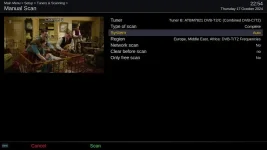
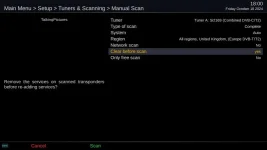
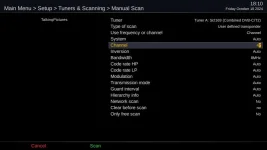
If I go to menu/setup/tuners and scanning/signal finder (user defined transponder = DVB T2) and select broadcast channel 47 I can manually scan and get the HD channels and later obtain the transport_stream_id as "4087" (TSID 4087, ONID 233A, Service ID 4440)
If I now modify the terrestrial_finder.xml file to add
<customtransponder key="custom" frequency="682000000" transport_stream_id="4087" system="0"/><!-- original_network_id="233a" signalQuality="31771" channel="47" -->
to the <customtransponders> section (as shown below) and "4087:233a", to the tsidonidlist= and run ABM with the "East Anglia terrestrial" provider it still doesn't find any HD channels, or any channels of broadcast channel 47 (BBC B MUX)
Have I got something wrong with the syntax in my modified terrestrial_finder.xml file?
Modified file
<provider>
<name>East Anglia terrestrial</name>
<streamtype>dvbt</streamtype>
<protocol>lcn</protocol>
<dvbtconfigs>
<configuration key="custom" frequency="658000000" system="0">East Anglia terrestrial</configuration>
</dvbtconfigs>
<customtransponders>
<customtransponder key="custom" frequency="538000000" transport_stream_id="3006" system="0"/><!-- original_network_id="233a" signalQuality="30054" channel="29" -->
<customtransponder key="custom" frequency="554000000" transport_stream_id="5040" system="0"/><!-- original_network_id="233a" signalQuality="28337" channel="31" -->
<customtransponder key="custom" frequency="602000000" transport_stream_id="6040" system="0"/><!-- original_network_id="233a" signalQuality="27485" channel="37" -->
<customtransponder key="custom" frequency="634000000" transport_stream_id="2001" system="0"/><!-- original_network_id="233a" signalQuality="28337" channel="41" -->
<customtransponder key="custom" frequency="658000000" transport_stream_id="1047" system="0"/><!-- original_network_id="233a" signalQuality="31771" channel="44" -->
<customtransponder key="custom" frequency="682000000" transport_stream_id="4087" system="0"/><!-- original_network_id="233a" signalQuality="31771" channel="47" -->
</customtransponders>
<sections>
<section number="1">Entertainment</section>
<section number="100">High Definition</section>
<section number="201">Children</section>
<section number="230">News</section>
<section number="260">BBC Interactive</section>
<section number="670">Adult</section>
<section number="700">Radio</section>
</sections>
<swapchannels>
<channel number="1" with="101"/> <!-- BBC One HD -->
<channel number="2" with="102"/> <!-- BBC TWO HD -->
<channel number="3" with="103"/> <!-- ITV HD -->
<channel number="4" with="104"/> <!-- Channel 4 HD -->
<channel number="5" with="105"/> <!-- Channel 5 HD -->
<channel number="9" with="106"/> <!-- BBC FOUR HD -->
<channel number="201" with="204"/> <!-- CBBC HD -->
<channel number="202" with="205"/> <!-- CBeebies HD -->
<channel number="231" with="107"/> <!-- BBC NEWS HD -->
</swapchannels>
<servicehacks>
<![CDATA[
tsidonidlist= [
"3006:233a",
"5040:233a",
"6040:233a",
"2001:233a",
"1047:233a",
"4087:233a",
]
tsidonidkey = "%x:%x" % (service["transport_stream_id"], service["original_network_id"])
if tsidonidkey not in tsidonidlist:
skip.skip = True
servicehack_variable_cache["add_audio_channels_to_video_bouquet"] = True
]]>
</servicehacks>
</provider>
Transmitter mux channels and predicted coverage for Rouncefall can be found at
Code:
https://www.freeview.co.uk/help/coverage-checker/detailed-view?postcode=SS24JFThis relay carries all 6 MUXs but the DVB-T frequency finder doesn’t find the BBC B Mux which carries HD. The other 5 MUX are correctly identified with the correct broadcast channel number.
Generated terrestrial_finder.xml
<provider>
<name>East Anglia terrestrial</name>
<streamtype>dvbt</streamtype>
<protocol>lcn</protocol>
<dvbtconfigs>
<configuration key="custom" frequency="658000000" system="0">East Anglia terrestrial</configuration>
</dvbtconfigs>
<customtransponders>
<customtransponder key="custom" frequency="538000000" transport_stream_id="3006" system="0"/><!-- original_network_id="233a" signalQuality="30054" channel="29" -->
<customtransponder key="custom" frequency="554000000" transport_stream_id="5040" system="0"/><!-- original_network_id="233a" signalQuality="28337" channel="31" -->
<customtransponder key="custom" frequency="602000000" transport_stream_id="6040" system="0"/><!-- original_network_id="233a" signalQuality="27485" channel="37" -->
<customtransponder key="custom" frequency="634000000" transport_stream_id="2001" system="0"/><!-- original_network_id="233a" signalQuality="28337" channel="41" -->
<customtransponder key="custom" frequency="658000000" transport_stream_id="1047" system="0"/><!-- original_network_id="233a" signalQuality="31771" channel="44" -->
</customtransponders>
<sections>
<section number="1">Entertainment</section>
<section number="100">High Definition</section>
<section number="201">Children</section>
<section number="230">News</section>
<section number="260">BBC Interactive</section>
<section number="670">Adult</section>
<section number="700">Radio</section>
</sections>
<swapchannels>
<channel number="1" with="101"/> <!-- BBC One HD -->
<channel number="2" with="102"/> <!-- BBC TWO HD -->
<channel number="3" with="103"/> <!-- ITV HD -->
<channel number="4" with="104"/> <!-- Channel 4 HD -->
<channel number="5" with="105"/> <!-- Channel 5 HD -->
<channel number="9" with="106"/> <!-- BBC FOUR HD -->
<channel number="201" with="204"/> <!-- CBBC HD -->
<channel number="202" with="205"/> <!-- CBeebies HD -->
<channel number="231" with="107"/> <!-- BBC NEWS HD -->
</swapchannels>
<servicehacks>
<![CDATA[
tsidonidlist= [
"3006:233a",
"5040:233a",
"6040:233a",
"2001:233a",
"1047:233a",
"1047:233a",
]
tsidonidkey = "%x:%x" % (service["transport_stream_id"], service["original_network_id"])
if tsidonidkey not in tsidonidlist:
skip.skip = True
servicehack_variable_cache["add_audio_channels_to_video_bouquet"] = True
]]>
</servicehacks>
</provider>
If I go to menu/setup/tuners and scanning/signal finder (user defined transponder = DVB T2) and select broadcast channel 47 I can manually scan and get the HD channels and later obtain the transport_stream_id as "4087" (TSID 4087, ONID 233A, Service ID 4440)
If I now modify the terrestrial_finder.xml file to add
<customtransponder key="custom" frequency="682000000" transport_stream_id="4087" system="0"/><!-- original_network_id="233a" signalQuality="31771" channel="47" -->
to the <customtransponders> section (as shown below) and "4087:233a", to the tsidonidlist= and run ABM with the "East Anglia terrestrial" provider it still doesn't find any HD channels, or any channels of broadcast channel 47 (BBC B MUX)
Have I got something wrong with the syntax in my modified terrestrial_finder.xml file?
Modified file
<provider>
<name>East Anglia terrestrial</name>
<streamtype>dvbt</streamtype>
<protocol>lcn</protocol>
<dvbtconfigs>
<configuration key="custom" frequency="658000000" system="0">East Anglia terrestrial</configuration>
</dvbtconfigs>
<customtransponders>
<customtransponder key="custom" frequency="538000000" transport_stream_id="3006" system="0"/><!-- original_network_id="233a" signalQuality="30054" channel="29" -->
<customtransponder key="custom" frequency="554000000" transport_stream_id="5040" system="0"/><!-- original_network_id="233a" signalQuality="28337" channel="31" -->
<customtransponder key="custom" frequency="602000000" transport_stream_id="6040" system="0"/><!-- original_network_id="233a" signalQuality="27485" channel="37" -->
<customtransponder key="custom" frequency="634000000" transport_stream_id="2001" system="0"/><!-- original_network_id="233a" signalQuality="28337" channel="41" -->
<customtransponder key="custom" frequency="658000000" transport_stream_id="1047" system="0"/><!-- original_network_id="233a" signalQuality="31771" channel="44" -->
<customtransponder key="custom" frequency="682000000" transport_stream_id="4087" system="0"/><!-- original_network_id="233a" signalQuality="31771" channel="47" -->
</customtransponders>
<sections>
<section number="1">Entertainment</section>
<section number="100">High Definition</section>
<section number="201">Children</section>
<section number="230">News</section>
<section number="260">BBC Interactive</section>
<section number="670">Adult</section>
<section number="700">Radio</section>
</sections>
<swapchannels>
<channel number="1" with="101"/> <!-- BBC One HD -->
<channel number="2" with="102"/> <!-- BBC TWO HD -->
<channel number="3" with="103"/> <!-- ITV HD -->
<channel number="4" with="104"/> <!-- Channel 4 HD -->
<channel number="5" with="105"/> <!-- Channel 5 HD -->
<channel number="9" with="106"/> <!-- BBC FOUR HD -->
<channel number="201" with="204"/> <!-- CBBC HD -->
<channel number="202" with="205"/> <!-- CBeebies HD -->
<channel number="231" with="107"/> <!-- BBC NEWS HD -->
</swapchannels>
<servicehacks>
<![CDATA[
tsidonidlist= [
"3006:233a",
"5040:233a",
"6040:233a",
"2001:233a",
"1047:233a",
"4087:233a",
]
tsidonidkey = "%x:%x" % (service["transport_stream_id"], service["original_network_id"])
if tsidonidkey not in tsidonidlist:
skip.skip = True
servicehack_variable_cache["add_audio_channels_to_video_bouquet"] = True
]]>
</servicehacks>
</provider>