Superb quality and spec AB-Com PULSe 4K SE. Crazy offer! Only £129! FREE UK DELIVERY! 4K UHD, Enigma 2, Multiboot 4 images & more!...
Superb quality and spec AB-Com PULSe 4K Rev II Twin Satellite tuner only £179! FREE UK DELIVERY! 4K UHD, Enigma 2, SATA HDD facility, Multiboot 4 images & more!...

[VU+ Duo] Network help

  • Thread starter Thread starter s7uat
  • Start date Start date
S

s7uat

Guest
Hi,

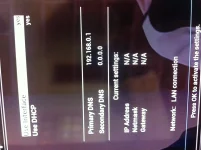
I have an ET9000 running Vix perfectly with no problems whatsoever. However, I also have a VU+ Duo and I cannot get the network to connect no matter what i do. Even if i set it up manually. I'm starting to think the problem may be hardware. Has anyone else experienced this???
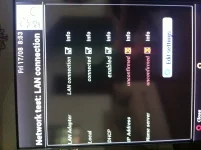
photo-1.webp


Many thanks,
s7uat
 
In adapter settings have you use interface and use DHCP to yes? If they are then in Network Settings try Restart Network and then try the test again..

I found before restarting my router resolved network issues also..
 
I've tried all that. I've also set the device up manually and its the same. :confused:
 
You try anything else on that network cable and ensure its working ok?
 
Everything else works perfectly on that cable. I've even swapped the location of both receivers but the fault stays with the VU+ Duo. The weird thing is it must be connected 95% of the time because i can do an epg download, etc. But my viewing obviously goes off all the time which is obviously not good.

Look at this???

photo-2.webp
 
I am having the same issue when I try to connect with the Vu+ wireless dongle (the same result when I perform a network test) ?
 
try turning off the router firewall or in the router setting place the vu in the dmz
 
I am having the same issue when I try to connect with the Vu+ wireless dongle (the same result when I perform a network test) ?

I also tried a wifi-bridge and got the same issue. Glad i'm not the only one!
 
ok so i think i've fixed it.
If i use a cable it doesn't work for some reason.

However, if I use a wifi bridge and turn off DHCP. Then setup the network settings manually. Then in the router place that fixed ip setting in the dmz section. :)
 
I think your router is not giving an ip adress to your vu+, perhaps somewhere a MAC block in the router settings? Any chance to connect without the router and DHCP on auto, to rule out the vu+
 
sometimes i get this issue and find only way to get it running again was to power off at rear,and at that time i was using home plug and a surge power strip which i think gave me problems,now changed to a lan cable and even epg loads 4 times quicker.
 

OpenViX Feeds Status

Back
Top