

reverend
New member
Hi all,
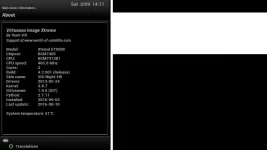
i returned from holiday yesterday to find that my ET9500 would not tune in to any channels because it thought that it was recording using both tuners, even though nothing was being recorded and there were no active timerss. I have not updated Vix for months so I decided to do a full flash to the latest version, without restoring settings (which would not have been possible anyway given that I was going from 3.xx to 4.xx). After flashing the little recording lights on the front panel were not lit...good sign. However, as soon as I got the the point in set up of adding a bouquet, the tuners started getting used up for recordings that were not happening. I soon faced a 'no free tuner' message.
i've tried factory resetting, adding channels from my PC via Dreamboxedit, and adding channels by the autobouquet maker. Same result each time: tuners used up and indicated by the little 'REC' icons on the front display.
I've noticed that there is something new in the 'Information' menu called 'Streaming clients info'. This shows up a weird looking address along the lines of 'S 44-162-172-165.rev.cloud.scaleway.com 5 usa'. I have seen it inferred elsewhere on this forum that this could be the culprit. However there does not seem to be any information on what this streaming feature is, or how to control it, and specifically, turn it off (if someone is connecting to my box without authorisation'.
Please advise.
Thanks
reverend
i returned from holiday yesterday to find that my ET9500 would not tune in to any channels because it thought that it was recording using both tuners, even though nothing was being recorded and there were no active timerss. I have not updated Vix for months so I decided to do a full flash to the latest version, without restoring settings (which would not have been possible anyway given that I was going from 3.xx to 4.xx). After flashing the little recording lights on the front panel were not lit...good sign. However, as soon as I got the the point in set up of adding a bouquet, the tuners started getting used up for recordings that were not happening. I soon faced a 'no free tuner' message.
i've tried factory resetting, adding channels from my PC via Dreamboxedit, and adding channels by the autobouquet maker. Same result each time: tuners used up and indicated by the little 'REC' icons on the front display.
I've noticed that there is something new in the 'Information' menu called 'Streaming clients info'. This shows up a weird looking address along the lines of 'S 44-162-172-165.rev.cloud.scaleway.com 5 usa'. I have seen it inferred elsewhere on this forum that this could be the culprit. However there does not seem to be any information on what this streaming feature is, or how to control it, and specifically, turn it off (if someone is connecting to my box without authorisation'.
Please advise.
Thanks
reverend
Last edited:


 and not knowing what may lurk ,watching on phones and tablets and in other countries


