Superb quality and spec AB-Com PULSe 4K SE. Crazy offer! Only £99! FREE UK DELIVERY! 4K UHD, Enigma 2, Multiboot 4 images & more!...
Superb quality and spec AB-Com PULSe 4K Rev II Twin Satellite tuner only £149! FREE UK DELIVERY! 4K UHD, Enigma 2, SATA HDD facility, Multiboot 4 images & more!...

Recording sort

  • Thread starter Thread starter aoc
  • Start date Start date
A

aoc

Guest
Hi,

I've just upgraded from openvix-Helio to openvixhd-Apollo.
In the recordings list screen, pressing the blue button sorts the items, and pressing it multiple times sorts them in different orders.
Now though, there is no longer a pop-up that indicates the sorting option selected, which makes it difficult to use.

Is it possible to include the pop-up so that we can see the current setting as we cycle though them?
Or even better, when click the blue button, show a pop-up where we can directly select the desired sorting option?

Thanks
 
I never used Helios so can't comment on that but I find nothing wrong with Apollo sort feature. You can see the different sort options from within settings whilst on the recording list screen.

Do you like to keep changing the sort by criteria, or are you once sort criteria has been set you generally keep to it?

Also, this post is in wrong section as this isn't related to the skin at all rather by design in Apollo image series.
 
Last edited:
I constantly switch between different settings, typically alphabetic and by date, depending on whether I want to find a recent recording or a specific older one.
This can be a quick operation, as quickly clicking the sort button does cycle through the options, same as in earlier versions.
But without an indication of what's selected you end up having the let the list fully sort every time to find the one you want.
With about 7 options to go through, this is very slow.
I suspected the skin was at fault because it seems like just a missing popup indicator, rather than an entirely missing feature.

If this isn't something that is likely to be fixed quickly, I wonder if there is a script or config file I could hack to disable all the sort options bar the 2 I am interested in?
 
There is a better way to do what you want: leave sorting to 'chronological' and use tags for group-sorting.
At least that's what I find convenient and hence I always use this.

As a sidenote: there has been an issue with tagging that has only recently been fixed. So it is possible that not all your existing recordings have been tagged properly.
 
Thanks for the tips. I appreciate the help but it just doesn't make resorting quick and easy.
The functionality I want is in there, it just needs to be made accessible with a visual indication of the selection.
 
Yeah, as I said, I've upgraded to openvixhd, which is a major change to the previous skin I had.
I figured it was just a missing popup with the icon.
I had this thread in the skinning discussion forum, but it was moved. Maybe time to move back? :)
 
I'm using 090 (not the HD version) and using both the default skin and BlueHD skin, the blue 'sort' button changes description of how it's sorting everytime you press it. Is that what you meant? There is no specific pop-up window though.
 
I presume you mean it shows you the new default value in the settings menu. That's not what I am looking for.
In the older skin, when you click the blue button it would pop-up an icon somewhere giving an instant indication of the selected sort order.
If the blue button was clicked multiple times quickly it cycles through the sort options and the icon would change accordingly.
So it was easy to cycle through to the sort order you wanted, and only when you found and stopped on the one you wanted would it actually sort the list.
 
Where does the icon show up? I can't see any on-screen change when I click the blue sort button (apart from the list changing obviously ).

ViX-HD, as standard skin, does support all functionality of ViX, including the sorting icon in the movie list.
 
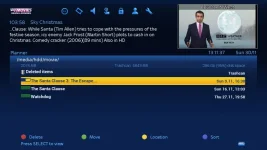
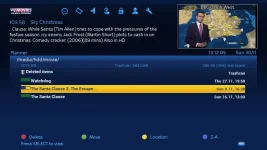
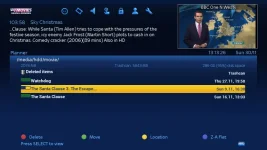
From within recording list, everytime I press the blue "sort" button, the description next to the blue button changes presumably to show how it's sorting.

See screenshots attached and you will see the description changes next to the blue button everytime I press the blue sort button.

Sort1.webp Sort2.webp Sort3.webp
 
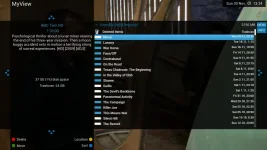
That skin looks very different to my one.
I'm using openvixhd-Apollo.090 with the default skin.

1_0_19_52D0_814_2_11A0000_0_0_0.webp
 
So the text next to the blue button that says "sort" in your picture doesn't change everytime you press the blue button?

That Skin was BlueHD but even on the default skin, it said the same thing but I'm not using the HD version of 090 so can't comment on that.
 

OpenViX Feeds Status

Back
Top