nekrub2
Member
Dear all
Since being on image 5.3.. I see sometimes latencies. One strange example is this.
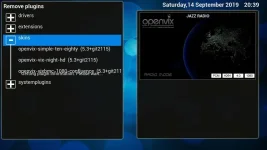
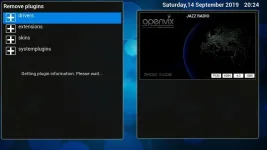
Remove plugins
I get the message: "Getting plugin information ... Please wait"
This stays for minutes. When I click into one category and see the the indiviual plugins the text is still somewhere in the text.
I attach two screenshots.
Memory information:
RAM:Total 572464 thereof free 384524
Buffers 692, cashed 41264
Total swap 0, free swap 0
Flash: Total 194.8 M - thereof free 39.0M
So I would assume it is not a memory issue. Did not have this under 5.2.045.
Any clue? Should I re-flash clean and install the plugins one by one?
Thanks for your advice
nekrub2
Since being on image 5.3.. I see sometimes latencies. One strange example is this.
Remove plugins
I get the message: "Getting plugin information ... Please wait"
This stays for minutes. When I click into one category and see the the indiviual plugins the text is still somewhere in the text.
I attach two screenshots.
Memory information:
RAM:Total 572464 thereof free 384524
Buffers 692, cashed 41264
Total swap 0, free swap 0
Flash: Total 194.8 M - thereof free 39.0M
So I would assume it is not a memory issue. Did not have this under 5.2.045.
Any clue? Should I re-flash clean and install the plugins one by one?
Thanks for your advice
nekrub2