Apologies for the novice question but I have done a lot of research and can't find a way to do the following:
My main (server) box is a Formuler 1 with a USB HD attached for recordings etc, and it works fine with Openvix 6.2.005
My client box is a Zgemma H55 plus that is running Openvix 6.2.005 and I cannot see the Formuler box from the client box.
The EPG and channels work fine on the client box.
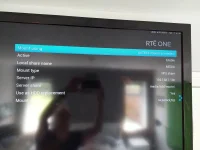
"Use as Hard Drive replacement" is set in the configuration of the mount from the client box.
The question is, what needs to be running on the server box to enable the client to "see" the recordings on the USB hard drive that's attached to the server box.
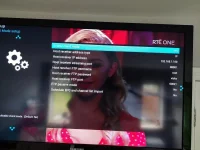
I tried adding NFS to both boxes and no matter what I do, I can't see the server box from the Network Browser on the client, but I have created a network mount on the client box with Autofs and NFS on the client side, and it looks correct, but doesn't work (presumably as I can't see the server box in the network browser in the first place).
Am I missing something on the server box to "enable sharing" of the folder with the recordings on the server side, so that the client side can access it?
Presumably, a network mount is only needed on the client side, not on the server side?
Both boxes have the same password.
Thanks a lot
My main (server) box is a Formuler 1 with a USB HD attached for recordings etc, and it works fine with Openvix 6.2.005
My client box is a Zgemma H55 plus that is running Openvix 6.2.005 and I cannot see the Formuler box from the client box.
The EPG and channels work fine on the client box.
"Use as Hard Drive replacement" is set in the configuration of the mount from the client box.
The question is, what needs to be running on the server box to enable the client to "see" the recordings on the USB hard drive that's attached to the server box.
I tried adding NFS to both boxes and no matter what I do, I can't see the server box from the Network Browser on the client, but I have created a network mount on the client box with Autofs and NFS on the client side, and it looks correct, but doesn't work (presumably as I can't see the server box in the network browser in the first place).
Am I missing something on the server box to "enable sharing" of the folder with the recordings on the server side, so that the client side can access it?
Presumably, a network mount is only needed on the client side, not on the server side?
Both boxes have the same password.
Thanks a lot