Superb quality and spec AB-Com PULSe 4K SE. Crazy offer! Only £129! FREE UK DELIVERY! 4K UHD, Enigma 2, Multiboot 4 images & more!...
Superb quality and spec AB-Com PULSe 4K Rev II Twin Satellite tuner only £179! FREE UK DELIVERY! 4K UHD, Enigma 2, SATA HDD facility, Multiboot 4 images & more!...

[VU+ Duo2] Stream Converter Plugin

Walt

New member
Joined
Jan 17, 2014
Messages
366
Reaction score
0
Points
0
I'm trying to connect to my Duo² from my Zero. I have got all the recordings showing but when I try to mirror the bouquets on my Duo² it says it failed. I'm using local IP, root as username, either dreambox or nothing as the password and passive yes and no both tried. Any suggestions?
 
It's a fresh flash as of 2 hours ago. I've setup samba, nfs and connected it to my Duo² for the recordings. That's it.
 
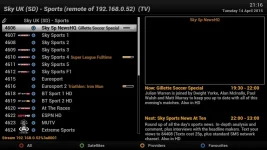
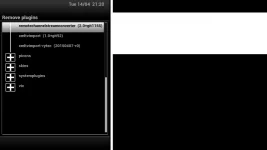
Remote streamchannelstreamconverter plugin does not need any of those (samb/nfs etc). I have just installed the plugin on the client machine from the feeds tried it and it is working fine. (admittedly on next image, prettuy sure that it was fine on Apollo too).
 

Attachments

  • rcsc.webp
    rcsc.webp
    42.4 KB · Views: 40
  • rcsc2.webp
    rcsc2.webp
    7.9 KB · Views: 32
Last edited:
I've only installed nfs to use the HDD from my Duo² and Samba to access it from my pc. Any ideas what might be causing my issue then? Where does the plugin store the bouquets? on the flash? It's very frustrating.
 
Please confirm that you have installed remotechanenlstreamconverter plugin on the client receiver? Did you install from the plugin feeds?

There is no harm in the other items, I had drawn the conclusion you had instatlled them for RCSC. I was merely pointing out the plugin does not require them.

Not sure waht the problem is. The debug logs could show the issue. I respect that you are unwilling to provide these.
 
All installed from feeds, I appreciate you were just pointing out they are not needed mate. More a case of not knowing rather than unwilling tbh.
 
Debug logging is enabled as follows:
Menu -> Setup -> System -> Logs -> Enable debug logs = yes, and then GUI Restart.

Guide to take screenshots/also attach is in my signature
 
Quick update to say I've tried this on other Images and it's exactly the same. Seems it's the plugin which doesn't like certain channel lists.
 
We discovered an error on those settings. There are three duplications that cause the issue. There was a fix, but another bug had to be rectified first.

Will update thread later
 

OpenViX Feeds Status

Back
Top