Superb quality and spec AB-Com PULSe 4K SE. Crazy offer! Only £99! FREE UK DELIVERY! 4K UHD, Enigma 2, Multiboot 4 images & more!...
Superb quality and spec AB-Com PULSe 4K Rev II Twin Satellite tuner only £149! FREE UK DELIVERY! 4K UHD, Enigma 2, SATA HDD facility, Multiboot 4 images & more!...

[ABM-DVB-S/S2] Struggling with AutoBouquet

  • Thread starter Thread starter carpytone
  • Start date Start date
You have done something wrong. What I would do is go into ABM and set your freesat to no etc so you have no channel providers listed n then start scan. This should clear your list hopefully. Then restart your receiver. Then I would go back into ABM n setup your freesat, and start scan. When the scan is complete, restart gui and then press down n see what is listed then?
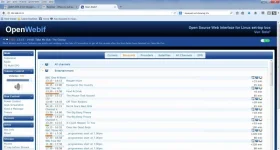
 
OK I set all the providers to no and tried to run a scan but it would not let me. So I took option to delete Bouquets and this did clear all the userbouquet.abm.* files from /etc/enigma2. I then rebooted the box - set my FreeSat provider to Yes and reran a scan - found the 209 services as I would expect. Press TV button but still nothing showing
 
As a last resort I decided to restore an image backup that I took on Friday after I had set the box up and that has resolved the issue with the Bouquet Channel List and EPG. Thanks for everyones input at trying to help me resolve this :)
 
As a last resort I decided to restore an image backup that I took on Friday after I had set the box up and that has resolved the issue with the Bouquet Channel List and EPG. Thanks for everyones input at trying to help me resolve this :)
Well that is not a practical solution. The bouquets are there and loaded (according to your log).

Press TV, then GREEN, then BLUE and the Freesat list will show.
 
Huevos - there was nothing showing no matter what I tried. I played with the satellites (Green), Providers (Yellow) and Favourites (Blue) as shown by all the screenshots I posted and nothing seemed to be solving the issue. I ftp'd some different picons onto my USB stick this morning and when I tried to do a GUI Restart the system froze on the Vix screen. I left it for 10 minutes and in the end I turned the box on and off. I wondering if this somehow caused the issue. Apprectaite the restore was not a practical solution but didn't seem to be any other choice after trying all sorts to get it working.
 
had the same issue, fixed it by factory resetting the box, ran ABM again and channels appeared with favourites.
 
when i first run a scan with abm everything is blank but click on the blue favourites and it expand it to show all the bouquets,if and when tired i too can forget it.:thumbsup:
 
when i first run a scan with abm everything is blank but click on the blue favourites and it expand it to show all the bouquets,if and when tired i too can forget it.:thumbsup:
Better to press the TV button if your remote has one.
 
too many remotes with unknown buttons i might get lucky:D
 

OpenViX Feeds Status

Back
Top