


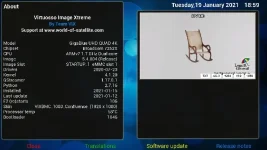
Please see error log please. As soon as I click onFront Panel Display and the click on Skin i get this error log see attached.
Please can you help to resolve :thumbsup:
Please can you help to resolve :thumbsup:
Code:
< 35200.5966> 19:12:33.4891 [ActionMap] Keymap 'OkCancelActions' -> Action = 'ok'.
< 35200.6042> 19:12:33.4967 [Skin] Warning: Skin screen 'SkinSelector' rejected as it does not offer all the mandatory widgets 'skins, preview, description'!
< 35200.6043> 19:12:33.4968 [Skin] No skin to read or screen to display.
< 35200.6045> 19:12:33.4970 [Skin] Processing screen '<embedded-in-LcdSkinSelector>' from list 'LcdSkinSelector, SkinSelector', position=(?, ?), size=(? x ?) for module 'LcdSkinSelector'.
< 35200.6049> 19:12:33.4974 [Screen] Warning: Skin is missing element 'preview' in <class 'Screens.SkinSelector.LcdSkinSelector'>.
< 35200.6051> 19:12:33.4976 [ePicLoad] setPara max-X=-1 max-Y=-1 aspect_ratio=1.000000 cache=1 resize=1 bg=#FF000000 auto_orient=0
< 35200.6059> 19:12:33.4984 Traceback (most recent call last):
< 35200.6060> 19:12:33.4985   File "/usr/lib/enigma2/python/Components/ActionMap.py", line 77, in action
< 35200.6062> 19:12:33.4987   File "/usr/lib/enigma2/python/Components/ActionMap.py", line 57, in action
< 35200.6063> 19:12:33.4987   File "/usr/lib/enigma2/python/Screens/Menu.py", line 81, in okbuttonClick
< 35200.6063> 19:12:33.4988   File "/usr/lib/enigma2/python/Tools/BoundFunction.py", line 9, in __call__
< 35200.6064> 19:12:33.4989   File "/usr/lib/enigma2/python/Screens/Menu.py", line 95, in runScreen
< 35200.6065> 19:12:33.4990   File "/usr/lib/enigma2/python/Screens/Menu.py", line 101, in openDialog
< 35200.6066> 19:12:33.4991   File "/usr/lib/enigma2/python/mytest.py", line 324, in openWithCallback
< 35200.6068> 19:12:33.4993     dlg = self.open(screen, *arguments, **kwargs)
< 35200.6069> 19:12:33.4994   File "/usr/lib/enigma2/python/mytest.py", line 334, in open
< 35200.6071> 19:12:33.4996     dlg = self.current_dialog = self.instantiateDialog(screen, *arguments, **kwargs)
< 35200.6071> 19:12:33.4996   File "/usr/lib/enigma2/python/mytest.py", line 271, in instantiateDialog
< 35200.6073> 19:12:33.4998     return self.doInstantiateDialog(screen, arguments, kwargs, self.desktop)
< 35200.6074> 19:12:33.4998   File "/usr/lib/enigma2/python/mytest.py", line 301, in doInstantiateDialog
< 35200.6075> 19:12:33.5000     dlg.applySkin()
< 35200.6076> 19:12:33.5001   File "/usr/lib/enigma2/python/Screens/Screen.py", line 239, in applySkin
< 35200.6077> 19:12:33.5002   File "/usr/lib/enigma2/python/Screens/Screen.py", line 270, in createGUIScreen
< 35200.6077> 19:12:33.5002   File "/usr/lib/enigma2/python/Screens/SkinSelector.py", line 65, in layoutFinished
< 35200.6078> 19:12:33.5003   File "/usr/lib/enigma2/python/Screens/SkinSelector.py", line 131, in refreshList
< 35200.6079> 19:12:33.5004   File "/usr/lib/enigma2/python/Screens/SkinSelector.py", line 136, in loadPreview
< 35200.6081> 19:12:33.5006 TypeError: 'bool' object has no attribute '__getitem__'
< 35200.6081> 19:12:33.5006 [ePyObject] (CallObject(<bound method HelpableNumberActionMap.action of <Components.ActionMap.HelpableNumberActionMap instance at 0xab3d6fd0>>,('OkCancelActions', 'ok')) failed)
Attachments
Last edited by a moderator:


