Superb quality and spec AB-Com PULSe 4K SE. Crazy offer! Only £99! FREE UK DELIVERY! 4K UHD, Enigma 2, Multiboot 4 images & more!...
Superb quality and spec AB-Com PULSe 4K Rev II Twin Satellite tuner only £149! FREE UK DELIVERY! 4K UHD, Enigma 2, SATA HDD facility, Multiboot 4 images & more!...

[VU+ Duo2] Yellow indicator on lcd screen

potterson

Forum Supporter
Donated Member
Joined
Aug 27, 2012
Messages
23
Reaction score
0
Points
0
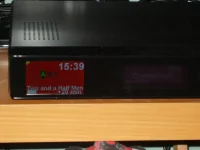
I have notice a yellow coloured quadrant on the top left of my lcd screen. The last couple of times I have seen this I also had the green flashing light on the info bar and a flashing indicator on the vfd display which I believe indicates there is a software update available . After doing an update all these reset. However this time only the yellow indicator on the lcd screen is showing and no software update is available so I don't know what this is telling me. I hope someone cane explain this as I have searched the forum and cannot find any mention of this. Thanks in advance.
Potterson
 
Are you recording anything when this is displayed?

I don't get this on my duo 2, only a red spot on the right when recording.
 
Odd, I dont get it on mine.

Attached is my lcd4linux config file + screenshot if anyone with the problem wants to test.
 

Attachments

I am not recording when this happens...As I said the first couple of times it appeared I did the software update and it disappeared along with the green light and flashing symbol on the vfd. Guess we will just have to ignore it . thank you all for your input.
 
yellow means; lcd4linux plugin crashed please your crash log should in located in /tmp
 
Yes, I've had this yellow 'dog ear' on the lcd display. I occurred after I had been playing with the layout of the various lcd displays... I then played some more, reducing potential overlaps and positioning more conservatively within the boundaries of the lcd... and the problem has not recurred. I didn't bother anyone with the issue as I was able to get around it. Either revert your display layouts or play around some more. Then I think you may need to power cycle to clear the lcd of this blight.
 
Thanks again everyone for your input this explains why it goes away after a software update as the image would be restarted.

Wish you all a great XMAS and NEW YEAR.:)

Potterson
 
Just go to LCD4 menu and press yellow button to restart display to remove yellow blob. Who would have thought ??? :D
 
Just go to LCD4 menu and press yellow button to restart display to remove yellow blob. Who would have thought ??? :D

Yea, but it'll come back unless you get the configuration edited to something that doesn't overlap (as per my previous post). Well, that is what I've experienced.
 
There is a checkbox in LCD4Linux Global Settings called "Show Crash Corner". Turning this off gets rid of the yellow blob for my Duo2. Although that does seem a bit like taking out the Low Fuel lamp on your car dashboard because that can be seriously irritating too .. m.
 

OpenViX Feeds Status

Back
Top