Superb quality and spec AB-Com PULSe 4K SE. Crazy offer! Only £129! FREE UK DELIVERY! 4K UHD, Enigma 2, Multiboot 4 images & more!...
Superb quality and spec AB-Com PULSe 4K Rev II Twin Satellite tuner only £179! FREE UK DELIVERY! 4K UHD, Enigma 2, SATA HDD facility, Multiboot 4 images & more!...

[VU+ Uno] New VIX Image Vu+ Uno Version 2.4 15/05/2012 - DISCUSSION ONLY -

Larry-G

V.I.P ,
Joined
May 19, 2010
Messages
32,540
Reaction score
405
Points
0
Age
48

Yt1FM.png

New VIX Image Vu+ Uno Version 2.4

15/05/2012 - Open ViX 2.4.96

attachment.php


Fr
om VIX Team

​

Enigma: 04-05-2012.
Enigma Plugins: 04-05-2012.
GCC Version: 4.4.4
Vu + Kernel Version: 3.1.1
Vu+ Drivers: 2012-02-28​

All Users
A full flash is required for this version of ViX image. Because of extensive changes you will not be able to perform an online update or restore any settings/plugin backups.

New Features
Blindscan
Now uses RF values in GUI not IF.
C band searches possible.
Supports symbol rates from 1 - 45MHz.

Channel Selection
Support added to change font sizes and number of rows.
Support added to have a 3rd event showing (Skin Dependent)
Support added to display start time and end time for all events shown.

EPG Selection
Added help screen to all epg selection screens.
Added support to change font sizes and number of rows.

Language Selection
Added English (UK) to available languages.

Translations
Added support for English (UK).

Sorting
You may now sort Menus, Settings and Plugin Browser alphabetically.

Network Browser
Uses less memory during Scan.
Moved to new Setup Mounts screen.
Openwebif
New style webif now accessed using default port 80
Old style webif still available if required for use with certain PC signal meters and Fancontrol 2

About Screen
Added network info.
Plugins
As part of streamlining the image, removed NFS, AFP, Samba, OpenVPN, Inadyn, MiniDLNA & uShare from default image (can now be installed/de-installed through Network setup screen)
Bootlogo's
Now available for direct install via plugins feed.

On Screen Hints
Now available as options are selected.
USB DVB
Added dvb-as102 support (by Gennart1).​
Skin
Brand New skin ViXBMC by markus625 added to feeds.
Native skins updated and optimised.
Instant Record from channel list, EPG or current channel.
Enhanced Movie List Features


Latest Drivers (28/2/2012).
Loads of under the hood changes made for a smoother user experience.

Button Mappings

Short Red** & *** - Show current channel EPG info (ViX Single EPG).
Long Red ** & *** - Sort single EPG info when in channel list.

Short Green** & *** - Timers.
Long Green*** - AutoTimer Timers.
Short Yellow*** - EPG Search.
Long Yellow*** - Instant IMDB Database search on the current programme.
Short Blue - Extensions.
Long Blue*** - Plugins Menu.
EPG - Opens ViX EPG.
Left/Right** - Opens ViX QuickEPG.
Up/Down** - Open Full Screen Channel List.
TV Button** - Open Full Screen Channel List.
Long TV Button - Open Bouquets List.
** Can be changed in ViX Menu
*** Can be turned off in ViX Menu

Special Thanks
​


  • rytec - for his continued support.
  • zoka.cc for his Picon sets
  • All developers for their plugins used in the feeds of this image.
  • All of the ViX Beta team for their hours of testing and dedication on getting this image working.
  • Rob van der Does, belierzz, rimas, Henkka, raivo, eesatfan, Zartmy, Trial & june8 for their translation work.
  • Silverfox0786 for channel settings, picons and bootlogo's.
  • Huevos for his work on blindscan
  • Gennart1 for dvb-as102 support
  • Markus625 for skin ViXBMC

​
Note: Not all 3rd party plugins have been tested or are guaranteed to be compatable.

R
equests

If anyone is interested in doing any translation work for the plugins and the image itself, please contact either Andy or Sicilian

Download

Download site for Latest Open Vix Builds (Beta's) www.openvix.co.uk

Stable release below
​

DOWNLOAD HERE

Code:
http://www.world-of-satellite.com/showthread.php?18172-New-VIX-Image-Vu-Uno-Version-2-4-15-05-2012
 
Hi,

Nearly finished setting up the new image and just like to say that v2.4 is absolutely fantastic :thumbsup: great work by the ViX Team and all others involved.

The UI is amazing much cleaner look, I would name them but there are so many new additions and tweaks and there is even more customization than before.. I love it :)

Not one problem,bug or issue encountered.. Great experience so far.

Keep it up, outstanding work.
 
first effort to thank all components of the team, on to my problem:

I did not recognize usb DTT

I downloaded the driver of my usb tdt, t hauppauge nova dib0700.ko win, I see it installed on:
lib/modules/3.1.1/kernel/drivers/media/dvb/dvb-usb/dib0700.ko

I rebooted, I've done a opkg upgrade and update but I still do not recognize it.

I do not appear in drivers for download, it seems that it is installed.

the log in screen installation gave me an error not found.

I have not activated the logs at home, I forgot to activate the debug log.

I rebooted, I've done a opkg upgrade and update but I still do not recognize it.

I do not appear in drivers for download, it seems that it is installed.

I have not activated the logs at home, I forgot to activate the debug log.

thanks..
 
Last edited:
more things:
error 403
extension-> oscam.info

not allowed to change the http port, if you change / etc/enigma2/settings (for mine),
always put back a default, the 65536, Error 403 when always active menus.

read userdata from oscam.conf yes.=error 403

thanks
 
edit.

umm, my fault, start with 0 followed by the port.
 
Thanks for this great image but........ The ViXBMC skin looks great and really tidy but i cannot seem to get it to display ecm info. Sorry if this has been dismissed elsewhere but any info please
 
Are these transponders on:

asiasat 5 100.5°E with SNR: 85 %
DVB-S2/8PSK 12702 V 40700 2/3
DVB-S2/8PSK 12642 V 40700 2/3
DVB-S2/8PSK 12582 V 40700 2/3

Yahsat-1A 52.5°E with snr: 88%
DVB-S2/8PSK 11833 V 12420 3/4
DVB-S2/8PSK 12067 V 18750 8/9

Bader 26E 11881 H 27500 5/6 DVB-S2 8PSK

Eurobird 2 25,5E
11039 Vertical DVB-S Symbol Rate 1534 FEC 3/4

Express 53 E
12743 Horizontal Symbol Rate 2170 FEC 3/4

Koreasat 5/palapa D 113.0E
3786 Horizontal DVB-S Symbol Rate 5632 FEC 3/4

NSS 12 57.0E
11174 Vertical DVB-S2 8PSK Symbol Rate 1250 FEC 3/4
11571 Vertical DVB-S2 8PSK Symbol Rate 1250 FEC 3/4
11568 Vertical DVB-S2 8PSK Symbol Rate 2500 FEC 3/4

work?
 
This image is truely amazing! :thumbsup:
I have a long experience using linux boxes (DM7020, DM800, now Vu+ Uno) and tried almost every image, what is available. New ViX is really special. Thank you very much!

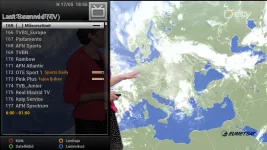
I found a little cosmetic mistake in slim channelselection screen. ;)a.webp
 
This image is truely amazing! :thumbsup:
I have a long experience using linux boxes (DM7020, DM800, now Vu+ Uno) and tried almost every image, what is available. New ViX is really special. Thank you very much!

I found a little cosmetic mistake in slim channelselection screen. ;)View attachment 16905


Thanks for pointing this out, i'll make a post in the development forum so that we dont forget about it.
 
first effort to thank all components of the team, on to my problem:

I did not recognize usb DTT

I downloaded the driver of my usb tdt, t hauppauge nova dib0700.ko win, I see it installed on:
lib/modules/3.1.1/kernel/drivers/media/dvb/dvb-usb/dib0700.ko

I rebooted, I've done a opkg upgrade and update but I still do not recognize it.

I do not appear in drivers for download, it seems that it is installed.

the log in screen installation gave me an error not found.

I have not activated the logs at home, I forgot to activate the debug log.

I rebooted, I've done a opkg upgrade and update but I still do not recognize it.

I do not appear in drivers for download, it seems that it is installed.

I have not activated the logs at home, I forgot to activate the debug log.

thanks..

other users with problems on skewers tdt, this time in VU SOLO with volar green.

installation from the panel fails, but puts the driver but it is not correct.
@mongoose
good

I installed this picture and I can not operate the DTT ..
I tested with a volar and a pinnacle nano tuners and do not appear even though I think I've installed the drivers from the panel of VIX
Is there any option to activate them is beyond me?
 
Not sure if this is a big ir not but installing DVD Player from plugins does not seem to show up in plugins list , the DVD backup installs ok. its just i use my Uno to play mt DVDs via a USB Drive too (VTI image it was ok).

no error logs have been writen so i'm not sure what this can be.
 
Not sure if this is a big ir not but installing DVD Player from plugins does not seem to show up in plugins list , the DVD backup installs ok. its just i use my Uno to play mt DVDs via a USB Drive too (VTI image it was ok).

no error logs have been writen so i'm not sure what this can be.

you do not need to install the DVD player as the default media player in the ViX image plays .ISO files just fine. as for the DVD player not showing in the menu as far as i am aware thats not supposed to happen all it does is add the ability to play dvd's in the media player, which as i said is already possible directly from the image with no need to add plugins.
 
ok thanks :)

Also anyone having problems with creating a swap file on /media/usb , making one on /media/hdd is fine within the ViX settings
 
ok thanks :)

Also anyone having problems with creating a swap file on /media/usb , making one on /media/hdd is fine within the ViX settings

is there any particular reason for you creating a SWAP file ?. creating a SWAP file is generally not needed unless there is a valid reason to do so.
 
Just wanted to quickly ask.. I don't feel comfortable loading unstable updates onto my Uno for a few reasons.

I have the setting turned off by default which i assume means that my Uno won't alert me when a unstable release is available and therefore won't download it.

However when the next update was available i got alerted to this via the infobar.

In the thread the next update says .112, But .111 is also mentioned.. now there is .119

I assume .112 is stable, .119 is stable and .111 is unstable? when i went to the openvix site i don't see .111? so was .111 a typo and .112 is unstable/untested?

Sorry all this might be a bit obvious but i got a bit confused.
 
Last edited by a moderator:
Just wanted to quickly ask.. I don't feel comfortable loading unstable updates onto my Uno for a few reasons.

I have the setting turned off by default which i assume means that my Uno won't alert me when a unstable release is available and therefore won't download it.

However when the next update was available i got alerted to this via the infobar.

In the thread the next update says .112, But .111 is also mentioned.. now there is .119

I assume .112 is stable, .119 is stable and .111 is unstable? when i went to the openvix site i don't see .111? so was .111 a typo and .112 is unstable/tested?

Sorry all this might be a bit obvious but i got a bit confused.

yes, 112 was set to unstable short time until we had chance to test it, as it turned out it was stable, as is 119.
 
Oh i see, Thanks for clearing that up andyblac.. So .112 was unstable, but once it become stable i was alerted to it as it was now a stable build.. I thought i was being alerted to update to an unstable build as the thread seemed to label it as unstable (which is why i was unsure) when in fact it was now stable.
 
Oh i see, Thanks for clearing that up andyblac.. So .112 was unstable, but once it become stable i was alerted to it as it was now a stable build.. I thought i was being alerted to update to an unstable build as the thread seemed to label it as unstable (which is why i was unsure) when in fact it was now stable.
yup, unlike pli nightlies, i did code stuff to allow you guys to choose whether to allow unstable updates or not.
 
back to 2.3.133 again. too much blipping on tv. assume its the new kernel that is causing the problem. best wishes with your new image. know the kernel problems must be a bitch to solve :-(
 

OpenViX Feeds Status

Back
Top