Rob van der Does
ViX Beta Tester
MiniDLNA is a server (so only required if the box is used as server).
DLNA-Browser is a client, and available from the feeds.
DLNA-Browser is a client, and available from the feeds.


Yes, the browser works fine - no problem.
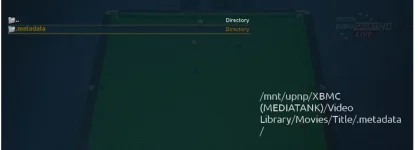
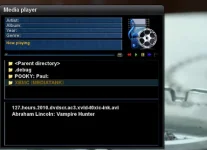
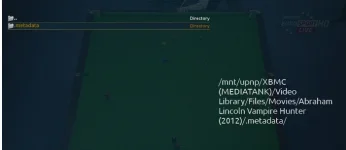
If i open the built in vix-mediaplayer it is able to browse the DLNA directories, but when it gets into a directory of a film lets say "Top Gun", nothing is displayed in the directory. If use the old mediaplayer OR the DLNA Browser i can browse to the same directory and see the media and play it.
The reason i asked the question is because someone said the old media-player would be removed , and currently the only way i can play media over DLNA is using the old mediaplayer.
It seems the solo 2 is reporting the wrong AGC % . It's very low on my solo 2 BBC 1 london shows at 43%. On my vu duo it shows 97%

Naah, nothing wrong there.I was on build 569 and updated to 589. Now when I press left or right on the circular disc button on the remote, this shows up:
Before, the infobar would show up and show information (episode guide) on the current program being viewed. Now it just looks ugly and episode guide is missing. Surely something is wrong.
Software Updates always shows 3 Available packages for update but They never update.. Is there any way that I can get more info on this? If I click "view the changes" I get a blank screen, If I update them the Solo2 goes through the update process but I still have the 3 packages when Im finished... I am just wondering if there is a log somewhere that might help me troubleshoot this problem...
what build are you currently on?
[EPGC] abort non avail schedule reading
[EPGC] abort non avail schedule other reading
[EPGC] abort non avail netmed schedule reading
[EPGC] abort non avail netmed schedule other reading
[EPGC] abort non avail FreeSat schedule_other reading
[EPGC] abort non avail viasat reading
[EPGC] nownext finished(1359641751)
[EPGC] stop caching events(1359641751)
[EPGC] next update in 60 min
eHdmiCEC: received message
eHdmiCEC: received message 83
eHdmiCEC: received message
eHdmiCEC: received message 83
eHdmiCEC: received message
eHdmiCEC: received message 83
eHdmiCEC: received message
eHdmiCEC: received message 83
eHdmiCEC: received message
eHdmiCEC: received message 83
eHdmiCEC: received message
eHdmiCEC: received message 83
eHdmiCEC: received message
eHdmiCEC: received message 83
eHdmiCEC: received message
eHdmiCEC: received message 83
eHdmiCEC: received message
eHdmiCEC: received message 83
eHdmiCEC: received message
eHdmiCEC: received message 83
eHdmiCEC: received message
eHdmiCEC: received message 83
Timeout!
[eDVBCAService] free slot 0 demux 0 for service 1:0:1:132B:41:46:E080000:0:0:0:
[eDVBCAService] free service 1:0:1:132B:41:46:E080000:0:0:0:
decoder state: play, vpid=-1, apid=-1
DEMUX_STOP - pcr - ok
DEMUX_STOP - video - ok
VIDEO_STOP - ok
AUDIO_STOP - ok
DEMUX_STOP - audio - ok
AUDIO_CONTINUE - ok
DEMUX_STOP - ttx - ok
start release channel timer
[SKIN] Parsing embedded skin <embedded-in-'QuitMainloopScreen'>
[SKIN] Parsing embedded skin <embedded-in-'TryQuitMainloop'>
connectionLost? [Failure instance: Traceback (failure with no frames): <class 'twisted.internet.error.ConnectionLost'>: Connection to the other side was lost in a non-clean fashion: Connection lost.
]
wakeupList [(1359644380, 0, True)]
dvb time sync disabled... so set RTC now to current linux time! 2013/01/31 16:18
set wakeup time to 2013/01/31 16:55
recordTimerWakeupAuto True
[ResumePionts] saving
[XMLTVImport] autostart (1) occured at 1359641920.99
[XMLTVImport] Stop
[AutoTimer] No changes in configuration, won't parse
---- saving lame channel db
saved 140 channels and 1751 services!
release cached channel (timer timeout)
[eDVBLocalTimerHandler] remove channel 0x28ed448
[eEPGCache] remove channel 0x28ed448
stop release channel timer
[EPGC] store epg to realpath '/media/usb/epg.dat'
[EPGC] 59736 events written to /media/usb/epg.dat
thread joined 0
set RTC to previous valid time
close frontend 0
- (41) eServiceFactoryDVD
- (41) eServiceFactoryM2TS
- (41) eServiceFactoryMP3
- (41) eServiceFactoryFS
- (41) eServiceFactoryDVB
- (40) eServiceCenter
- (36) Stream server
- (35) CI Slots
- (35) CA handler
- (30) eActionMap
- (22) Hdmi CEC driver
- (21) input device driver
- (20) DVB-CI UI
- (20) UHF Modulator
- (20) RC Input layer
- (20) misc options
- (20) AVSwitch Driver
- (15) eWindowStyleManager
- (10) gRC
waiting for gRC thread shutdown
gRC thread has finished
- (9) GFBDC
- (9) gLCDDC
- (9) Font Render Class
- (8) graphics acceleration manager
- (5) Tuxtxt
- (1) Background File Eraser
reached rl -1
TuxTxt stopped service 240
cleaning up
TuxTxt cache cleared
TuxTxt cache cleared
TuxTxt cache cleared
TuxTxt: initialized
TuxTxt service started 1388
TuxTxt running thread...(1388)
TuxTxt stopped service 1388
cleaning up
TuxTxt cache cleared
TuxTxt cache cleared
TuxTxt cache cleared
TuxTxt: initialized
TuxTxt service started 240
TuxTxt running thread...(240)
TuxTxt stopped service 240
cleaning up
TuxTxt cache cleared