Superb quality and spec AB-Com PULSe 4K SE. Crazy offer! Only £129! FREE UK DELIVERY! 4K UHD, Enigma 2, Multiboot 4 images & more!...
Superb quality and spec AB-Com PULSe 4K Rev II Twin Satellite tuner only £179! FREE UK DELIVERY! 4K UHD, Enigma 2, SATA HDD facility, Multiboot 4 images & more!...

ET-9x00 boot problem

psham

New member
Joined
Mar 28, 2012
Messages
16
Reaction score
0
Points
0
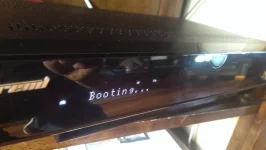
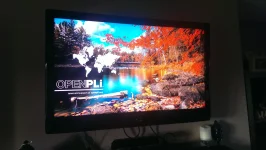
IMAG0376.webpIMAG0377.webp
Hi, Can anyone help..
My et-9200 was working perfectly on openpli 3.0 image ,today I decided to upgrade firmware openpli 4.0 beta, all flashed with no problems , loaded all plugins and channel settings, then did a full restart, now box boots as far as showing "Booting..." and nothing else happens.. I have a picture on the screen , see attached photos..
I cannot ftp or telnet with dcc as before..
I have tried to reflash with different usb's, also tried to flash different 3.0 images, all with the same problems...Stuck Booting..
Any help would be appreciated..
 
I did.. 762 and 763, also tried vix 2.3 from last year, nothing works.
Every image I use flashes ok but then gets stuck booting..
Any ideas?
 
Is there an internal HDD? If so: disconnect it.
If that doesn't help: make sure no other connections are made to the box (no ethernet-cable/USB/eSATA).
 
Unplugged internal hd and network cable , and it boots no problems.. plugged in network cable and box stuck on booting.. took out network cable and box boots..
What's the story there??
 
1- Apparently there's nothing wrong with your hardware. HDD can be used again
2- It looks like you have a (very) wrong entry in your fstab.
If your happy to manipulate that file yourself: open the file (in etc/) with a suitable editor and delete the entry.
If you're not happy doing that, you can post it here so we do it for you.
 
I'll give it a go.. do I delete everything in it and save?
 
No not everything. The upper part looks like
Code:
rootfs               /                    auto       defaults              1  1
proc                 /proc                proc       defaults              0  0
devpts               /dev/pts             devpts     mode=0620,gid=5       0  0
usbdevfs             /proc/bus/usb        usbdevfs   noauto                0  0
tmpfs                /var/volatile        tmpfs      defaults              0  0
UUID=1106bb14-f62d-4e62-b1e1-12c8c8893930	/media/hdd	auto	defaults	0 0
and should remain untouched.

Look for an entry like
Code:
192.168.1.80:/media/hdd	/media/net/ULTIMO1	nfs	_netdev,rw,nolock,proto=tcp,nfsvers=3,rsize=8192,wsize=8192,timeo=14,fg,soft,intr	0 0
and delete it. Reboot when done.
 
I don'y see any of the lines you wanted me to delete.. see attached fstab file..
 

Attachments

Hmmm, indeed. That means you have no internal disk either!
To fix that: go to the mountmanager and mount the HDD.

Could you please upload your automounts.xml (in /etc/enigma2 )?
 
Hold on I didn't have internal hd connected.. will connect and reboot and post fstab again.
 
Ok.. Rebooted anyway with harddisk connected, fstab looks the same as you suggested.. no automounts.xml present in etc/enigma2
Harddrive is working as I can see all the recorded programs on it when I press filelist on remote,
 

Attachments

Hmm, I'm lost.

Can you please go to Mountmanager, press setup mounts and mount the HDD as HDD. And see what the fstab is then?
 
Well..Downloaded device manager, unmounted internal harddrive and remounted, restarted enigma2 and it booted fine..
I have 0 problems now, boots every time..
Don't know why harddrive remounting sorted this but it did..

Thanks Rob..

Really appreciate it..
 

OpenViX Feeds Status

Back
Top