Superb quality and spec AB-Com PULSe 4K SE. Crazy offer! Only £99! FREE UK DELIVERY! 4K UHD, Enigma 2, Multiboot 4 images & more!...
Superb quality and spec AB-Com PULSe 4K Rev II Twin Satellite tuner only £149! FREE UK DELIVERY! 4K UHD, Enigma 2, SATA HDD facility, Multiboot 4 images & more!...

UKCvS AutoBouquets E2 by LraiZer BETA.

All,

Im using the custom_sort2.txt file edited to show the channels the way I want them.
Is there a way to delete or move the 28.2E UK bouquets bouquet so I can have the channels starting from 1.
Or can I edit the 28.2E UK bouquets to the way I want it.
The advantage of doing this is that the autobouquets.csv would keep everything upto date for me....
 
Enable move mode (image related not plugin) and delete it as you would on any bouquet. You will lose official numbering as a consequence though. Make sure default is unselected otherwise it will re-create it.
 
I did that but it recreated the 28.2E UK Bouquets again on next scan.
Im using an edited sort2 text file...


Enable move mode (image related not plugin) and delete it as you would on any bouquet. You will lose official numbering as a consequence though. Make sure default is unselected otherwise it will re-create it.
 
Please post a screenshot of your setup. It is working for me. Deleted the main one, rebooted, run a couple of times. Still not created the main one.

EDIT:
Also same with custom sort.
 

Attachments

  • 2.webp
    2.webp
    40.9 KB · Views: 39
  • 1.webp
    1.webp
    21.8 KB · Views: 37
  • 3.webp
    3.webp
    32.7 KB · Views: 36
Last edited:
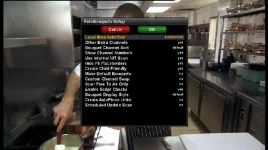
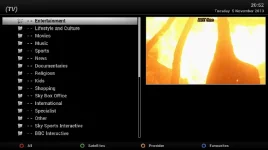
First image is pre deletion.
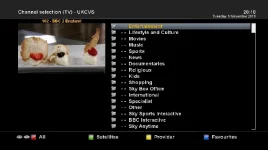
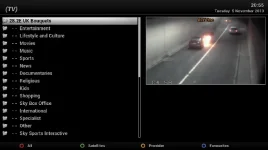
Second is after deletion.
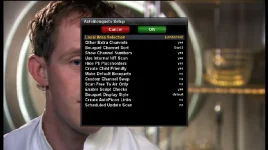
Third is after re-scan of bouquets maker.
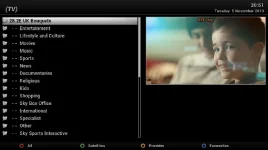
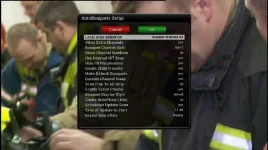
Fourth is the settings.

Pre-Delete.webp Post-Delete.webp Post-ReScan.webp Settings.webp
 
What E2 plugin & how are you creating your bouquets?
 
Any reason you are using that rather than the inbuilt ABM?
I know some people prefer it, so just asking...

Nah fair question i like the options and the MAIN reason is it puts the sly channel no's on the lineup tbh cant really say much more on this thread please check out the other link please mate.
 
What other link?
The inbuilt ABM can also show the SKY channel numbers, where do you want them displayed?
 
Can someone check if Remote timer works with this plugin.
I have identical setups on DUO2 and TM Nano with same custom sort and custom swap files but when I go to set a remote timer it gives error.
If I switch to all channels and open the same channel I can set remote timer no problem...

Any way around this....

Does Remote timer work with ABM ????
 
If you have 2 boxes when you add a new timer you have the option to tell the other box to do the recording instead.
I have it on TM nano with no HDD so when I want to record something while using nano I go to add timer and choose the remote timer option so it tells my DUO2 to do the recording.
Excellent plugin....
 
hi where or how can i install the rar files to my box. do i extract files and one by one place them some where?
 
Extract the rar file. Transfer mipsel32 ipk to tmp and install as normal. (He has included three different installers to cater for different images)

Or install from feeds using plugins/ download
 
If i set up custum swap, swapping a channel from extra "Other Channel" bouquet, eg TV3 OR UTV HD, Crossepg epg does not recognise these channels and ignores them when loading epg. I only get now and next info for swapped channels from extra other channels. Anyway of fixing this. Using latest version from vix feeds.
 

OpenViX Feeds Status

Back
Top