Superb quality and spec AB-Com PULSe 4K SE. Crazy offer! Only £99! FREE UK DELIVERY! 4K UHD, Enigma 2, Multiboot 4 images & more!...
Superb quality and spec AB-Com PULSe 4K Rev II Twin Satellite tuner only £149! FREE UK DELIVERY! 4K UHD, Enigma 2, SATA HDD facility, Multiboot 4 images & more!...

Blue-HD V2

  • Thread starter Thread starter rossi2000
  • Start date Start date
Hi
I noticed when downloading CrossEPG and when its loading data the graphic goes dark grey and also when Defragment database does the same graphic goes dark grey on Vix image
Can that be sorted please
Thanks
 
I have just done a clean install of VIX Zeus on a VU+ Solo2. The most recent ipk for blueHD doesn't seem to install or show up in skins. Does it need an update to work with the new version of VIX ?? Is there a way to manually install it ?? I also can't see it in the plugin download manager.

thx
 
Your likely looking in the wrong place.

Menu> setup> system> user interface> skin setup.
 
Your likely looking in the wrong place.

Menu> setup> system> user interface> skin setup.

Did look there but it doesn't show up. Installed some other skins with the plugin download manager and they show up fine.
 
Sorry messed up - failed to select the green tick when installing the ipk. New to this so rookie mistake !!!
 
Hi,

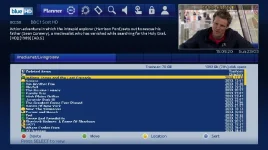
Love this skin. Only niggle I've found is with the MovieSelection screen. The ListBox shows 20 record items, but the text in the listbox is cut off at the bottom of each line to fit all 20 items into the available space.

MovieSelection.webp

I've had a look at the skin file, and have found the line that shows the list...
Code:
<widget name="list" position="100,332" size="1075,310" zPosition="3" scrollbarMode="showOnDemand" selectionPixmap="Blue-HD/buttons/FocusBar_H36x1075.png" foregroundColor="white" backgroundColor="skydarkblue" transparent="0" enableWrapAround="1" />
...but I'm struggling to work out how to change things. Ideally I'd like to reduce the number of records shown on the screen from 20 to (say) 10, or perhaps reduce the font size, but I can't find any way to do this.

Any ideas?
 
Hi,

Love this skin. Only niggle I've found is with the MovieSelection screen. The ListBox shows 20 record items, but the text in the listbox is cut off at the bottom of each line to fit all 20 items into the available space.

View attachment 33366

I've had a look at the skin file, and have found the line that shows the list...
Code:
<widget name="list" position="100,332" size="1075,310" zPosition="3" scrollbarMode="showOnDemand" selectionPixmap="Blue-HD/buttons/FocusBar_H36x1075.png" foregroundColor="white" backgroundColor="skydarkblue" transparent="0" enableWrapAround="1" />
...but I'm struggling to work out how to change things. Ideally I'd like to reduce the number of records shown on the screen from 20 to (say) 10, or perhaps reduce the font size, but I can't find any way to do this.

Any ideas?

Look on page one of this post and details are there on changes you need to make in settings. :thumbsup:
 
Look on page one of this post and details are there on changes you need to make in settings. :thumbsup:

Duh! Why do I always have to look for the most difficult solution, when a simple answer already exists!

Thanks.
 
Hi guys, downloaded and installed the skin, great work!!

Ive noticed on my EPG that its all one shade of blue,

and the other screenshots that have been posted seem to have two shades,

a shade for current program which appears to be missing on my own

Any ideas?

Cheers !!
 
Hi guys, downloaded and installed the skin, great work!!

Ive noticed on my EPG that its all one shade of blue,

and the other screenshots that have been posted seem to have two shades,

a shade for current program which appears to be missing on my own

Any ideas?

Cheers !!

I suspect you may have your Graphical EPG set to text mode rather than graphics mode, it's easy enough to change it.

while in the graphical EPG mode hit the enter button to pull up the settings menu, you should be able to change it there, sorry i cant be more specific but i'm at work and not near a receiver to get the exact path needed.
 
in later builds it was changed to be all blue. try to avoid using graphics mode epg as theres a bug which will display blocky timeline text. so text mode is preferred at this time.

im trying to source spare funds for a new box, my quad recently died.

although i have another box to use myself atm, there is no vix image for it :( and certainly not compatible with the brand new skin which we were working on before my box died.

so both projects are on hold atm.
 
I have the same probs as chaser with the planner. I can't find the planner settings in the system menu ? It's prob me being a pleb but can someone put me in the right direction
Thanks
 

OpenViX Feeds Status

Back
Top