R
rossi2000
Guest
Red-HD V1.
heres our latest skin. based on another provider.
mainly for vix image, it works on atv aswell but many screens arent skinned properly.
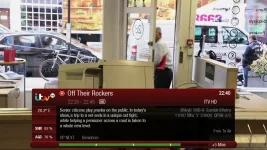
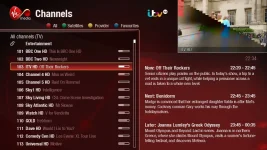
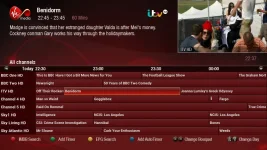
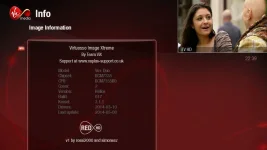
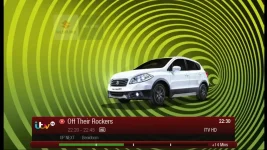
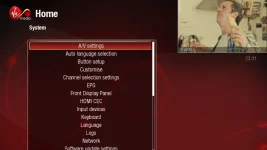

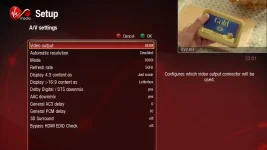
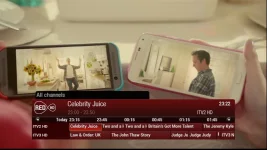
feedback/suggestions etc welcome.
enjoy.
EDIT: 20151218. ipk has been removed removed. Please install from the plugin feeds.
To install the skin
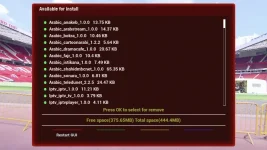
Menu > Plugins > Green (download plugins) > skins > Select desired skin (openvix red hd)
To activate skin
Menu > Setup > System > User Interface > Skin Setup > Select desired skin
A GUI restart will be required foir this change to take effect
List of chanenls is condensed/squashed.
Open your chanenl list > Settings > Scroll down to "Number of rows" > Press left until number changes. 13 is suggested.
List of recordings condensed/squashed.
This is is because the default number of rows is set to 20. You need to change this to 9
Open your list of recordings > Then press menu > Settings > Scroll down to "Number of rows" >
Press left until number changes (9 is suggested) > Green for OK to save changes
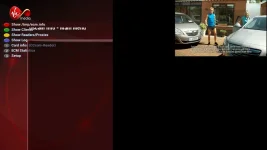
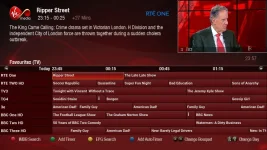
heres our latest skin. based on another provider.
mainly for vix image, it works on atv aswell but many screens arent skinned properly.
feedback/suggestions etc welcome.
enjoy.
EDIT: 20151218. ipk has been removed removed. Please install from the plugin feeds.
To install the skin
Menu > Plugins > Green (download plugins) > skins > Select desired skin (openvix red hd)
To activate skin
Menu > Setup > System > User Interface > Skin Setup > Select desired skin
A GUI restart will be required foir this change to take effect
List of chanenls is condensed/squashed.
Open your chanenl list > Settings > Scroll down to "Number of rows" > Press left until number changes. 13 is suggested.
List of recordings condensed/squashed.
This is is because the default number of rows is set to 20. You need to change this to 9
Open your list of recordings > Then press menu > Settings > Scroll down to "Number of rows" >
Press left until number changes (9 is suggested) > Green for OK to save changes
Last edited by a moderator:


 :thumbsup: