Superb quality and spec AB-Com PULSe 4K SE. Crazy offer! Only £129! FREE UK DELIVERY! 4K UHD, Enigma 2, Multiboot 4 images & more!...
Superb quality and spec AB-Com PULSe 4K Rev II Twin Satellite tuner only £179! FREE UK DELIVERY! 4K UHD, Enigma 2, SATA HDD facility, Multiboot 4 images & more!...

[VU+ Duo2] Apollo and filezilla

tomos

Member
Joined
Aug 16, 2013
Messages
167
Reaction score
0
Points
16
Hi,

Just updated to Apollo all seemed to work fine, until I connected via Filezilla I wanted to Copy the mgcamd ipk file to tmp folder, but I cant access the temp folder on root,filezilla 2.webp the temp folder has a small black arrow by the folder as do several other folders.
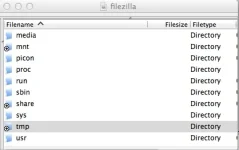
Any help gratefully accepted.

Thanks

Tom.

Ps the file attributes is 777
Ive reverted back to helios
 
no issues here with any of my receivers using Apollo and filezilla with ubuntu.
 
The arrow just means its a symlink.
You could try adding it to /var/volatile/tmp/ or just install mgcamd from the plugin feeds.
 
Hi Judge

Thanks for the quick reply, if the folder is a symlink does that prevent from opening the folder.
 
if the folder is a symlink does that prevent from opening the folder.

No. I'd guess it's a setting in your FTP client. Look for something like follow symlinks. I've never had to make any changes using filezilla though.
 
filezilla... That's the one I always use.
 
No problems here with Filezilla. You are aware Mgcamd can be installed via plugins downloads.
 
I'll try filezilla from another computer just in case its a setting or problem with this computer thanks for your help
 
No, but ill reinstall Apollo tomorrow and install it via the download, with Apollo do mg_cfg and newcamd.list still get ftp'd to usr/keys?
 
Thanks all for your help ill retry tomorrow morning enjoy the rest of the weekend
 
Which ftp client would you recommend?

I normally use FlashFXP under windows but thats not available under Linux and as i have just thrown that MS crap off my laptop (about time too), I'm now using Filezilla.
 
this is wrong mine didnt i installed mgcamd i have Apollo it didnt make the config files
i made them myself and its not working..
The Vix cams don't have any configs.

You have misunderstood what was asked and the response. The question was asking to confirm the location to use for the the config files, i,e is it /usr/keys/
 
The Vix cams don't have any configs.

You have misunderstood what was asked and the response. The question was asking to confirm the location to use for the the config files, i,e is it /usr/keys/

Ok sorry just wondering why mines not working do you have a working cfg ta
and I keep getting network not setup right i have to keep restarting the network ;/
 
this is wrong mine didnt i installed mgcamd i have Apollo it didnt make the config files
i made them myself and its not working..

That answer was to where the config files should be placed/ftp'd. Not how they should be created.
The link Abu provided above should be enough to get the config files you want working correctly.
 

OpenViX Feeds Status

Back
Top