Superb quality and spec AB-Com PULSe 4K SE. Crazy offer! Only £129! FREE UK DELIVERY! 4K UHD, Enigma 2, Multiboot 4 images & more!...
Superb quality and spec AB-Com PULSe 4K Rev II Twin Satellite tuner only £179! FREE UK DELIVERY! 4K UHD, Enigma 2, SATA HDD facility, Multiboot 4 images & more!...

[VU+ Solo2] issues with apollo 37

chrcoluk

Forum Supporter
Donated Member
Joined
Mar 4, 2014
Messages
164
Reaction score
0
Points
16
Location
UK
So I am now on apollo 37, having had to spend ages writing down old settings etc. got there in end.

This post is a mixture of a bug report and suggestions.

Now on apollo37, if I do a EPG download, either the automated once a day at 4am or manually, the box cannot show tv smooth, it is jerky at a very low framerate until the GUI is restarted, this affects recordings also.
Didnt happen on apollo 24 and older.

Accessing anything that requires i/o such as EPG data, recordings list, is slow if the first time in a while, I suspect this is related to caching and I am guessing on older vix builds this data stayed cached either forever or much longer. e.g. hitting the recordings button up to display my recordings list will sometimes say please wait for about 5 seconds, I downgraded to an older version to test this and on helios and older its near instant. The regression seems to be OE alliance 2.2+.

Likewise accessing menus, timers list etc. is clearly slower than helios and older, when I first got the box on the famous vix 808 image, all this stuff used to be lightning fast. Sometimes when exiting a menu page, the box takes about 3-4 seconds to update the screen.

Viewing HD channels I see occasional framerate stutters even after a box reboot, doesnt happen on SD, box seems to be struggling more on the new OE alliance 2.3

Fast skipping in recordings is laggier, this I noticed is now slower than apollo24 and older.

When setting up my tuner A on the configuration, I simply chose simple and auto, the box crashed and rebooted itself, tuner B was ok tho so wasnt consistent on both.

Now for suggestions.

1 - Remove the "are you sure you wish to exit prompt without saving" when I have made no changes, useless and annoying.
2 - In the settings menus, highlight non default settings with a different colour, this means when the next time you break backup and restore and I have to manually redo everything, it will greatly speed up the process as I then know quickly what I have changed.
3 - add a warning on updates and on the normal backup feature that plugins are NOT backed up, and if the feed is not available on restore they lost (seems often now as you guys reducing the versions you support feeds on from month to month).
4 - Add a notification feature where the box checks for new versions, and if detected can display the changelog. Obviously this has to be optional so people can disable it if they dont want it.
5 - on the mgcamd plugin, provide a default config file, none is provided.
6 - will try and think of something ;)
 
As for your list of issues, I have none of them on the Solo2.
Have you tried editing your mgcamd config file to stop logging?
 
5 - on the mgcamd plugin, provide a default config file, none is provided.

we dont provide config files for any softcam blank or otherwise, for our own legal protection.
 
4 - Changelogs are built into the Software Update screen & can be viewed there.
Also, in Menu -> Information -> About -> Info/EPG button.
 
3 - add a warning on updates and on the normal backup feature that plugins are NOT backed up, and if the feed is not available on restore they lost (seems often now as you guys reducing the versions you support feeds on from month to month).

we are not reducing the versions we support in this way at all, the feeds we were using were combined in to a single feed in order to save server space, sadly though these were no longer compatible with the new OE-A 2.3 core, so we had to revert to the older feed system where every receiver had it's own feeds, and as we were trying to save server space it was pointless for us to be running multiple feeds systems which occupy gigabytes of data from our own users never mind the cloners who are now illegally tapping into them too..


4 - Add a notification feature where the box checks for new versions, and if detected can display the changelog. Obviously this has to be optional so people can disable it if they dont want it.

Such a feature has been in place for over two years already (The red and green update icons, and you can see a full changelog as described by judge above).
 
I run a solo2 and duo2 and have none of the issues you describe. However I use oscam and cccam so it may be you are having issues with mgcamd. Have you tried other cams?
 
another bug report.

goto the recordings page.

press the menu button to see settings, and check the following settings and the description for each is wrong description.

disk space to reserve
background delete option
background delete speed
font size

is some others also which are wrong
 
I run a solo2 and duo2 and have none of the issues you describe. However I use oscam and cccam so it may be you are having issues with mgcamd. Have you tried other cams?

the cam doesnt affect anything, I set that up last.
 
5 - on the mgcamd plugin, provide a default config file, none is provided.

we dont provide config files for any softcam blank or otherwise, for our own legal protection.

yet I downloaded one from this forum from a post made by an admin.

I am not talking about the newcamd.list file, I mean the mg_cfg file.

If you worried about legal issues why provide the plugin at all?
 
yet I downloaded one from this forum from a post made by an admin.

I am not talking about the newcamd.list file, I mean the mg_cfg file.

If you worried about legal issues why provide the plugin at all?


The plugins them selves are not illegal but even so for a long time we did not include them in the image feeds at all, so we conceded and allowed cams back into the feeds but without ny kind of config file, and thats the way it's going to stay.
 
Apollo 37 works fine on my Vu solo2 too.

One thing to check is the mgcamd process which easily goes into a spin (i.e. very high cpu) when enigma2 (i.e. OpenVIX) is restarted without rebooting the box. I have a script which checks mgcamd is behaving and kills it if it's 'spinning', the standard OpenVIX checker then automatically restarts mgcamd. I'm running v1.35a mgcamd. Apart from that mgcamd is reliable for me.

You can check the process by telnetting (or ssh) onto the Vu+ and running 'top' to see what is consuming the CPU. All processes shouldn't be using more than 30% cpu.
 
interesting it does use a bit of cpu as you said but not as much as engima2.

PID USER PR NI VIRT RES SHR S %CPU %MEM TIME+ COMMAND
1440 root 20 0 152m 76m 10m S 93 13.7 8428:33.71 enigma2
2728 root 20 0 10672 1692 1352 S 6 0.3 133:19.16 mgcamd.1.35a
11 root 20 0 0 0 0 S 1 0.0 17:58.21 ksoftirqd/1
 
enigma2 uses about 2% CPU in normal TV viewing for me, mgcamd uses around 7%. Looks like you have some other problem then.
 
ok I want to make a screengrab to show another issue. This isnt new to apollo 37 but I started seeing it in either helios or apoolo 24 (Cannot remember which) and as its still an issue I want to post a screenshot.

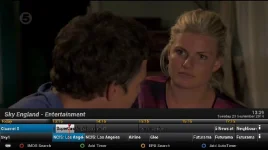
Basically I have the default skin, and the issue is occasionally the EPG will show a distorted grey area instead of programmes and I have it on my tv right now but not knowing how to make a screenshot image of it.

Interesting as well the now and next EPG on the change channel screen was showing wrong programme and this might be something to do with it, e.g. now on channel 5 it sais supercasino (which is a nioght time program) and home and away is on, on the EPG screen it looks like supercasino is overlayed on top of home and away can see brief outline of letters.

--edit--

figured it out via webif, ok here it is.
 

Attachments

  • 1_0_1_1E15_809_2_11A0000_0_0_0.webp
    1_0_1_1E15_809_2_11A0000_0_0_0.webp
    23.2 KB · Views: 67
Last edited:
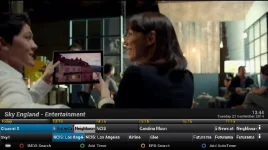
noticed the now and next shows right programme now, so pushed the epg one to the right, and it now looks like this.

I got a theory me having the previous 15 mins enabled on the epg options might be causing this so I will disable that and report back in a week or so if it works.
 

Attachments

  • 1_0_1_1E15_809_2_11A0000_0_0_0-2.webp
    1_0_1_1E15_809_2_11A0000_0_0_0-2.webp
    33.6 KB · Views: 47
Also to point out when I was removing the store previous epg data setting, as I was pressing down on the remote to move to the option on the menu it wasnt responding,. the spinning vix logo came up for a couple of seconds and then it suddenly jumped down many at once so was overloaded by something. The good news is so far it seems to have had no epg deformity since I set it to 0 (the default). But ideally need a week to verify this.
 
Have you tried changing your mgcamd config yet?
 
Have you tried changing your mgcamd config yet?

why are people telling me to mess with mgcamd when all the above things I reported happened without it?

and change it to what? as no config is distributed I had to use the one from here.

http://www.world-of-satellite.com/s...riginal-vu-duo&p=182712&viewfull=1#post182712

So to clarify.

everything reported on post #1 happened without mgcamd.
the distorted EPG I am currently 99% sure is due to the store previous epg data setting which I had before set to 15 minutes. This was happening on apollo 24 as well and I wasnt using mgcamd then, it was also possibly happening on helios, cannot remember when it started but it didnt happen on the first vix firmware I had for sure.

So judge.

did you manually check the menu for the recording screen, to verify my bug report of wrong descriptions? or have you just assumed I am wrong?
likewise with the store previous epg data setting?

it feels like this thread where the reporters were not been taken seriously http://www.world-of-satellite.com/showthread.php?40139-recording-problem/page14
 
It's not that anybody is taking you seriously. It's that you don't seem willing to try basic suggestions first.
As for the recording judder, I'd check your cables & lnb. Again, no issue here.
The EPG issue is a long standing E2 bug.
If your box is lagging on menus & such, I'd suggest a reflash if you're not willing to try anthing else out.
 
Well now the EPG no longer stutters after its done. The only thing I changed was that EPG setting.

Menus are still slower than the 808 build but now feel faster than apollo 24 was, same with recording screen.

It just feels pointless reporting 'possible' bugs if an assumption is made its my setup, I would expect someone to manually check what I reported to confirm it or not.

Anyhow I did what you said just to cooperate and I can confirm mgcamd removed has no bearing on responsiveness. or the other issues I reported.
 

OpenViX Feeds Status

Back
Top