Superb quality and spec AB-Com PULSe 4K SE. Crazy offer! Only £99! FREE UK DELIVERY! 4K UHD, Enigma 2, Multiboot 4 images & more!...
Superb quality and spec AB-Com PULSe 4K Rev II Twin Satellite tuner only £149! FREE UK DELIVERY! 4K UHD, Enigma 2, SATA HDD facility, Multiboot 4 images & more!...

[VU+ Duo] image apollo 108 vu duo

on VU+ duo2 you always see what you choose from the menu in the VFD display.I need to adjust also for my TV.Settings are 14-692-12-552
 
I cant see my vfd display as it is in another room. I am not sure if this would work anyway. I cant get the far right of the skin to be on the right no matter what I do?


Sent from my iPhone using Tapatalk
 
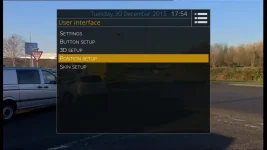
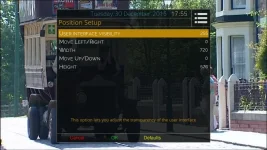
Have you tried changing the Position setup - and abu beat me to it again lol

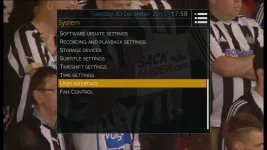
User interface 1.webp User interface 2.webp User interface 3.webp
 
Last edited:
where is the skin file located, i want to ftp to it?

Thanks
 
have you updated to the latest build? - I had similar problems on my duo 2 when I first tried the HD/1080p merged release, but having tried this again recently, it now works fine.
 
have you updated to the latest build? - I had similar problems on my duo 2 when I first tried the HD/1080p merged release, but having tried this again recently, it now works fine.

I am on the latest build. I am not sure what else to try other than a fresh install.


Sent from my iPhone using Tapatalk
 
I did do a fresh install before it started working for one reason or another unrelated to this!
 
Hi I just went from apollo 90 to 112. I liked 90 and the way the screen shots disappeared slowly but I cant get that on 112 it looks more like the old style vix.

Can I get this back?
 
Hi I just went from apollo 90 to 112. I liked 90 and the way the screen shots disappeared slowly but I cant get that on 112 it looks more like the old style vix.

Can I get this back?
Yes press menu and activate the fade feature. Sorry I can't be more specific but I am currently not near a receiver.

Sent from my SM-G900F using Tapatalk
 
Press Menu then Setup > System > User Interface > Settings > Enable InfoBar Fade Out
 

OpenViX Feeds Status

Back
Top