Superb quality and spec AB-Com PULSe 4K SE. Crazy offer! Only £99! FREE UK DELIVERY! 4K UHD, Enigma 2, Multiboot 4 images & more!...
Superb quality and spec AB-Com PULSe 4K Rev II Twin Satellite tuner only £149! FREE UK DELIVERY! 4K UHD, Enigma 2, SATA HDD facility, Multiboot 4 images & more!...

[ABM-MISC] ABM - upgrade to appollo 132 breaks it for me.

  • Thread starter Thread starter bigvern
  • Start date Start date
B

bigvern

Guest
box = vu+ solo2
had my box over a week, came flashed with vix (131), been working spot on

Got a flashing green icon so upgraded to appollo build 132 (from 131)

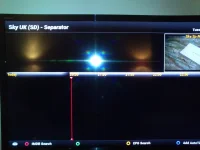
As soon as I upgraded there were multiple blank ABM sperarator pages in the EPG (in between the correctly displayed bouquet pages), along with random posisitioned 'last scanned' and 'favourites' (which I never had set up and which were unticked), the blank seperator pages would go on for ever (and you would have to zap all the way back to get to your bouquets).

I deleted all the ABMs, rescanned, changed providers, rescanned, re-deleted etc. etc. (and redownloaded the crosss epg etc.) and rebooted the box multiple times - nothing made any difference,, as soon as I reverted back to 131 image all was back to normal.
 
I did a fresh usb install of 132 on my Solo2 and don't have any issue with ABM using Sky UK SD (ie ZZL sky uk)
 
Ok ta.

I upgraded from within the menu system (is that the way to do it ?)
I didn't change or do anything else, the provider set up is sky(SD) and I had it setup to hide most sections apart from all,entertainmanint,movies,kids,sports and documentaries (pretty new to this not sure what zzl means)

so this was all working and displayed correctly the epg (I used the installed cross epg)

After updating I got blank pages in between some of the sections (eg, when going between sections in the epg I would get a balnk page with no listings, then multiple balnk pages elsewhere,i t was a just a mess basically)

So I tried just using different providers (sky fta and sky) in isolation and got pretty much the same result. (and hiding / unhiding different sections)

Any ideas?? I can upgrade again and do screenshots of the blank pages if it would help.
 
Mine was a fresh install without settings restore.

An online update (as you did) generally keeps existing settings.

Andy said he updated from 131 to 132 but not sure if he did it via online update as well.

It could be that it's because you have things hidden (which I don't).

I believe there have been some changes to the EPG I'm sure I read the in 132 update log so this could be more EPG related rather than ABM.

You could try removing all settings related to ABM and use the delete function within menu for the EPG.

To remove all ABM settings do this (taken from Abu's thread):-

Put enigma to sleep with telnet command
Code:
init 4
Using FTP program (such as Filezilla) navigate to /etc/enigma2
Using a linux compatible file editor (such as Notepad++, not default windows notepad) edit the file called "settings"
Delete the lines that start with
Code:
config.autobouquetsmaker
Save and transfer back to receiver
Restart receiver by telnet:
Code:
init 6
 
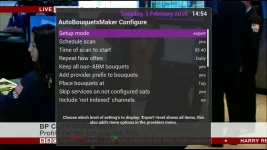
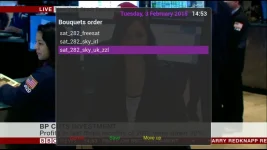
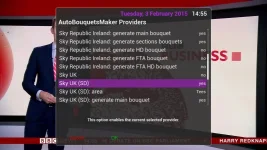
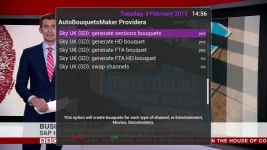
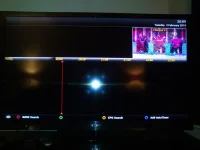
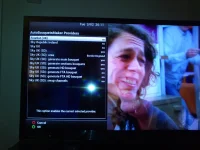
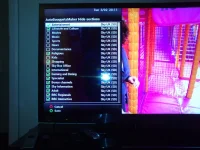
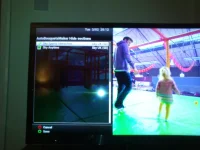
It could be just need fine tuning in your set ups here are some snapshots of how my Duo2 is set up to give you some idea

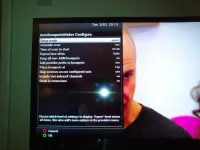
ABM 1.webp ABM 2.webp ABM 3.webp ABM 4.webp
 
thnaks all,upgrade again same result, here's my stettings (retained during upgrade ok)
screenshots show blank page example I am getting, not tried telnet thing yet will try that next, but the strange thing is all settings seem to be the same as the working pre-upgrade settings, the only thing that has changed is the upgrade;
should say I again I have tried unhiding/hiding sections and using diff providers - still get same issue, also tried toggling 'keep all non boquet markers' as in screenshot above - no different.

I have deleted the epg, but again the blank pages appeared (the other bouquets still appeared with channel names but without programs)

re-downloading the epg - back to square one, still blank pages in between the fully populated and working ones.

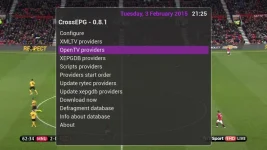
I cant seem to see the boquets provider order as in screenshot 2 above?

20150203_200948_Android.webp20150203_201117_Android.webp20150203_201134_Android.webp20150203_201155_Android.webp20150203_201304_Android.webptried
 
Last edited by a moderator:
here's another blank one actually different as it's titled separator

20150203_203211_Android.webp
 
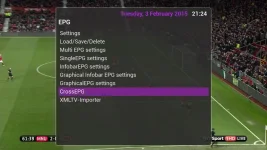
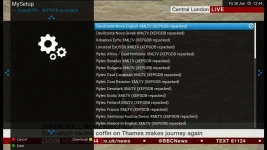
Just a thought have you setup your EPG you need to run that so that ABM can find the feeds

EPG .webp EPG 1.webp EPG 2.webp EPG 3.webp EPG 4.webp
 
tried telent, different result now bouquets are ordered as; Blank pages,HD Channels, Separator, FAvourites, Last scanned, All channels.. - so still a mess
after telnet tried bouquet deleting, epg deleting - redownloading etc, rebooting etc.....
 
Just a thought have you setup your EPG you need to run that so that ABM can find the feeds
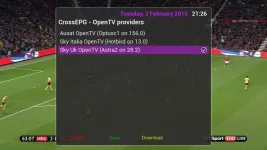
ta , well I didnt have those 2 providers ticked , so did that and deleted and recreated bouquets etc, same result.
 
That's strange mate my Duo2 is running perfect and picking up all the channels without a problem on them settings

I noticed that you have your area set to Border England where exactly are you as changing that setting might work
 
Last edited:
I am in that area, (was set for that area as well when everything was perfect prior to upgrading) - tried changing it anyway but same result -- bit cheesed off now..
 
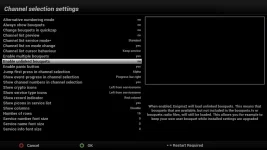
Do the follwoing, make sure that in the channel settings menu you have option for "unlinked bouquets" as in attached picture.

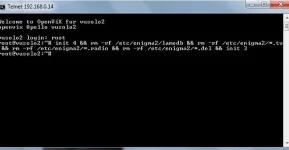
Telnet the following command which will remove all bouquets and then run ABM again after restart.

Code:
init 4 && rm -rf /etc/enigma2/lamedb && rm -rf /etc/enigma2/*.tv && rm -rf /etc/enigma2/*.radio && rm -rf /etc/enigma2/*.del && init 3
 

Attachments

  • unlinked bouquets (Vix).webp
    unlinked bouquets (Vix).webp
    29.1 KB · Views: 25
Thanks Abu, that setting was as per the screenshot already on my box, I have ran the telnet command , the box rebooted and got the openvix desktop, I checked the settings (enable unlinked bouquets was still as per screenshot), still the same with totally blank pages as per prev screenshots separating the bouquets. I downloaded both the working 'enigma2' folder and the broken one if thats any use?
The box came with the vix image 131 already on it, if that makes any difference (got it from www.world-of-satellite.co.uk) not downloaded any extra plugins, standard setup and was perfect (I can revert and all epg bouquets are perfect, no pages inbetween etc. but obv I want to be able to keep the box uptodate rather than stay on an old image)

ta.
 
If you run the telnet command succesfully, you should have had no bouquets whatsoever on your receiver.

Can you upload the enigma2 folders please?
 
sorry should have been clearer, the channel setting was still there (as per your screenshot), but the bouquets were not, is there anywhere I can upload them to, or I can do them to skydrive and PM you the link?, ta


vix telent command.webp
 
Upload them here, it will be fine. Double check the "settings" file does not have your email address before compressing.
 

OpenViX Feeds Status

Back
Top