For those that keep asking, the following is taken from another forum:-
This plugin allows you to:-
HOW TO CHANGE COLOURED BUTTON OPTIONS WITHIN EPG:
HOW TO DISPLAY CHANNEL NUMBERS WITHIN EPG:
HOW TO ALLOW ENTERING AND SWITCHING TO A CHANNEL WITHIN EPG:**
NOTICE:
I recommend making a full image backup of your current image before installing this custom EPG mod plugin.
This should work on most enigma2 boxes running recent OpenVix image.
This plugin makes a backup of key original EPG files before installation and providing there were no errors, these key original EPG files are restored upon removal of this plugin.
PRE-REQUISITE (These are IMPORTANT):
HOW IT WILL LOOK:
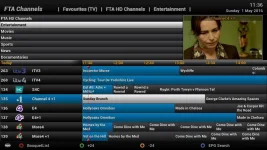
Below are some screenshots of how the setup should look depending on whether Blue-HD or Red-HD skin has been installed from within the image plugin feeds:-
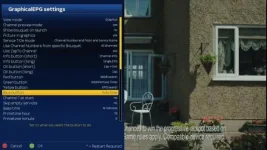
(screenshot is of Blue-HD only)
HOW TO INSTALL:
Version 1.16 is only for use with images upto 4.1 016. It has been adapted to be in line with the trashcan sort feature that was recently added
DISCLAIMER:
As this plugin makes slight modifications to some EPG files, menu options and skins, it's therefore possible that this plugin can cause your system to crash or worse-case cause a boot-loop due to new changes OpenVix/OE-A alliance team may make after this plugin has been released.
Although it's rare that these EPG files may be changed, it's still possible. I will update beginning of this thread with current image I've tested upto. Therefore, if using on a newer version that I haven't tested then please be cautious and ensure you have backed-up your image first.
Thanks to the various people involved especially Matt & DarkDreamingDan. I would like to thank anyone else involved.
OpenVix Custom EPG
This plugin allows you to:-
- Re-assign/customise the 4 coloured key options (Red, Green, Yellow & Blue) within the Graphical EPG of OpenVix
- Display channel numbers within graphical EPG
- Allow entering and switching to a channel within Graphical EPG **
HOW TO CHANGE COLOURED BUTTON OPTIONS WITHIN EPG:
- Menu > Setup > System > EPG > Graphical EPG settings
- Scroll down and select the coloured button you wish to change (ie "Red button") and choose, from available options, what you wish the button to do.
- Press <Green> button on remote to save settings
HOW TO DISPLAY CHANNEL NUMBERS WITHIN EPG:
- Menu > Setup > System > EPG > Graphical EPG settings
- Under "Service Title Mode", choose an option that includes channel number
- Under "Use Channel Numbers from First Bouquet", select the main bouquet (normally "All Channels").
- Press <Green> button on remote to save settings
HOW TO ALLOW ENTERING AND SWITCHING TO A CHANNEL WITHIN EPG:**
- Menu > Setup > System > EPG > Graphical EPG settings
- Under "Use ZapTo Channel", select 'Yes'
- Press <Green> button on remote to save settings
NOTICE:
I recommend making a full image backup of your current image before installing this custom EPG mod plugin.
This should work on most enigma2 boxes running recent OpenVix image.
This plugin makes a backup of key original EPG files before installation and providing there were no errors, these key original EPG files are restored upon removal of this plugin.
PRE-REQUISITE (These are IMPORTANT):
- Recent OpenVix image (currently 4.1/4.0/3.3)
- If required, Blue-HD skin installed and setup before installing this plugin; and/or
- If required, Red-HD skin installed and setup before installing this plugin.
HOW IT WILL LOOK:
Below are some screenshots of how the setup should look depending on whether Blue-HD or Red-HD skin has been installed from within the image plugin feeds:-
Code:
http://i.imgur.com/5ueGjzh.gif(screenshot is of Blue-HD only)
HOW TO INSTALL:
- Please make a full backup of your current image first.
- Using FTP (eg FileZilla), ftp this file over to "/tmp" on your box.
- Using telnet, type "opkg install /tmp/*.ipk" or use install local plugin option within image
- Restart your box.
Version 1.16 is only for use with images upto 4.1 016. It has been adapted to be in line with the trashcan sort feature that was recently added
DISCLAIMER:
As this plugin makes slight modifications to some EPG files, menu options and skins, it's therefore possible that this plugin can cause your system to crash or worse-case cause a boot-loop due to new changes OpenVix/OE-A alliance team may make after this plugin has been released.
Although it's rare that these EPG files may be changed, it's still possible. I will update beginning of this thread with current image I've tested upto. Therefore, if using on a newer version that I haven't tested then please be cautious and ensure you have backed-up your image first.
Thanks to the various people involved especially Matt & DarkDreamingDan. I would like to thank anyone else involved.
Attachments
Last edited by a moderator: