Superb quality and spec AB-Com PULSe 4K SE. Crazy offer! Only £129! FREE UK DELIVERY! 4K UHD, Enigma 2, Multiboot 4 images & more!...
Superb quality and spec AB-Com PULSe 4K Rev II Twin Satellite tuner only £179! FREE UK DELIVERY! 4K UHD, Enigma 2, SATA HDD facility, Multiboot 4 images & more!...

[ABM-DVB-C] ABM - Failed to tune (cable)

bomberbuckley

New member
Joined
Mar 10, 2014
Messages
13
Reaction score
0
Points
0
Hi There,

I'm having trouble getting ABM to work on a new box (Vu+ Solo4K - cable). Every time it comes back with the following error...

"Failed to tune Virgin IE on tuner H.
Please check the tuner is correctly configured."

I think I have my tuners setup correctly, if I auto scan I get all the expected channels and if I put on a custom bouquet the channels clear with SNR 100%, AGC 99%. I've tried to update the config files but it seems as though they are up to date. I'm attaching my log here, if anyone has time to look and give any tips or advice that would be great!!

Thanks :)
 

Attachments

I presume this is the Uno 4K you bought, not a Solo 4K. Important for tuner issues.

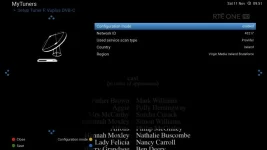
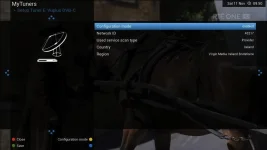
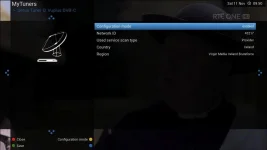
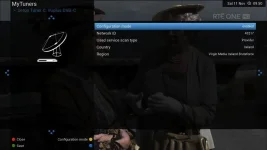
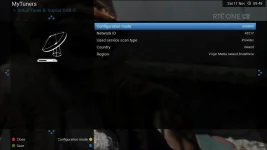
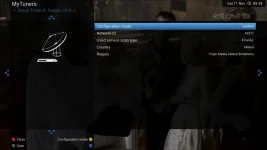
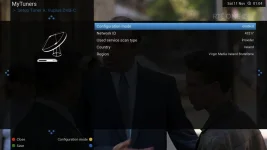
Anyway, the error message is stating error on tuner H but you screenshot is of Tuner A.

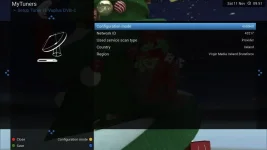
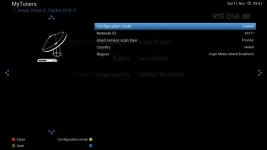
Can you double check the tuner configuration of tuner H?
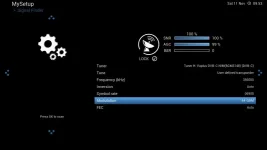
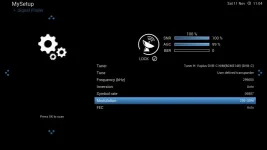
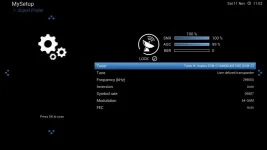
Check you can receiver 299000 KHz, 6887 symbol rate, QAM 64 on Tuner H in signal finder. Please post a screenshot of it.
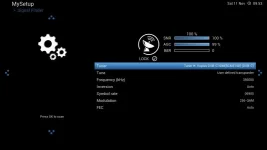
Check you can receiver 299000 KHz, 6887 symbol rate, QAM 256 on Tuner H in signal finder. Please post a screenshot of it.
Please also attach your two lamedb files. They are located in /etc/enigma2/ You will need to zip them before you can attach them.


Just for reference purposes
Code:
<   466.856> [ABM-config] providers:  cable_ie_mk2:hd_43217:189:


<   428.541> [NimManager] slotname = Tuner A, slotdescription = Vuplus DVB-C NIM(BCM3148), multitype = 0
<   428.542> [NimManager] slotname = Tuner B, slotdescription = Vuplus DVB-C NIM(BCM3148), multitype = 0
<   428.542> [NimManager] slotname = Tuner C, slotdescription = Vuplus DVB-C NIM(BCM3148), multitype = 0
<   428.542> [NimManager] slotname = Tuner D, slotdescription = Vuplus DVB-C NIM(BCM3148), multitype = 0
<   428.542> [NimManager] slotname = Tuner E, slotdescription = Vuplus DVB-C NIM(BCM3148), multitype = 0
<   428.542> [NimManager] slotname = Tuner F, slotdescription = Vuplus DVB-C NIM(BCM3148), multitype = 0
<   428.542> [NimManager] slotname = Tuner G, slotdescription = Vuplus DVB-C NIM(BCM3148), multitype = 0
<   428.542> [NimManager] slotname = Tuner H, slotdescription = Vuplus DVB-C NIM(BCM3148), multitype = 0

<   467.392> [eDVBFrontend] tuning to 299000 khz, sr 6887000, fec 0, modulation 0, inversion 2
 
Hey Abu,

Thanks for getting back to me! Okay I'm attaching the requested screen shots and files here. Yup it is an Uno 4K! (losing my marbles last night when I posted 1st!). I should also say that the receiver was put in client mode to sync with my solo2 as well so there will be lots of BskyB info on some bouquets. Can't see why but this may have something to do with my troubles?

Anyway thanks again :)
 

Attachments

  • TunerH_299_64.webp
    TunerH_299_64.webp
    13.6 KB · Views: 29
  • TunerH_299_256.webp
    TunerH_299_256.webp
    13.5 KB · Views: 23
  • TunerH.webp
    TunerH.webp
    19.3 KB · Views: 19
  • TunerG.webp
    TunerG.webp
    12.7 KB · Views: 19
  • TunerF.webp
    TunerF.webp
    19.1 KB · Views: 15
  • TunerE.webp
    TunerE.webp
    21.1 KB · Views: 13
  • TunerD.webp
    TunerD.webp
    15.8 KB · Views: 12
  • TunerC.webp
    TunerC.webp
    22.7 KB · Views: 11
  • TunerB.webp
    TunerB.webp
    18.5 KB · Views: 13
  • TunerA.webp
    TunerA.webp
    20.3 KB · Views: 15
You are checking the wrong frequency.

Wooops!

Sorry about that, I had made a mistake with my screengrabs and when I went went to redo I never change the frequency :/
Correct details now attached and with a strong signal...
 

Attachments

  • TunerH_299_256_NEW.webp
    TunerH_299_256_NEW.webp
    13.6 KB · Views: 29
  • TunerH_299_64_NEW.webp
    TunerH_299_64_NEW.webp
    13.4 KB · Views: 26
Can you update your config/provider files in the ABM menu. Once it has updated, try ABM again please.
 
Hey Abu,

Sorry about the delay, I was away from the box until now. I had updated the config files numerous times before and it said there was nothing to update. Just tried again there and it updated the virgin IE files and now it works :)

Not sure what the difference was but it's up and running now! Thanks a mill for your help on this!
 
Hey Abu,

Sorry about the delay, I was away from the box until now. I had updated the config files numerous times before and it said there was nothing to update. Just tried again there and it updated the virgin IE files and now it works :)

Not sure what the difference was but it's up and running now! Thanks a mill for your help on this!

got this issue with cable updating frequencies. I have come from an easy set up image that has dropped support for cable due to changes

Anyway trying to update config but it is coming up wwrong version 2.8> 2.9 on fresh vix install. I can not find any where to update ABM. Any help gratefully accepted
 
got this issue with cable updating frequencies. I have come from an easy set up image that has dropped support for cable due to changes

Anyway trying to update config but it is coming up wwrong version 2.8> 2.9 on fresh vix install. I can not find any where to update ABM. Any help gratefully accepted

Hi There - I have an OS Mega on v5.0.032 OpenVix, AND I have exactly the same issue as I try up "Update Config Files" for ABM

@abu baniaz is pretty hot on ABM, so perhaps he can shed some light please? ABM has probably been updated, and we will get in the next release; perhaps in the meantime there is a patch? Thanks
 
Last edited:
What is the issue? Failed to tune or can't update?

If you cant tune, please provide log.

If cant update, why do you want updated config file?

(We've bumped the version so that we can remove the temp PID hacks for virgin)
 
What is the issue? Failed to tune or can't update?

If you cant tune, please provide log.

If cant update, why do you want updated config file?

(We've bumped the version so that we can remove the temp PID hacks for virgin)

Its VM changed the frequency of 000016 again I am assuming anyway. There is no signal no lock nothing. I will have a look at how you post logs this is my first time here

(We've bumped the version so that we can remove the temp PID hacks for virgin) sorry I have no idea what that means

The latest update of ABM on git says he updated VM today but it comes down as a zip and I have no idea what to do with it
 
Last edited by a moderator:
Here is an updated xml file with the frequency changed (there are no PID hacks). Transfer it to /usr/lib/enigma2/python/Plugins/SystemPlugins/AutoBouquetsMaker/providers

In the same folder, delete providers.cache
 

Attachments

What is the issue? Failed to tune or can't update?

If you cant tune, please provide log.

If cant update, why do you want updated config file?

(We've bumped the version so that we can remove the temp PID hacks for virgin)

Apologies if I wasn't clear - I am trying to update the config files only to keep the associated Regional / FreeSat etc. Bouquets up-to-date. As you know, over time if you do not do this many "dead" channels get left behind on 28.2 as well as also checking for changes on SaorView.

Today what actually triggered my action was a couple of channels were not working on 28.2, but they are fine now. Thanks for all the help - no worries, and assume this 2.8 >2.9 "thingy" will be corrected in future release.
 
Just wait for updated image.

ABM uses data off the satellite, there is no need for downloading provider files all the time.
 
Just wait for updated image.

ABM uses data off the satellite, there is no need for downloading provider files all the time.

Thanks, Yes indeed, BUT the Provider files dictate the contents of the EPG; so when the line up changes (new, change or removed) OR when channels are encrypted, the updated provider files reflect this , or else you would have a load of dead or missing entries.
 
ABM does not dictate the channel numbers for most providers. ABM has nothing to do with EPG.

The only thing that really changes is the bouquet demarcation when then it is when there is a reshuffle. There has not been one for a while. Home frequency sometimes changes, this normally results in tuning error or error reading data.

You issue has nothing to do with this thread. Please start start your own thread as per this and we can look into it
http://www.world-of-satellite.com/s...ase-read-before-raising-ABM-support-questions

Thank you.
 

OpenViX Feeds Status

Back
Top