Superb quality and spec AB-Com PULSe 4K SE. Crazy offer! Only £129! FREE UK DELIVERY! 4K UHD, Enigma 2, Multiboot 4 images & more!...
Superb quality and spec AB-Com PULSe 4K Rev II Twin Satellite tuner only £179! FREE UK DELIVERY! 4K UHD, Enigma 2, SATA HDD facility, Multiboot 4 images & more!...

Build my own Vix image

Latest error message:

NOTE: Tasks Summary: Attempted 2722 tasks of which 0 didn't need to be rerun and 2 failed.

Summary: 2 tasks failed:
/home/openvixbuilder/openvix/build-enviroment/meta-oe-alliance/meta-oe/recipes-distros/openvix/softcams/openvix-softcams-oscam-latest-arm.bb:do_fetch
/home/openvixbuilder/openvix/build-enviroment/meta-oe-alliance/meta-oe/recipes-distros/openvix/softcams/openvix-softcams-oscam-emu-arm.bb:do_fetch
Summary: There were 52 WARNING messages shown.
Summary: There were 7 ERROR messages shown, returning a non-zero exit code.
Makefile:960: recipe for target 'image' failed
make: *** [image] Error 1
 

Attachments

OK - the best log to look at is in the build-environment directory
Enter the directory, there is a build directory and in there is a log folder .... click on the lastest log.
You need to look at the log to see if its an issue with the source url or the oscam level (changed 4 days ago)
If the former then a rerun may fix it (thats why its important to save the library containing all the downloads) if the latter then go into the folder indicated in the log and revert it to the previous level (look at the OE-A web page for the info)
 
Fetch fails for the latest levels ... I will have a look tomorrow and see if I can provide a fix for you.
 
Latest failure:

I did as @twol said and copied the oscam files and .done files to the sources folder.

ERROR: Task (/home/imagebuilder/openvix/build-enviroment/openembedded-core/meta/recipes-devtools/binutils/binutils_2.29.bb:do_compile) failed with exit code '1'
NOTE: Tasks Summary: Attempted 14578 tasks of which 2817 didn't need to be rerun and 1 failed.

Summary: 1 task failed:
/home/imagebuilder/openvix/build-enviroment/openembedded-core/meta/recipes-devtools/binutils/binutils_2.29.bb:do_compile
Summary: There were 103 WARNING messages shown.
Summary: There were 2 ERROR messages shown, returning a non-zero exit code.
Makefile:960: recipe for target 'image' failed
make: *** [image] Error 1
 

Attachments

Latest failure:

I did as @twol said and copied the oscam files and .done files to the sources folder.

ERROR: Task (/home/imagebuilder/openvix/build-enviroment/openembedded-core/meta/recipes-devtools/binutils/binutils_2.29.bb:do_compile) failed with exit code '1'
NOTE: Tasks Summary: Attempted 14578 tasks of which 2817 didn't need to be rerun and 1 failed.

Summary: 1 task failed:
/home/imagebuilder/openvix/build-enviroment/openembedded-core/meta/recipes-devtools/binutils/binutils_2.29.bb:do_compile
Summary: There were 103 WARNING messages shown.
Summary: There were 2 ERROR messages shown, returning a non-zero exit code.
Makefile:960: recipe for target 'image' failed
make: *** [image] Error 1
Sorry forgot all about this post - really need the cooker log from builds directory
If its afetch error (which is why you should save downloads) then rerunning may just fix the error - often you find some servers are not available for a period
 
Maybe I need to put a bigger hdd in. I'm only running a 120gb ssd at the moment.
I tried to run an atv build but that also failed.
I've saved the ViX sources folder so it may be a case of adding stuff to it as I go.
 
Obviously both images use the same core but will differ on plugins and what is included in the image. I use 225Gb ssd‘s and as I build frequently for at least 6 receivers your ssd should not initially be a restriction

Keeping the downloads can significantly save on build time - so don‘t lose it
Once you start building it will remember where it reached and not start from the beginning

Also in case there is an issue in the OE-A its worth running a make update periodically
 
So when it fails I just run

MACHINE=dinobot4kplus DISTRO=openvix DISTRO_TYPE=release make image

again without doing anything else?


.... and when (or if) I get it to work, I don't have to start from scratch every time, just the last command and it will only update changes?
 
Last edited:
Basically Yes - except that after some changes in the OE-A it will go back to the start or an earlier step - it just depends on what has changed. I always run a make update before I start the build, but you probably need to get at least one clean build done (unless there is an error in the OE-A) - once you get through this and want to continue then there are easier methods than typing everything in e.g. I use execs that list distro‘s and my receivers and I just click on the appropiate distro and receiver and it does the rest
 
A 120Gb ssd is plenty (and an ssd will speed up the process). Just make sure you have at least 4Gb ram - any less and it will fail.
 
Yes I'm very keen to learn. I'm just running it again and hopefully will find out what the issues are now that I have an idea where to look.

The box has 12gb of ram so should be fine once I iron out the issues.
 
@willo3092, I have moved all your build questions/posts to this thread

120GB HDD drive run out of space for me pretty quickly. Should you wish to use a larger HDD, I suggest you use 4.2 branch
 
Yes I'm very keen to learn. I'm just running it again and hopefully will find out what the issues are now that I have an idea where to look.

The box has 12gb of ram so should be fine once I iron out the issues.
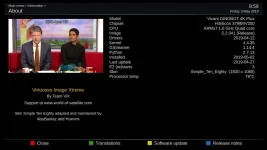
When you have a build failure it should point to the log indicating the failure and if want to see overall whats happened look at the "cooker" log.
Because you are building a non standard ViX image, once built you need to look at how you handle the ipks (plugins library) - mine sit on a NAS and I use an apache server to access........ to automatically access from the receiver I change the feeds url in the openvix file (meta-oe-alliance/meta-oe/conf/distro/openvix) so it builds with my feed url rather than the ViX standard.

Anyway - good luck!!
 
I left it running overnight again and came to check the error log but it seems to have worked this time?
I haven't done anything different anyway. :confused:

1_0_19_1B1D_802_2_11A0000_0_0_0_20190503085919.webp

I've only had time to flash and scan for channels so far but seems to be working okay.

Where would I get the feed ipk's from? I have a NAS at home.

Thank you for all the help so far.

This is the image file if anyone wants to try it: https://tinyurl.com/y468g375
 
Last edited:
Congratulation!
" left it running overnight again and came to check the error log but it seems to have worked this time? " - probably because there was a fetch error - and once downloaded you don't go there again unless you delete the download library.

"Where would I get the feed ipk's from?" - next to where you found the image
e.g my images are in "media/OEA/oea43/builds/openvix/release/u52/tmp/deploy/images and ipks's in media/OEA/oea43/builds/openvix/release/u52/tmp/deployipk

If you don't change the feed url in the openvix.conf (mentioned above) then you have to manually edit all the receiver ipk conf files in /etc/opkg
 
Last edited:
I left it running overnight again and came to check the error log but it seems to have worked this time?
I haven't done anything different anyway. :confused:

View attachment 58832


Where would I get the feed ipk's from? I have a NAS at home.

install MariaDB in your nas and you will have your own feed (change feed url in openvix.conf)

change the official url vix for your ip nas, then put all the folders that you get in tmp/deploy/ipk/ inside the indexed folder in your nas mariadb and you will have your own source.
 
Last edited:
(MariaDB) should also be like an installer package through its interface is simple to just run and install.

create folder indexed in your nas through the user interface of your nas ... name folder = feeds. (you give it that name).

now you only have to copy all the folders within the /tmp/deploy/ipk/* environment to your nas ... web/feeds/openvix-5.2/
 

OpenViX Feeds Status

Back
Top