Superb quality and spec AB-Com PULSe 4K SE. Crazy offer! Only £129! FREE UK DELIVERY! 4K UHD, Enigma 2, Multiboot 4 images & more!...
Superb quality and spec AB-Com PULSe 4K Rev II Twin Satellite tuner only £179! FREE UK DELIVERY! 4K UHD, Enigma 2, SATA HDD facility, Multiboot 4 images & more!...

[ViX_Misc] [MountManager]

confirmed twol, it must be my enigma2 vix, there is no problem in official image, so I apologize if it could have caused confusion.
if I remember, I had to modify harddisk.py to be able to clean very dirty debug enigma2 registry that I had in my ferguson4k, this may be what caused the problem.
 
No problem! Everytime I have to change code in MountManager or Harddisk.py I am worried because it is so easy to cause an impact - the code is very sensitive!
 
Yes it is.

even so I will ask for another test, have two devices mounted in the box ... dismount both devices (unmount) then mounts the two devices .... tell me if one of them has the mount failed!.
 
Yes it is.

even so I will ask for another test, have two devices mounted in the box ... dismount both devices (unmount) then mounts the two devices .... tell me if one of them has the mount failed!.

OK:- h9combo 2 devices 1 usb, 1 sd card
Can unmount & then mount in any sequence -no issue
 
Have tried again ... and there is a definite issue - with normal ViX code I can unmount, mount, mount as HDD no issue. The onyl way I can do this with your code is to reboot without card and then insert.

omit this error we already know that it is due to my enigma2....I do not reproduce it.

@twol...would like you to try the three mounting options that I have added to the blue button mount.

the sequence is to first unmount and then mount.

https://github.com/norhap/vix-core/commit/ab0538eb94d6074d085fc936636ab0588d88b9a3
 
hi @twol, with this code, my SD if it is extracted and restart GUI, in GUI of my skin I keep seeing the mmblk SD.
Code:
if  SystemInfo["HasSDnomount"]:											# h9/i55 use mmcblk0p[0-3] for sdcard, h9combo uses mmcblk1p[0-3]
			if SystemInfo["HasSDnomount"][0] == 'Yes' and "%s" %SystemInfo["HasSDnomount"][1] in device:
				return

with my code, if I remove the SD card it disappears from GUI. on the other hand it does not throw me all the full mmcblk (after all this can not be mounted):

https://github.com/norhap/vix-core/commit/4dd02b35d2821a8acbffdb03adcc825dd966886a (ignore my box u5pvr).


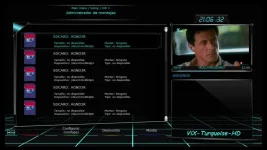
after restart enigma2 your code not SD in slot:your-code.webp

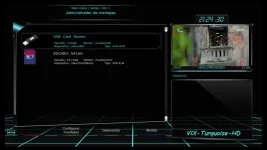
with my code with SD in slot:con-my-code.webp

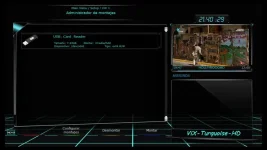
with my code no SD in slot:no-slot-sd.webp

I do not know if I'm missing something having it like this .....
 
hi @twol, with this code, my SD if it is extracted and restart GUI, in GUI of my skin I keep seeing the mmblk SD.
Code:
if  SystemInfo["HasSDnomount"]:											# h9/i55 use mmcblk0p[0-3] for sdcard, h9combo uses mmcblk1p[0-3]
			if SystemInfo["HasSDnomount"][0] == 'Yes' and "%s" %SystemInfo["HasSDnomount"][1] in device:
				return

with my code, if I remove the SD card it disappears from GUI. on the other hand it does not throw me all the full mmcblk (after all this can not be mounted):

https://github.com/norhap/vix-core/commit/4dd02b35d2821a8acbffdb03adcc825dd966886a (ignore my box u5pvr).


after restart enigma2 your code not SD in slot:View attachment 59011

with my code with SD in slot:View attachment 59012

with my code no SD in slot:View attachment 59013

I do not know if I'm missing something having it like this .....
Will have to look, but tight on time until after next weekend (have German tests!!) ... will then follow up
 
Had a quick look and I think you either keep your code or add the u5pvr to SystemInfo["HasSDnomount"] and see if that now works for you ..... I am guessing it would be:
SystemInfo["HasSDnomount"] = getMachineBuild() in ('h9', 'i55plus') and ('No', 'none') or getMachineBuild() in ('multibox', 'h9combo', "u5pvr") and ('Yes', 'mmcblk0').
 
Last edited:

OpenViX Feeds Status

Back
Top