Superb quality and spec AB-Com PULSe 4K SE. Crazy offer! Only £99! FREE UK DELIVERY! 4K UHD, Enigma 2, Multiboot 4 images & more!...
Superb quality and spec AB-Com PULSe 4K Rev II Twin Satellite tuner only £149! FREE UK DELIVERY! 4K UHD, Enigma 2, SATA HDD facility, Multiboot 4 images & more!...

VIX Team Vu+ Duo Image v2.0 - 09/02/2011

The image does not come with a settings file so you will have download that before you scan any satellites

truthfully i would not know as i dont have a receiver to run VIX on. however it's a very easy thing to install a new satellites.xml file i always do this first after installing any image.
 
Yeah I did, IP ping works fine, results below.

Last login: Mon Feb 14 13:27:10 on pts/0
root@vuduo:~# ping 178.162.185.236
PING 178.162.185.236 (178.162.185.236): 56 data bytes
64 bytes from 178.162.185.236: seq=0 ttl=53 time=59.048 ms
64 bytes from 178.162.185.236: seq=1 ttl=53 time=59.671 ms
64 bytes from 178.162.185.236: seq=2 ttl=53 time=60.748 ms
64 bytes from 178.162.185.236: seq=3 ttl=53 time=60.475 ms
64 bytes from 178.162.185.236: seq=4 ttl=53 time=59.817 ms
64 bytes from 178.162.185.236: seq=5 ttl=53 time=62.265 ms
64 bytes from 178.162.185.236: seq=6 ttl=53 time=60.994 ms

Well, if pinging the IP works and pinging the name doesn't, you have a DNS problem. Make sure the DNS server is correct in your network settings - normally your router also handles DNS queries. If it seems OK you might need to check with your ISP as to what DNS server IP address to use and manually configure it in the VU+
 
Well, if pinging the IP works and pinging the name doesn't, you have a DNS problem. Make sure the DNS server is correct in your network settings - normally your router also handles DNS queries. If it seems OK you might need to check with your ISP as to what DNS server IP address to use and manually configure it in the VU+

And we have a fix!!! For some reason it wasn't picking up the DNS Gateway for Plugins and Update, Still can't quite understand why IMDB, CCcam and EPG worked unless they all run from IP address's
I added an OpenDNS nameserver to my nameserver setup in Setup>System>Network and all options went live ;-)
And after all that effort I hope this fix helps out the other few folks who had this issue ;-)
 
And we have a fix!!! For some reason it wasn't picking up the DNS Gateway for Plugins and Update, Still can't quite understand why IMDB, CCcam and EPG worked unless they all run from IP address's
I added an OpenDNS nameserver to my nameserver setup in Setup>System>Network and all options went live ;-)
And after all that effort I hope this fix helps out the other few folks who had this issue ;-)

What did you previously have as the Nameserver as i have 192.168.1.1 (my router) & that has always worked
 
Hi All,

I now have network connection, done what Sic said, and it`s working,.
I`m thrilled as i love the Vix Image it`s the dogs B******S.

Can I use Silverfoxes Picons, where do they go.

Great image, keep up the great work.

Thanks to all @ Vix

Vinnie
 
Hi All,

I now have network connection, done what Sic said, and it`s working,.
I`m thrilled as i love the Vix Image it`s the dogs B******S.

Can I use Silverfoxes Picons, where do they go.

Great image, keep up the great work.

Thanks to all @ Vix

Vinnie

Picons are picked up automatically in VIX 2.0 so just put them in a sensible location on a usb stick and you should be fine.

Having said that, my picons are not showing up but I haven't given it much attention yet.
 
Picons are picked up automatically in VIX 2.0 so just put them in a sensible location on a usb stick and you should be fine.

Having said that, my picons are not showing up but I haven't given it much attention yet.

yea cant get mine to work from usb either cant mount the usb i get the green screen crash
 
Last edited by a moderator:
What did you previously have as the Nameserver as i have 192.168.1.1 (my router) & that has always worked

Thats what I had too, and it did provide connectivity across everything bar updates and plugins.
But when I used telnet to ping world of sat I kept getting bad address fails!
 
yea cant get mine to work from usb either cant mount the ubs i get the green screen crash

I can mount the usb fine and got the swap file and epg working off it but picons are not being shown. Got bigger issues for the moment though so not worrying about it.
 
yea cant get mine to work from usb either cant mount the ubs i get the green screen crash

if you ever have a green screen crash while using VIX please make a thread on the forum detailing exactly what you did prior to the crash and upload a copy of the crash log to that thread. this would greatly benefit us all and would allow andy to examine the log and maybe even come up with a fix.
 
I like to use the real coolepg as standard epg under guide. I have installed the IPK and it works from the long button pushing. But with coolepg installed and in the VIX menu coolepg choosen as standard, I get green crash screens with the short push. Whats up? It is a choice so why does it crash?
 
And we have a fix!!! For some reason it wasn't picking up the DNS Gateway for Plugins and Update, Still can't quite understand why IMDB, CCcam and EPG worked unless they all run from IP address's
I added an OpenDNS nameserver to my nameserver setup in Setup>System>Network and all options went live ;-)
And after all that effort I hope this fix helps out the other few folks who had this issue ;-)

I jumped the gun slightly, while the update server worked and updated 29 packages.
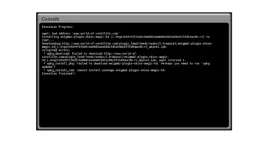
The Plug ins do populate but will not download and give the bad address message I had prior to the DNS change Screenshot here I ran OPKG INSTALL via telnet and still hit a wall at this.
screenshot.webp
 
I jumped the gun slightly, while the update server worked and updated 29 packages.
The Plug ins do populate but will not download and give the bad address message I had prior to the DNS change Screenshot here I ran OPKG INSTALL via telnet and still hit a wall at this.
View attachment 6253

Did yon try 'opkg update' in telnet?
 
Did yon try 'opkg update' in telnet?

Like I said in the post you quoted ;) Yes

Roger, My apologies, misread your post re opkg update as install following on from my typo in the post you quoted(DOH!)
Yes I ran update, But I typo'd as install in my quoted post!
Sorry
 
Last edited by a moderator:
best image yet. simple install. no problems. so, ok to date you have managed to beat each release by one even better. i figure you will be well challenged to beat this release. just superb
 
once u done opkg update

you must perform opkg upgrade as well

Running Opkg Upgrade or Update returns bad address error in telnet, see below

ae2d467c3b44c4533627257c52bc057e-r27.6 to 2.7+git8447+d03e6d13ac6755a39e1a65d793
8bd9eee8baaa6c-r27.7...
Downloading http://www.world-of-satellite.com/plugin_feed/feeds/vuduo/2.0/vuduo/
enigma2-plugin-systemplugins-hotplug_2.7+git8447+d03e6d13ac6755a39e1a65d7938bd9e
ee8baaa6c-r27.7_vuduo.ipk.
wget: bad address 'www.world-of-satellite.com'
Upgrading enigma2-plugin-extensions-epgsearch on root from experimental-git2919+
60ad02765b1fb614ba60351df9b2b0b7447994d8-r5 to experimental-git2919+60ad02765b1f
b614ba60351df9b2b0b7447994d8-r6...
Downloading http://www.world-of-satellite.com/plugin_feed/feeds/vuduo/2.0/vuduo/
enigma2-plugin-extensions-epgsearch_experimental-git2919+60ad02765b1fb614ba60351
df9b2b0b7447994d8-r6_vuduo.ipk.
wget: bad address 'www.world-of-satellite.com'
Upgrading enigma2-plugin-vix-vixmainmenu on root from 1.0-r145 to 1.0-r147...
Downloading http://www.world-of-satellite.com/plugin_feed/feeds/vuduo/2.0/mipsel
/enigma2-plugin-vix-vixmainmenu_1.0-r147_mipsel.ipk.
wget: bad address 'www.world-of-satellite.com'
Upgrading enigma2-plugin-extensions-imdb on root from experimental-git2919+60ad0
2765b1fb614ba60351df9b2b0b7447994d8-r5 to experimental-git2919+60ad02765b1fb614b
a60351df9b2b0b7447994d8-r6...
Downloading http://www.world-of-satellite.com/plugin_feed/feeds/vuduo/2.0/vuduo/
enigma2-plugin-extensions-imdb_experimental-git2919+60ad02765b1fb614ba60351df9b2
b0b7447994d8-r6_vuduo.ipk.
wget: bad address 'www.world-of-satellite.com'
Upgrading enigma2-plugin-systemplugins-positionersetup on root from 2.7+git8442+
7a76776fae2d467c3b44c4533627257c52bc057e-r27.6 to 2.7+git8447+d03e6d13ac6755a39e
1a65d7938bd9eee8baaa6c-r27.7...
Downloading http://www.world-of-satellite.com/plugin_feed/feeds/vuduo/2.0/vuduo/
enigma2-plugin-systemplugins-positionersetup_2.7+git8447+d03e6d13ac6755a39e1a65d
7938bd9eee8baaa6c-r27.7_vuduo.ipk.
wget: bad address 'www.world-of-satellite.com'
Upgrading enigma2-fonts on root from 2010.11.14-r27.6 to 2010.11.14-r27.7...
Downloading http://www.world-of-satellite.com/plugin_feed/feeds/vuduo/2.0/vuduo/
enigma2-fonts_2010.11.14-r27.7_vuduo.ipk.
wget: bad address 'www.world-of-satellite.com'
Upgrading enigma2-plugins on root from experimental-git2919+60ad02765b1fb614ba60
351df9b2b0b7447994d8-r5 to experimental-git2919+60ad02765b1fb614ba60351df9b2b0b7
447994d8-r6...
Downloading http://www.world-of-satellite.com/plugin_feed/feeds/vuduo/2.0/vuduo/
enigma2-plugins_experimental-git2919+60ad02765b1fb614ba60351df9b2b0b7447994d8-r6
_vuduo.ipk.
wget: bad address 'www.world-of-satellite.com'
Upgrading enigma2-plugin-systemplugins-videoenhancement on root from 2.7+git8442
+7a76776fae2d467c3b44c4533627257c52bc057e-r27.6 to 2.7+git8447+d03e6d13ac6755a39
e1a65d7938bd9eee8baaa6c-r27.7...
 
once u done opkg update

you must perform opkg upgrade as well

Just as a follow up and to hopefully close this out for anyone else similarly affected.

I went back into nameserver settings and added 192.168.1.1 as primary DNS and 208.67.222.222(Open DNS) as my secondary and utilising both has allowed me access to all plugin downloads.
All issues I had with update and plugins are resolved now and hope this info is of use to someone else ;)
 
can anyone explain why silverfoxes picons are not included in image. best picons for 28.2
 

OpenViX Feeds Status

Back
Top