abu baniaz
Moderator
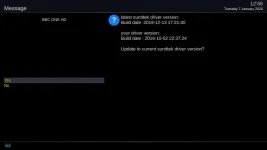
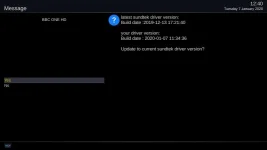
Can you not change the mode of operation in the plugin? I can even after I updated drivers.
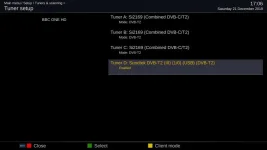
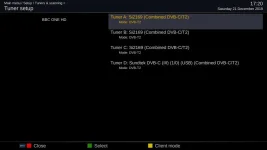
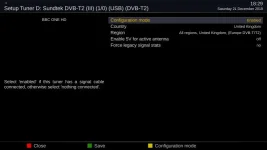
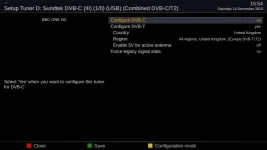
See screenshots, skin changed to Simple1080
See screenshots, skin changed to Simple1080


… sorry gone back to the old driver for a while, I'll have another go later.
I'm pretty sure (99%) selecting the tuner was as expected
Just cannot change mode in Enigma2 tuner config?

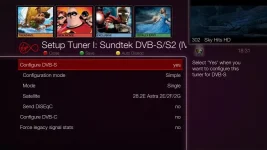
I've noticed slow zapping issues with my sundtek DVB-s/s2 usb tuner but nothing major but I thought I would have a look at tuner setup. I have the option for both DVB-S and DVB-C although I can only connect satellite to the tuner.
View attachment 59553
On my uno4k using vix 5.3.013 sundtek driver version 2019-12-13
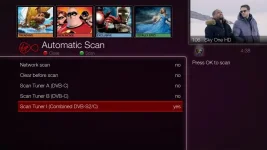
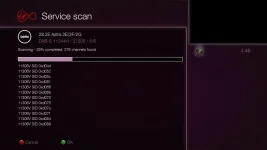
In Automatic scan.....
I have installed 5.0 032 so that there is no chance of updating Enigma2 components when installing something that depends on it. I then updated Sundtek drivers. I was still able to change the mode of the Tuner within Enigma2.
To me, it is is something in Enigma2 and not the Sundtek drivers.
Really need to fix the non-vu arm detection and 64bit detection to deal with this properly.
Welcome to OpenViX for gbue4k
openvix 5.3 gbue4k

gbue4k login: root
root@gbue4k:~# sudo -s
-bash: sudo: command not found
root@gbue4k:~# cd /tmp
root@gbue4k:/tmp# wget http://sundtek.de/media/sundtek_netinst.sh
--2019-12-25 21:36:45--  http://sundtek.de/media/sundtek_netinst.sh
Resolving sundtek.de... 85.10.198.106
Connecting to sundtek.de|85.10.198.106|:80... connected.
HTTP request sent, awaiting response... 200 OK
Length: 128668 (126K) [application/octet-stream]
Saving to: ‘sundtek_netinst.sh’

sundtek_netinst.sh                                100%[=============================================================================================================>] 125.65K   802KB/s    in 0.2s

2019-12-25 21:36:46 (802 KB/s) - ‘sundtek_netinst.sh’ saved [128668/128668]

root@gbue4k:/tmp# chmod 777 sundtek_netinst.sh
root@gbue4k:/tmp# ./sundtek_netinst.sh
Busybox installation

Welcome to the Sundtek linux / freebsd driver setup
(C)opyright 2008-2019 Sundtek <[email protected]>

Legal notice:
This software comes without any warranty, use it at your own risk

Please note it's only allowed to use this driver package with devices from
authorized distributors or from Sundtek Germany
The Virtual analogTV Grabber (vivi) might be used freely for testing purpose

Do you want to continue [Y/N]:
Nutzungsbedingungen:
Sundtek übernimmt keinerlei Haftung für Schäden welche eventuell durch
das System oder die angebotenen Dateien entstehen können.

Dieses Softwarepaket darf ausschließlich mit Geraeten von autorisierten
Distributoren oder Sundtek Deutschland verwendet werden
Der Virtuelle AnalogTV Treiber (vivi) kann für Testzwecke ohne jegliche
Restriktionen verwendet werden

Wollen Sie fortfahren [J/N]:
y
adding /opt/bin to environment paths
unpacking...
checking system... installing (netinstall mode) ...
Downloading architecture specific driver ... armsysvhf
Download finished, installing now ...
installing remote control support
finalizing configuration... (can take a few seconds)
Settopbox Detected
Starting driver...
done.
root@gbue4k:/tmp#opkg update && opkg install v4l-utils
dvb-fe-tool -a1
find /dev/dvb/adapter*
cat /proc/bus/nim_socketshttp://sundtek.de/media/