Superb quality and spec AB-Com PULSe 4K SE. Crazy offer! Only £129! FREE UK DELIVERY! 4K UHD, Enigma 2, Multiboot 4 images & more!...
Superb quality and spec AB-Com PULSe 4K Rev II Twin Satellite tuner only £179! FREE UK DELIVERY! 4K UHD, Enigma 2, SATA HDD facility, Multiboot 4 images & more!...

F1 box and usb flashing

eattheliving

New member
Joined
Dec 28, 2010
Messages
241
Reaction score
0
Points
0
Age
59
Hi guys,
Just a quick question. I need to update my mums F1 image.
Currently on it is an old version 5.1...something. So I know I have to usb update.
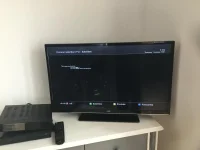
The stick is formatted correctly and working fine. The latest image has been unzipped onto it. The box registers the stick and image to flash when I reboot the box. Press power and the display says flashing and that’s where it stays. Nothing else happens until i reboot the box and take out the usb. The box then boots back into the old image.

Anyone else had any similar issues or more importantly how to resolve this?

Cheers guys
 
has is internet connection ? If so do a couch flash.Download new image and install?
 
Use the command prompt method using putty or openwebif or you can have a look and online flash it
 
Thanks for the replies guys.

So in order of reply’s

Followed the flash guide

Internet is connected but couldn’t do a couche flash as it gave me an error about formatting the usb. Gonna take a different usb down tomoz to try this.


Was trying to find the command prompt code but couldn’t locate it. Again it’s worth a try tomoz if u know what or where to find the code please?

Cheers guys
 
... couch flash doesn't go anywhere near the usb stick.

Image manager is where to start, I'm sure the guide will explain what to do.
 
... couch flash doesn't go anywhere near the usb stick.

Image manager is where to start, I'm sure the guide will explain what to do.

Yep tried all that. Couldn’t see any downloads to flash and that’s where the error was on the left side of the screen.
Pressed the yellow button for downloads and nothing happened.
 
Well guys...... just spent the last 5 Effin hours trying all sorts to get this box to flash.

Tried different usb sticks. The box reads the stick is in with an image but just says flashing on the display and doesn’t do anything.
Tried the ssh code... didn’t work I got an error message.
Tried all different makes of image.... all same result. Stick and image is recognised but then sticks on flashing.
Thought I’d found the original box firmware so flashed it. That one worked but it turned out to be a version of openpli but I could not do anything with the image. No menu or tuner scan etc was visible.

Any ideas guys as this is driving me mad and I’m seriously considering using this box as a door stop ������
 
.... so no telnet access ?

If you have, try post #8 again and this time post the results on here.

edit: at this stage I reckon you'll need a wired ethernet connection as wifi won't be configured.

edit2: that PLi image should get you telnet access if you use a wired connection, then you can try #8 again.
 
Last edited:
.... so no telnet access ?

If you have, try post #8 again and this time post the results on here.

edit: at this stage I reckon you'll need a wired ethernet connection as wifi won't be configured.

edit2: that PLi image should get you telnet access if you use a wired connection, then you can try #8 again.

Will do mate. Only probably now is finding the ip addy of the box
 
see message below when I try to use the wget command.


root@formuler1:~# wget --no-check-certificate -O install_vix.sh https://www.drop
box.com/s/hc2cdr116l...ll_vix.sh?dl=1 && bash install_vix.sh
wget: not an http or ftp url: https://www.dropbox.com/s/hc2cdr116l...ll_vix.sh?d

oh I now have the boxes factory image back on it.
 

Attachments

  • F55F4DB3-BEFA-4AA1-A32D-1F64F37F8368.webp
    F55F4DB3-BEFA-4AA1-A32D-1F64F37F8368.webp
    19.2 KB · Views: 7
Last edited:
I can download the url in post #8, so maybe your cut and paste isn't quite right, or your box hasn't internet access.

Does telnet ping 8.8.8.8 work on the box?
 
I can download the url in post #8, so maybe your cut and paste isn't quite right, or your box hasn't internet access.

Does telnet ping 8.8.8.8 work on the box?

tried the script again both copied and retyped. get the same error and yes telnet ping 8.8.8.8 works
 
I've just coded your post to see what it looks like without url's in blue.

see message below when I try to use the wget command.


Code:
root@formuler1:~# wget --no-check-certificate -O install_vix.sh https://www.drop
box.com/s/hc2cdr116l...ll_vix.sh?dl=1 && bash install_vix.sh
wget: not an http or ftp url: https://www.dropbox.com/s/hc2cdr116l...ll_vix.sh?d
oh I now have the boxes factory image back on it.
 
Last edited:
Worked it out. This is what you want.....

This is Grog's script to flash using putty. You will need to have storage mounted as /media/hdd

Code:
wget --no-check-certificate -O install_vix.sh https://www.dropbox.com/s/hc2cdr116lvx3dj/install_vix.sh?dl=1 && bash install_vix.sh
 

OpenViX Feeds Status

Back
Top