Superb quality and spec AB-Com PULSe 4K SE. Crazy offer! Only £129! FREE UK DELIVERY! 4K UHD, Enigma 2, Multiboot 4 images & more!...
Superb quality and spec AB-Com PULSe 4K Rev II Twin Satellite tuner only £179! FREE UK DELIVERY! 4K UHD, Enigma 2, SATA HDD facility, Multiboot 4 images & more!...

[VU+ Duo2] Why recordings stop at EPG boundaries?

Antikapitalista

New member
Joined
Oct 19, 2020
Messages
11
Reaction score
0
Points
0
Why recordings stop at EPG boundaries?!

It looks like the recorder is trying hard to find every possible pretext to spoil a recording.

This is absolutely maddening, no matter what I try, recordings almost always fail, except in the rare cases when the recorder does what is supposed to do, but these successful cases seem to be so rare that they are almost irreproducible reliably*).
Even without a timer, once the broadcast reaches an EPG boundary, the picture freezes. When a recording is being made, it stops and the recorder records only emptiness hereafter.
Even when I initiate an indefinite recording, obviously, it does not do what it is supposed to do, i.e., recording indefinitely; instead, it always hangs at EPG boundaries, regardless of any set margins. If there is a margin set before the recording, it starts recording, but when the programme itself is to begin according to the EPG, it everything goes awry, the picture freezes, everything hangs, the recording is hereafter blank, the timer and the recording needs to be stopped and the channel tuned into, usually by putting the recording to standby and waking it up; if the recording is not stopped, the channel cannot be tuned into, probably because a blank recording is going on. Obviously, this is so complicated and time-consuming that by the time one goes through all the hoops, the programme itself has started, and it beginning is missed. On the other hand, if it lags behind its EPG, the end of the recording is cut off in the came manner: the picture is frozen, the recoding is hereafter blank. This could probably be mended by editing a live timer, but I prefer not to touch the ending boundary because OpenViX is so buggy that it usually crashes there, which spoils the recording immediately.

*) It seems that if I set the timer not to check for conflicts and to do nothing after it ends, it does not end the recording at its EPG boundary. If it is set to "auto" and given an opportunity to detect anything, such a a timer conflict, it apparently takes advantage of it and spoils the recording.

Is there an easy way to disable all EPG?
Or is there a sure set of settings that disables all this smart insidiousness and does what it is supposed to do in an obtuse manner, even if I have to babysit the recording, manually starting it and stopping it, without all the nuisance timers?

Is the CAM getting in the way in such an obnoxious manner??
 
Why recordings stop at EPG boundaries?

They don't, you can set pre and post padding to whatever you want, so recordings start early and end late.

If you haven't enough tuners available to satisfy the timer conflicts, then you are attempting the impossible.
 
I would be asking is it sat or iptv.

If its sat i will ask with what are you recording to usb stick,usb hdd , internal hdd or externally powered.

What way is storage device setup fat32 or ext4.
 
Its probably the CAM only allowing one channel to be viewed/recorded. If it is already on another channel then you cant record. If Openvix is so buggy you are free to use a different image.
 
They don't, you can set pre and post padding to whatever you want, so recordings start early and end late.

If you haven't enough tuners available to satisfy the timer conflicts, then you are attempting the impossible.
They definitely do. Regardless of the padding. If I set a padding, it starts recording until it comes to the desired programme EPG boundary, then it abruptly stops, the picture freezes, the recording is blank hereafter.
I have 2 tuners, regardless of the number of tuners, regardless of any timers.

This ought to be possible with only 1 tuner.
It is tuned to the channel that I want to record. Everything seems to work until the moment that it really needs to work; if I set the padding and the recording starts before the programme is scheduled to start, it records everything right up to the scheduled start of the programme, at which point it just goes awry, the picture freezes, the recording is blank and the tuner is taken up by the recording, even though there is no picture and it records nothingness.

I would be asking is it sat or iptv.

If its sat i will ask with what are you recording to usb stick,usb hdd , internal hdd or externally powered.

What way is storage device setup fat32 or ext4.
Satellite,
internal HDD,
ext4.

Its probably the CAM only allowing one channel to be viewed/recorded. If it is already on another channel then you cant record. If Openvix is so buggy you are free to use a different image.
No, obviously, it is on the same channel. The recording just insidiously stops where it ought to start.

I need to kill EIT somehow at the very least.
 
Last edited:
They definitely do. Regardless of the padding. If I set a padding, it starts recording until it comes to the desired programme EPG boundary, then it abruptly stops, the picture freezes, the recording is blank hereafter.[/B]

Well it's never happened to me in over 5 years running ViX, you must have added something (a plugin?) to cause it?
 
They definitely do. Regardless of the padding. If I set a padding, it starts recording until it comes to the desired programme EPG boundary, then it abruptly stops, the picture freezes, the recording is blank hereafter.
I have 2 tuners, regardless of the number of tuners, regardless of any timers.

This ought to be possible with only 1 tuner.
It is tuned to the channel that I want to record. Everything seems to work until the moment that it really needs to work; if I set the padding and the recording starts before the programme is scheduled to start, it records everything right up to the scheduled start of the programme, at which point it just goes awry, the picture freezes, the recording is blank and the tuner is taken up by the recording, even though there is no picture and it records nothingness.


Satellite,
internal HDD,
ext4.


No, obviously, it is on the same channel. The recording just insidiously stops where it ought to start.

I need to kill EIT somehow at the very least.

then turn off EIT in the epg settings
 
If Openvix is so buggy you are free to use a different image.
The problem seems to have been solved by flashing OpenPLi. For a while. Actually, OpenPLi now seems to be doing the same. At first, it looked promising, its Common Interface Assignment plug-in is not so patently broken as it has been in OpenViX verifiably for at least 5 years. OpenPLi is apparently not so buggy, crashes rarely, but it is broken by design, it has probably the stupidest defaults imaginable, its core settings are like 5 sub-menus away, trying to control with a remote control it feels like playing an organ, and, obviously, at the crucial moments it often probably the craziest thing imaginable, throwing me probably right across the whole universe of its menus away and buries me under a colossal twisty maze of menus that harass me with annoying confirmations on my way out, throughout my desperate way to extricate myself from the web of traps of its pile of unwanted sub-menus...
... so after all those hours wasted trying to make its user-interface at least half-sensible I am getting to the point that is probably feels more comfortable to walk the minefield of OpenViX already-known bugs rather than suffer the immutably brain-damaged craziness of OpenPLi's maliciously-crafted user interface.
OpenATV is full of German, so it feels like a spectre haunting me long after I thought I definitely escaped from it by leaving my high school.

Well it's never happened to me in over 5 years running ViX, you must have added something (a plugin?) to cause it?
With, or without a CAM?

Anyway, I think that it may be possible to circumvent it by recording from another channel on the same transponder so that there is an overlap and the other programme is being recorded while the desired programme is about to start, if the timers are set to do nothing when they end and all conflict detection is switched off. I other words, while the tuner is held by another recording, recording seems not to stop at the desired programme boundary. Probably. But it is actually very time-consuming to verify it, as things seem to work while they are being tested, until one really needs them to work, at which point they insidiously break down.

then turn off EIT in the epg settings
I have been trying to do that in OpenPLi, switching off apparently everything related to EIT... to no avail. I will probably put OpenViX back and try it there, too.
 
Is this a fairly new from factory VU+ Duo2 ?
Apparently older ones that have been in use for some time can show all sorts of weird faults due to failing capacitors.
 
Is this a fairly new from factory VU+ Duo2 ?
Apparently older ones that have been in use for some time can show all sorts of weird faults due to failing capacitors.
This is what I thought at first, but the bugs in OpenViX are reliably reproducible, at least on mine.

Perhaps I should try to refurbish one, as I already have one that is already failing. It may be some fun if it works, and if it does not, I will finally get rid of it as trash.
 
Is this a fairly new from factory VU+ Duo2 ?
Apparently older ones that have been in use for some time can show all sorts of weird faults due to failing capacitors.

The duo2 never had any problem with failing capacitors - that was the ancient duo (completely different machine).

@OP: Anyway how is recording from FTA channels? You surely don't have problems with this???? Your problem is probably the CAM along with a bad attitude - you seem to think others need to work for you. You didnt pay anything and the images are maintained by volunteers and you can contribute if you like (or can).
 
I would ask if the box has multiple feeds on 28.2.

I would not be calling a duo2 trash.
 
Why recordings stop at EPG boundaries?!

Not in my experience on 3 different boxes and using most versions of openvix in the past 6 years. Recordings all crosss EPG barriers either automatically with the default pre and post padding or with manually extending a timer. I only use the broadcast over the air EPG for both terrestrial and satellite (28.2E).
 
So, I have just carried out a clean-slate test.

I flashed the latest stable OpenViX image (5.4.003) right from the boot-up stage.
I set up the signal source and the size of the screen.
I let the wizard connect the receiver to the Internet.
I did not download any plug-ins.
I set up the tuners, the antenna being in a fixed position toward the Thor 5/6/7 & Intelsat 10-02 satellite @ 0.8°W.
I let initiated an automatic search for the available channels. After about 8 minutes, about 1000 channels were found.
I chose Dorcel TV from the long list and switched to it.
I was asked for my pin, I entered 1234, and I was watching the Making Of Roadtrip in no time.
I pressed the recording button, chose 2 for indefinite recording... and waited. Shortly after 0:00 (just as the crew was packing their stuff in order to go home), when "Belles de rêve" (freely translated as "Very Special French Doctor") was to begin, the picture froze. The recording was blank thereafter.

Default settings, no additional extensions or plug-ins.

Massively annoying!
It is all about the principle. I cannot possibly understand why the multi-billion-€ Big Content protection racket is pushing me so hard to cancel my subscription...
 
Last edited:
Does the same happen on the FTA channels?
and on the FTA channels if you remove the CAM?
(I'm assuming you can get a few FTA channels on those satellites, tell me if I'm wrong).
 
I have not tried that yet, BefuddledBrian,...
... but I have seemingly managed to wipe out all traces of EIT and my EPG seems blanked. I deleted not only the EPG cache but also everything looking like remotely related to it, disabling the respective setting, removing the built-in extension. Only indefinite recordings are now possible. So I set up one. I check its parameters, it is 1 week long (1440 minutes). I edit it to do nothing after the event and disable any detection of timer conflicts.
And guess what?
They still inexorably stop at where the programme boundaries would otherwise be, if they had not been seemingly obliterated. They stop in the very same manner described previously: the picture freezes, the recording is blank afterwards.

Regardless of the timer settings, the recordings immutably stop at the now-obliterated programme boundaries!
 
There is no feature in openvix or other enigma2 image to detect program boundaries during recording. Turn on debug logging and reproduce your problem and upload the logs here. Without the logs it is impossible to tell what is happening. Also try it on a FTA channel as well.
 
There is no feature in openvix or other enigma2 image to detect program boundaries during recording.

If the broadcaster sets a start and end program marker these are detected by the box and added to the recording.
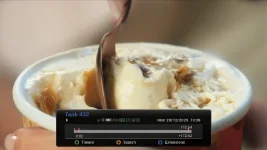
Start watching a new (FTA) recording and bring up the progress bar and you should see two markers on the bar. The bar shows the overall recording time with pre and post padding and the markers show the broadcsat start and end markers.

Example:

record_progress_bar.webp

When watching a recording you can jump immediately to the start end markers by pressing the > button (the one beneath the 9 key).

Turn on debug logging and reproduce your problem and upload the logs here. Without the logs it is impossible to tell what is happening. Also try it on a FTA channel as well.

Yep, see if it works on a normal FTA channel as it does for everyone else.

If your other channels don't work then it suggests that it is the broadcast content that is stopping recording.
 
It marks/records the program boundaries as sent by the broadcaster but doesn't actually use them to adjust recording duration. It must be something to do with the CAM allowing access to one stream at a time.
 

OpenViX Feeds Status

Back
Top