Superb quality and spec AB-Com PULSe 4K SE. Crazy offer! Only £99! FREE UK DELIVERY! 4K UHD, Enigma 2, Multiboot 4 images & more!...
Superb quality and spec AB-Com PULSe 4K Rev II Twin Satellite tuner only £149! FREE UK DELIVERY! 4K UHD, Enigma 2, SATA HDD facility, Multiboot 4 images & more!...

[GiGaBlue UHD QUAD 4K] Box crashing and Trying to Email Log File or Use Network

CRMS

Forum Supporter
Donated Member
Joined
Jun 18, 2020
Messages
339
Reaction score
2
Points
18
My box is still crashing every now and again and I have a number of crash logs. I am trying to email the logs from the System>Logs, but get

Error:
[Errno 111] Connection refused.

When I try to email a log. After first attempt, box tells me I have already sent log.
I have my email, user name and send yourself a copy set in Logs settings

Wifi adapter plugged in, connected to network. WLAN connection with Green tick. Password set.
HDD seems to be mounted in Mount Manager with IP 192.168.0.0 Dir media/hdd/ - another Green tick

Both PC and box on same wifi network but can't see box in PC network, only the Broadcom wifi adapter on 192.168.0.10

Openwebif on 192.168.1.65 doesn't open either - just get site can't be reached.

Worked OK before in UK on wifi or LAN. But don't think being in CH has anything to do with it.
 
Might be better to upload your logs onto a post and let the brains check them out.
 
I have opened a crash log, but where should I be looking??
 
I can't get at the crash logs because the box won't connect to network.
And when I go to home/root/logs on box, there are no files visible.
 
Last edited:
Have you run a network test and all is green.
I presume you have setup box for logs.
 
Network test all green. Box set up for logs at System>Logs>Logs settings. I have my email, user name and send yourself a copy set in Logs settings.

So got Webif to work using IP 192.168.0.21 as listed in Adapter Settings.

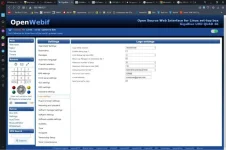
Can I find logs in WebIf?? Only seem to have Logs settings??
 
Last edited:
It looks like there is an issue with the e-mail address.

What location have you set for the log location?
Are you able to install plugins?
 
OK. I have filezilla. Looked for an ftp guide but didn't find anything. How do I set up please?? I have my own website set up but don't know what GB names/passwords/ports etc to use??
Previously, the GB was listed in W10 File Explorer under Networks. And easy to navigate through folders.
 
In Filezilla I've used gbquad4k as host name and the password as password. User name ??

Status: Resolving address of gbquad4k
Status: Connecting to [fe80::20b:81ff:fea0:d5a0%11]:21...
Status: Connection established, waiting for welcome message...
Status: Insecure server, it does not support FTP over TLS.
Command: USER anonymous
Response: 331 Please specify the password.
Command: PASS *********************
Response: 530 Login incorrect.
Error: Critical error: Could not connect to server
 
Username: root
Password: what you set it to

(as in post #12)
 
Something going wrong in movieorganiser......

Code:
<   426.6661> 09:39:14.0672 Traceback (most recent call last):
<   426.6662> 09:39:14.0672   File "/usr/lib/enigma2/python/Plugins/Extensions/MovieOrganisor/plugin.py", line 298, in MovieOrganisoronTimer
<   426.6664> 09:39:14.0674   File "/usr/lib/enigma2/python/Plugins/Extensions/MovieOrganisor/plugin.py", line 310, in doMovieOrganisor
<   426.6665> 09:39:14.0675   File "/usr/lib/enigma2/python/Plugins/Extensions/MovieOrganisor/plugin.py", line 315, in go
<   426.6665> 09:39:14.0676   File "/usr/lib/enigma2/python/Plugins/Extensions/MovieOrganisor/plugin.py", line 117, in domovieorganisation
<   426.6667> 09:39:14.0677 OSError: [Errno 2] No such file or directory: '/media/hdd/movie/20210101 2057 - Channel 5 HD - Michael McIntyre_ In His___.ts'
<   426.6667> 09:39:14.0678 [ePyObject] (CallObject(<bound method AutoMovieOrganisorTimer.MovieOrganisoronTimer of <Plugins.Extensions.MovieOrganisor.plugin.AutoMovieOrganisorTimer instance at 0xb1566698>>,()) failed)

Did you maybe delete "Channel 5 HD - Michael McIntyre_ In His___" while movieorganiser was running?
 
Last edited:
Code:
<   426.5577> 09:39:13.9588 Renames /media/hdd/movie/When\ Whales\ Walked
<   426.5638> 09:39:13.9649 Renames /media/hdd/movie/20201221\ 2057\ \-\ Sky\ Arts\ \-\ National\ Theatre\_\ Twelfth\_\_\_\.eit
<   426.6661> 09:39:14.0672 Traceback (most recent call last):
<   426.6662> 09:39:14.0672   File "/usr/lib/enigma2/python/Plugins/Extensions/MovieOrganisor/plugin.py", line 298, in MovieOrganisoronTimer
<   426.6664> 09:39:14.0674   File "/usr/lib/enigma2/python/Plugins/Extensions/MovieOrganisor/plugin.py", line 310, in doMovieOrganisor
<   426.6665> 09:39:14.0675   File "/usr/lib/enigma2/python/Plugins/Extensions/MovieOrganisor/plugin.py", line 315, in go
<   426.6665> 09:39:14.0676   File "/usr/lib/enigma2/python/Plugins/Extensions/MovieOrganisor/plugin.py", line 117, in domovieorganisation
<   426.6667> 09:39:14.0677 OSError: [Errno 2] No such file or directory: '/media/hdd/movie/20210101 2057 - Channel 5 HD - Michael McIntyre_ In His___.ts'
<   426.6667> 09:39:14.0678 [ePyObject] (CallObject(<bound method AutoMovieOrganisorTimer.MovieOrganisoronTimer of <Plugins.Extensions.MovieOrganisor.plugin.AutoMovieOrganisorTimer instance at 0xb1566698>>,()) failed)

You can see where it crashes in the log where it says "Traceback".

The movie organisor plugin is crashing. Sorry, don't know too much about it.
 
Thanks. Pretty sure nothing was deleted whilst recording. I'll try and install 2.2.2.
 
Last edited:
Thanks. Pretty sure nothing was deleted whilst recording. I'll try and install 2.2.2.

It's probably deleting something while movie organiser is running that's the issue, a pretty fundamental requirement I'd have thought, but it looks like 2.22 caters for it.
 

OpenViX Feeds Status

Back
Top