Superb quality and spec AB-Com PULSe 4K SE. Crazy offer! Only £99! FREE UK DELIVERY! 4K UHD, Enigma 2, Multiboot 4 images & more!...
Superb quality and spec AB-Com PULSe 4K Rev II Twin Satellite tuner only £149! FREE UK DELIVERY! 4K UHD, Enigma 2, SATA HDD facility, Multiboot 4 images & more!...

[ViX_Misc] EPG Refresh, iEPG and VPS

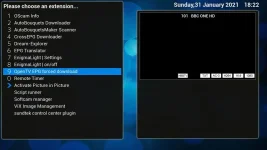
ok, so I built current developer image today to try the new OpenTV changes. However, I came across is no way to manually force OpenTV downloader from the Blue button from Live TV!!

I have posted this here as don't know if its related to recent few changes to OpenTV?

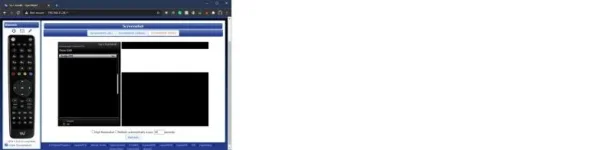
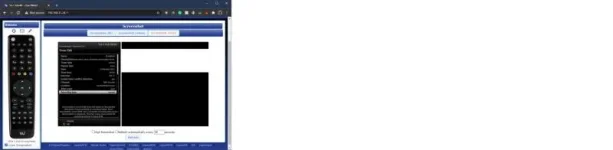
Below is screenshot of OpenTV settings and what is displayed when I press Blue button from live TV...

View attachment 61369 View attachment 61368

The only way I was able to force a download was to toggle it off/on etc which triggered download. I also didn't get the full 7 days EPG.

Is this just me having no easy way of manually downloading EPG via OpenTV?
Use epg refresh ???

Sent from my IN2013 using Tapatalk
 
Yea and I even removed plugin, init 4 and removed opentv settings from settings file, rebooted and installed again.
 
Try just a 'Restart GUI'.
After installing and enabling 'enable OpenTV download' in opentvzapper you need to do 'restart GUI' before the option appears on the blue button menu.
 
Last edited:
Try just a 'Restart GUI'.
After installing and enabling 'enable OpenTV download' in opentvzapper you need to do 'restart GUI' before the option appears on the blue button menu.

Correct.

Code:
if config.plugins.opentvzapper.enabled.value and config.plugins.opentvzapper.extensions.value:

Both of those have to be True at the time of the reboot. Says this in the plugin.

Code:
"When enabled a forced download will be possible from the extensions menu (blue button). Shows after next restart."
 
Last edited:
Reboot didn't work but did get it working again by removing the specific settings file after doing init 4 then another reboot.

I'm assuming little issue with settings file. Working now and i've checked settings file and it's now matches what I have it set as in plugin settings.

Edit:
Suspect user error in that I can't remember whether the settings file I edited in FileZilla, whether I allowed it to write back before getting carried away and rebooting :)
 
Last edited:
@goRt - question regarding VPS usage!

Does it work on single (one-off) recordings scheduled from the EPG using the green button? I tried a couple of recordings, but it just seemed to use my normal settings with padding before and after recording.

I then tried an autotimer (blue button) and it offered to enable VPS in the AT settings. However, the recording I set failed to start, so I figured that I might have some old data in the EPG cache. I cleared the EPG cache completely and re-ran the OpenTvzapper and set another AT. This seems to have kicked off ok, so I will wait until it's finished and check results. I'll give it an extensive test during the week to see if there are any other issues, before I install VPS on the main box.
The only ways to get the interface to VPS to function are:
Roll back to 5.3.39 or
Use autotimers or
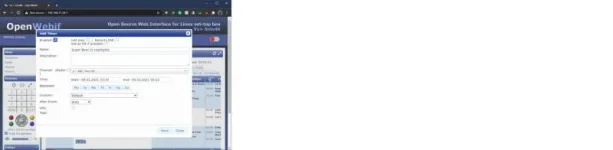
Use the webif but rather than adding a timer to a specific programme you have to select "edit timer" that allows webif to correctly display the VPS fields, if you already have a timer for that programme then edit doesn't provide the correct input, it let's you think it doesn't but it's broken.

(As an aside, why don't I get notified when I'm @ ed?, which setting have I broken on the forum?)

Sent from my IN2013 using Tapatalk
 
The only ways to get the interface to VPS to function are:
Roll back to 5.3.39 or
Use autotimers or
Use the webif but rather than adding a timer to a specific programme you have to select "edit timer" that allows webif to correctly display the VPS fields, if you already have a timer for that programme then edit doesn't provide the correct input, it let's you think it doesn't but it's broken.

(As an aside, why don't I get notified when I'm @ ed?, which setting have I broken on the forum?)

Sent from my IN2013 using Tapatalk
Can you post some screen grabs so we know exactly what you are talking about.
 
The only ways to get the interface to VPS to function are:
Roll back to 5.3.39 or
Use autotimers or
Use the webif but rather than adding a timer to a specific programme you have to select "edit timer" that allows webif to correctly display the VPS fields, if you already have a timer for that programme then edit doesn't provide the correct input, it let's you think it doesn't but it's broken.

(As an aside, why don't I get notified when I'm @ ed?, which setting have I broken on the forum?)

Sent from my IN2013 using Tapatalk

It's working fine for me on the dev build on autotimers only. Set up a bunch of autotimers on the soaps. Worked perfectly today on Channel 5 and ITV. Will keep it running for the rest of the week.

I don't know what setting (if any) notifies you when you're referenced by @ in a post.
 
It puzzles me that it only works for autotimers.
Surely at the point when it has to work it's the just the times in an ordinary (non auto) timer that needs to be overridden?
How does it make a difference whether the ordinary (non auto) timer was put there directly by a person or automatically by an autotimer?
 
It puzzles me that it only works for autotimers.
Surely at the point when it has to work it's the just the times in an ordinary (non auto) timer that needs to be overridden?
How does it make a difference whether the ordinary (non auto) timer was put there directly by a person or automatically by an autotimer?

As I understand things there's a property that has been renamed in openVIX so VPS misses this, there was a patch released for .001 which got us to this position (it's included in the build), but no further.
 
Those images are too small for my old eyes, goRt! I wasn't using the web interface in any case - just the normal menu dialogues.
@BefuddledBrian - when you set up an autotimer, there are two extra settings parameters available to you in the menu - (i) enable VPS and (ii) allow broadcaster settings to control recording (I'm paraphrasing here). Works similarly on an instant record as it pops up a VPS dialogue also. Just the manual, one-off recording when pressing GREEN from the EPG seems not to work, but I'll check the edit option and see if that works.
 
Those images are too small for my old eyes, goRt! I wasn't using the web interface in any case - just the normal menu dialogues.
@BefuddledBrian - when you set up an autotimer, there are two extra settings parameters available to you in the menu - (i) enable VPS and (ii) allow broadcaster settings to control recording (I'm paraphrasing here). Works similarly on an instant record as it pops up a VPS dialogue also. Just the manual, one-off recording when pressing GREEN from the EPG seems not to work, but I'll check the edit option and see if that works.

Sorry about that, technology failure!

Have fun with the edit option as sometimes it displays the VPS field, but when you tab to adjust it it just goes to the name field without making any changes
 
When I edited the timer option and blanked out the name field I got the VPS enable option. Then I set the VPS and went back to the name field and re-named it. All very strange. The actual VPS exact recording functions very well, though. Just like my old Humax. Very channel/broadcaster dependent. BBC/ITV/Channel4 all seem to trigger the EIT now/next change correctly just before the programme starts. Channel 5 seems to trigger the change at the schedule time but the programme might not start for a minute or two after. It depends on the level of automation and settings of the playout equipment I think. Some of the non-mainstream channels like Pick seem to be entirely automated and the EIT change and the programme start are completely synchronised.
 
When I edited the timer option and blanked out the name field I got the VPS enable option. Then I set the VPS and went back to the name field and re-named it. All very strange. The actual VPS exact recording functions very well, though. Just like my old Humax. Very channel/broadcaster dependent. BBC/ITV/Channel4 all seem to trigger the EIT now/next change correctly just before the programme starts. Channel 5 seems to trigger the change at the schedule time but the programme might not start for a minute or two after. It depends on the level of automation and settings of the playout equipment I think. Some of the non-mainstream channels like Pick seem to be entirely automated and the EIT change and the programme start are completely synchronised.

Looks like the VPS plugin looks after the name and description.... ?

Code:
The VPS-plugin can determine whether a mission begins earlier or lasts longer than the timer is programmed. For this, the channels provide reliable data.


Features:
- Each timer can be enabled VPS
- Evaluation of the Running status of a program (not running, starts in a few seconds, pausing, running)
- Enter the VPS / PDC time possible
- Control-flow time (eg 10 minutes before the actual beginning of the recording captures the plugin to the monitoring of running status)
- Recordings can be completely controlled by the sender information, ie the programmed timer periods are not observed.


The channels provide reliable data? (Running status)
ARD and ZDF to provide for their shipments usually an accurate running status.
Sky delivers (for the Sky-owned channels and some non-transmitters) are often an accurate running status. Unlike ARD / ZDF, the (program) advertising before / after a show but as a "running" is specified.

The private stations adjust their status to not running when a program starts earlier or is coated. The VPS function should therefore not be turned on when recording from the private sector.
Exceptions seem to be TV DMAX and Servus.


What is VPS-time?
ARD and ZDF state in their EPG data, the VPS-time (PDC descriptor).
The VPS time should be the starting time published in magazines. ZDF is the time to on their website and Teletext.
be specified for manual timer programming, the VPS time when you turn the VPS function.
The VPS time can find the plugin, the event ID of the item and can then begin the evaluation of the Running status. When programming via the EPG must not VPS time be specified because, in the case already saved an event ID in the timer.

[B]This looks for the plug after the VPS time, no name for the timer must be specified. The Name and Description fields are filled in by the plugin if a program of the VPS time is found[/B].


What does complete control of broadcasting information?
When this feature is enabled (in the plugin settings and the timer!), Then the plugin can start recording only when the mission is stated as "running", and ends the timer when the Running status to "not running "is set. In that case, the programmed timer periods are therefore not considered for inclusion. The start time of the timer should be programmed but still correct, since this time will be used for this, from when the plug begins to monitor the timer.

The disadvantage of the function is that the program möglicherwise or not taken wrong, when the station is giving incorrect information. This is even on ARD / ZDF irregular times the case.

If the function is not used, then considered the plugin the programmed start and end time and can start recording only if, sooner or run longer, never shorter.


Lead-Time Control
The plugin by default starts 10 minutes before the actual start of recording to monitor the running status.

If no free tuner is there, then tried the plugin on the current transponder / channel for information search. ARD will broadcast e.g. on their transponders and EPG information from ZDF and vice versa. However, it is expected with a slight delay.
For timers that are to be controlled by the sender information on the plugin if necessary in order for the lead time on the included transmitter.


Installation
The plugin is installed like any other.
To use the functions must be changed two files (/ usr/lib/enigma2/python/RecordTimer.py and / usr/lib/enigma2/python/Screens/TimerEntry.py). The files will be patched automatically by the plugin.

Enigma has to be restarted after installation. Maybe even twice.
 
ccs - I did see that in your previous post and that is why I tried it out. The language translation from German to English doesn't make things easy to understand. I'm not sure why VPS wants the timer name to be blank. Generally the user wants the default programme name. It's only a minor issue on manual timers. It works fine on autotimers.
 
Looks like the VPS plugin looks after the name and description.... ?

Code:
The VPS-plugin can determine whether a mission begins earlier or lasts longer than the timer is programmed. For this, the channels provide reliable data.


Features:
- Each timer can be enabled VPS
- Evaluation of the Running status of a program (not running, starts in a few seconds, pausing, running)
- Enter the VPS / PDC time possible
- Control-flow time (eg 10 minutes before the actual beginning of the recording captures the plugin to the monitoring of running status)
- Recordings can be completely controlled by the sender information, ie the programmed timer periods are not observed.


The channels provide reliable data? (Running status)
ARD and ZDF to provide for their shipments usually an accurate running status.
Sky delivers (for the Sky-owned channels and some non-transmitters) are often an accurate running status. Unlike ARD / ZDF, the (program) advertising before / after a show but as a "running" is specified.

The private stations adjust their status to not running when a program starts earlier or is coated. The VPS function should therefore not be turned on when recording from the private sector.
Exceptions seem to be TV DMAX and Servus.


What is VPS-time?
ARD and ZDF state in their EPG data, the VPS-time (PDC descriptor).
The VPS time should be the starting time published in magazines. ZDF is the time to on their website and Teletext.
be specified for manual timer programming, the VPS time when you turn the VPS function.
The VPS time can find the plugin, the event ID of the item and can then begin the evaluation of the Running status. When programming via the EPG must not VPS time be specified because, in the case already saved an event ID in the timer.

[B]This looks for the plug after the VPS time, no name for the timer must be specified. The Name and Description fields are filled in by the plugin if a program of the VPS time is found[/B].


What does complete control of broadcasting information?
When this feature is enabled (in the plugin settings and the timer!), Then the plugin can start recording only when the mission is stated as "running", and ends the timer when the Running status to "not running "is set. In that case, the programmed timer periods are therefore not considered for inclusion. The start time of the timer should be programmed but still correct, since this time will be used for this, from when the plug begins to monitor the timer.

The disadvantage of the function is that the program möglicherwise or not taken wrong, when the station is giving incorrect information. This is even on ARD / ZDF irregular times the case.

If the function is not used, then considered the plugin the programmed start and end time and can start recording only if, sooner or run longer, never shorter.


Lead-Time Control
The plugin by default starts 10 minutes before the actual start of recording to monitor the running status.

If no free tuner is there, then tried the plugin on the current transponder / channel for information search. ARD will broadcast e.g. on their transponders and EPG information from ZDF and vice versa. However, it is expected with a slight delay.
For timers that are to be controlled by the sender information on the plugin if necessary in order for the lead time on the included transmitter.


Installation
The plugin is installed like any other.
To use the functions must be changed two files (/ usr/lib/enigma2/python/RecordTimer.py and / usr/lib/enigma2/python/Screens/TimerEntry.py). The files will be patched automatically by the plugin.

Enigma has to be restarted after installation. Maybe even twice.

But VPS functions correctly on 5.3.039 and was only broken by the changes made to openVIX 5.4.xxx
 
But VPS functions correctly on 5.3.039 and was only broken by the changes made to openVIX 5.4.xxx

I was commenting on @fat-tony's post which basically said that blanking out the name field in a manual timer invoked the VPS options, I thought you'd been saying manual timers don't work??
 
I was commenting on @fat-tony's post which basically said that blanking out the name field in a manual timer invoked the VPS options, I thought you'd been saying manual timers don't work??

Clearly @fat-tony has found a workaround.
 

OpenViX Feeds Status

Back
Top