Superb quality and spec AB-Com PULSe 4K SE. Crazy offer! Only £99! FREE UK DELIVERY! 4K UHD, Enigma 2, Multiboot 4 images & more!...
Superb quality and spec AB-Com PULSe 4K Rev II Twin Satellite tuner only £149! FREE UK DELIVERY! 4K UHD, Enigma 2, SATA HDD facility, Multiboot 4 images & more!...

Testers required for OpenViX Python 3 images

Status
Not open for further replies.
Where did you find the Samba change log, I'm pretty sure it's up-to-date.

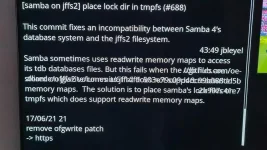
When looking at the update options on the original P3, before doing the update, checking the changes towards the end of the page there were a number of comments about changes to Samba. I don't confess to know what they meant and also there were a number of text lines on top of each other which made it difficult to read. That's most likely a fault with the VixBMC 1080 skin I use.

EDIT: is that code you showed what you have as the smb-user.conf in the Samba folder?

This is mine:

Code:
## User changes to Samba config go here

## You can overrule the insecure defaults and enforce password
## protected access to shares by uncommenting the following
## line, including the secure settings:

[global]
#       include = /etc/samba/distro/smb-secure.conf


## You can hide and veto access to certain directories, e.g. mount points of
## other boxes in order to prevent round trips through your LAN
## In Samba 4.x this needs to be configured per share:

[Root]
#       veto files = /ThisBox/OtherBox/AnotherBox/YetAnotherBox/
#       hide files = /ThisBox/OtherBox/AnotherBox/YetAnotherBox/

[Harddisk]
veto files = /.Trash/backup/imagebackups/lost+found/timeshift
#       hide files = /ThisBox/OtherBox/AnotherBox/YetAnotherBox/
 
Last edited:
When looking at the update options on the original P3, before doing the update, checking the changes towards the end of the page there were a number of comments about changes to Samba. I don't confess to know what they meant and also there were a number of text lines on top of each other which made it difficult to read. That's most likely a fault with the VixBMC 1080 skin I use.

There is an outstanding problem with updates to files in /etc/samba.

A settings restore overwrites the latest version of /etc/samba, which comes with ViX, even if you haven't installed samba.

This is what you get on an image before a settings restore.....

Code:
root@vuultimo4k:~# ls -lR /etc/samba
/etc/samba:
drwxr-xr-x    2 root     root          4096 Jul  7 15:05 distro
-rw-r--r--    1 root     root            20 Jun 25 15:12 lmhosts
drwxr-xr-x    2 root     root          4096 Jul  7 15:05 private
-rw-r--r--    1 root     root           744 Jun 25 15:12 smb-user.conf
-rw-r--r--    1 root     root            95 Jun 25 15:12 smb.conf

/etc/samba/distro:
-rw-r--r--    1 root     root            61 Jun 25 15:12 smb-branding.conf
-rw-r--r--    1 root     root          1516 Jun 25 15:12 smb-global.conf
-rw-r--r--    1 root     root           586 Jun 25 15:12 smb-shares.conf
lrwxrwxrwx    1 root     root            13 Jul  7 15:05 smb-vmc.conf -> smb-vmc.samba
-rw-r--r--    1 root     root            29 Jun 25 15:12 smb-vmc.samba

/etc/samba/private:
-rw-r--r--    1 root     root           204 Jun 25 15:12 smbpasswd
-rw-r--r--    1 root     root            80 Jun 25 15:12 users.map
root@vuultimo4k:~#

This what I get after a settings restore (all files are overwritten).....

Code:
root@vuultimo4k:~# ls -lR /etc/samba
/etc/samba:
drwxr-xr-x    2 root     root          4096 Jun 30 20:01 distro
-rw-r--r--    1 root     root            20 Dec 31  2020 lmhosts
drwxr-xr-x    2 root     root          4096 Jun 30 20:01 private
-rw-r--r--    1 root     root           772 Dec 31  2020 smb-user.conf
-rw-r--r--    1 root     root           744 Dec 31  2020 smb-user.conf.orig
-rw-r--r--    1 root     root            95 Dec 31  2020 smb.conf

/etc/samba/distro:
-rw-r--r--    1 root     root            61 Dec 31  2020 smb-branding.conf
-rw-r--r--    1 root     root          1457 Dec 31  2020 smb-global.conf
-rw-r--r--    1 root     root           586 Dec 31  2020 smb-shares.conf
lrwxrwxrwx    1 root     root            13 Jun 30 20:01 smb-vmc.conf -> smb-vmc.samba
-rw-r--r--    1 root     root            29 Dec 31  2020 smb-vmc.samba

/etc/samba/private:
-rw-------    1 root     root        430080 Dec 31  2020 secrets.tdb
-rw-------    1 root     root           204 Jan 18 15:30 smbpasswd
-rw-r--r--    1 root     root            80 Dec 31  2020 users.map

There just happens to have been a change to smb-global.conf 13 days ago, but it has now been lost on my setup....

Code:
https://github.com/oe-alliance/oe-alliance-core/blob/5.0/meta-oe/recipes-connectivity/samba/samba/smb-global.conf
.
I'd have thought that installing samba should add /etc/samba/smb-user.conf to config.backupmanager.backupdirs in /etc/enigma2/settings.

But maybe there's a good reason why the whole of /etc/samba is added???

BackupManager appears to do it....

Code:
https://github.com/OpenViX/vix-core/blob/master/src/BackupManager.py#L1179-L1180
 
Last edited:
....these are all the samba commits...

Code:
https://github.com/oe-alliance/oe-alliance-core/tree/5.0/meta-oe/recipes-connectivity/samba

(Not the easiest one to find!)
 
smb-global.conf looks different.
 
Well spotted. I'm going to revert to P3 013 and update to P3 014. I'll replace the old smb-global.config to see if it works. I'll post back either way. Why would this file have changed after the update?
 
Ok, very much trial and error. I found 2 files which if I added to the new P3 014 image got Samba working.

These were smb-branding.conf and the smb-global.conf

The non-working smb-branding.conf had the following:

Code:
[global]
        server string = OpenViX %h network services

The working smb-branding.conf had the following:

Code:
[global]
        server string = OpenViX %h network services

#       include = /etc/samba/distro/smb-secure.conf
        include = /etc/samba/distro/smb-insecure.conf


The non-working smb-global.conf had the following:

Code:
[global]
        # CVE-1999-0519 and CVE-2000-1200
        access based share enum = yes
        restrict anonymous = 2

        disable netbios = Yes
        min protocol = SMB2_02
        smb ports = 445
        ntlm auth = yes

        workgroup = WORKGROUP
        security = USER
        guest account = nobody
        map to guest = Bad User
        username map = /etc/samba/private/users.map
        min receivefile size = 16384
        use sendfile = Yes
        aio read size = 16384
        aio write behind = true
        aio write size = 16384
        smb passwd file = /etc/samba/private/smbpasswd
        passdb backend = smbpasswd
        idmap config * : backend = tdb
        obey pam restrictions = Yes
        max stat cache size = 64
        unix password sync = Yes
        pam password change = Yes
        server multi channel support = Yes
        passwd program = /usr/bin/passwd %u
        passwd chat = *Enter\snew\s*\spassword:* %n\n *Retype\snew\s*\spassword:* %n\n *password\supdated\ssuccessfully* .

        # Disable printer support for now
        disable spoolss = Yes
        load printers = No
        printcap name = /dev/null

        unix extensions = No
        allow insecure wide links = Yes

        strict locking = no
        oplocks = yes
        kernel oplocks = yes

        include = /etc/samba/distro/smb-branding.conf
        include = /etc/samba/distro/smb-shares.conf
        include = /etc/samba/distro/smb-vmc.conf

        include = /etc/samba/smb-user.conf

The working smb-global.conf had the following:

Code:
[global]
        security = USER
        map to guest = Bad Password
        min receivefile size = 16384
        use sendfile = Yes
        aio read size = 16384
        aio write behind = true
        aio write size = 16384
        username map = /etc/samba/private/users.map
        smb passwd file = /etc/samba/private/smbpasswd
        passdb backend = smbpasswd
        idmap config * : backend = tdb
        obey pam restrictions = Yes
        max stat cache size = 64
        unix password sync = Yes
        pam password change = Yes
        server multi channel support = Yes
        passwd program = /usr/bin/passwd %u
        passwd chat = *Enter\snew\s*\spassword:* %n\n *Retype\snew\s*\spassword:* %n\n *password\supdated\ssuccessfully* .

        # Disable printer support for now
        disable spoolss = Yes
        load printers = No
        printcap name = /dev/null

        enable privileges = Yes
        unix extensions = No
        allow insecure wide links = Yes

        include = /etc/samba/distro/smb-branding.conf
        include = /etc/samba/distro/smb-shares.conf
        include = /etc/samba/distro/smb-vmc.conf

        include = /etc/samba/smb-user.conf


I also tried deleting the etc/Samba folder, then doing the upgrade to P3 014 and it still didn't work on its own. With the older Samba files it works perfectly with no errors in the log. Looking forward, when the new Python images go out of test and are official, is this something I will have to do each time I update (restore the older Samba files)?
 
.... my "working" versions of those 2 files are the same as yours, files created over 6 months ago when I had problems with samba.

Again, indirectly, it was a mismatch I had between my settings restore and the latest samba release files in /etc/samba.

I'll have a look tomorrow at the latest config files.

min protocol = SMB2_02
&
ntlm auth = yes

might be causing problems.
 
Last edited:
I'd have thought that installing samba should add /etc/samba/smb-user.conf to config.backupmanager.backupdirs in /etc/enigma2/settings.

But maybe there's a good reason why the whole of /etc/samba is added???

I'm beginning to think that the current backing up of /etc/samba rather than a subset is the better solution after all.

The latest Samba Commit(s) have made changes to /etc/samba which appear to have stopped it working in some circumstances.

A working backup continues to work, (although a ViX software update would mess it up again).

The clean/proper solution is for users to make changes to smb-user.conf to undo the problems settings, but that's not easy as you need to understand why these changes have been made and what effect they've had.
 
You need to look where the changes have been made to the default config.
 
I'm just reverting back to P3 013 and about to update to 014 to see what happens.

I'm getting confused here, I thought 5.5.013.016(Py3) was the only public image available for testing.
 
I'm getting confused here, I thought 5.5.013.016(Py3) was the only public image available for testing.

depending on which box, (and who built) there have been several iterations
 
And I deleted the samba folder before doing the update, so those files show what was replaced after the update. I did this to avoid being confused if any files got overwritten.
 
5.5.013.016(Py3) has the latest samba updates...

Code:
root@vuultimo4k:~# smbstatus  -V
Version 4.14.5
root@vuultimo4k:~#

https://github.com/oe-alliance/oe-alliance-core/tree/5.0/meta-oe/recipes-connectivity/samba

I have to go back to 5.5.013.010(Py3) which hasn't...

Code:
root@vuultimo4k:~# smbstatus  -V
Version 4.9.15
root@vuultimo4k:~#

Trying a software update now.

[COLOR="#FF0000"]EDIT:[/COLOR] lots to update, but samba still on 4.9.15, I guess the feeds vary a bit in this context.
 
Last edited:
I just downloaded 5.5.013.016(Py3) and Samba is working. That's good to know it is the latest version of Samba.

Just checked for updates and it shows the developer 5.4.04.001 3/7/21 45:50 rossi2000. No mention of Samba now. But that is showing the older 5.4.xxx not 5.5.xxx so maybe that was the mistake. The box was updating but actually updating the older files from the 5.4.xxx developer update?
 
What does /etc/samba look like ???

I've tried all sorts, but never see /etc/samba/distro/smb-secure.conf or /etc/samba/distro/smb-insecure.conf
 
Last edited:
What does /etc/samba look like ???

I've tried all sorts, but never see /etc/samba/distro/smb-secure.conf or /etc/samba/distro/smb-insecure.conf


smb-secure.conf

Code:
# True user level security:
        # - Degrade guests to "nobody" rather than escalating them to "root"
        # - Stop accepting empty (null) passwords
        #
        # Note: This will require you to set passwords using smbpasswd -a
        guest account = nobody
        null passwords = No

        # For more security, disable NetBIOS and enforce min protocol = SMB2_02
        # Note: min protocol = SMB2_02 will lock out ancient clients, like DOS, OS/2, Windows 9x as well as OpenPLi up to 4.0 and VTi
        disable netbios = Yes
        min protocol = SMB2_02
        smb ports = 445

smb-insecure.conf

Code:
[global]
        # Effectively remove security:
        # - guests (unauthed/bad authed) escalate to root
        # - empty passwords allowed
        # - SMBv1 allowed
        guest account = root
        null passwords = Yes
        min protocol = NT1
 
Status
Not open for further replies.

OpenViX Feeds Status

Back
Top