Superb quality and spec AB-Com PULSe 4K SE. Crazy offer! Only £129! FREE UK DELIVERY! 4K UHD, Enigma 2, Multiboot 4 images & more!...
Superb quality and spec AB-Com PULSe 4K Rev II Twin Satellite tuner only £179! FREE UK DELIVERY! 4K UHD, Enigma 2, SATA HDD facility, Multiboot 4 images & more!...

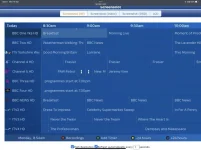
[VU+ Uno4KSE] EPG screen has a odd line down it on left hand side

Tillybaby

Member
Joined
Feb 20, 2023
Messages
31
Reaction score
1
Points
8
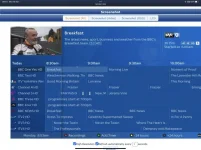
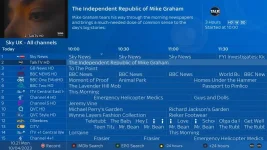
I have installed this on 2 VU UNO4KSE and have the same issue. It relates to a line which continues down the live picture in graphic on the EPG. When I select no picture the line goes but I can’t read any program guide descriptions. I have used the Slyk Q skin

I hope the pictures have attached as this is the first time I have posted via this new format

ThanksBF3573FA-3318-40C8-8591-EBB121D3C341.webp
 

Attachments

  • F8DF1543-BB63-4A30-B9C1-CCDBFE97C70D.webp
    F8DF1543-BB63-4A30-B9C1-CCDBFE97C70D.webp
    45.6 KB · Views: 35
Last edited:
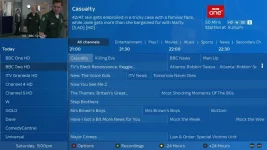
I think it's a feature rather than a fault. I didn't like it so got rid of it by commenting out line 80 <panel name="rightnav" /> in /usr/share/enigma2/slyk-q-1080/q-epg.xml

1_0_19_CD6E_844_2_11A0000_0_0_0_20230410102105.webp
 
I have done that change and it has now got rid of that awful line so thanks very much for your help &#55357;&#56832;
 
Perhaps feature is the wrong word ! puzzled.gif.
It's supposed to be there but it doesn't look good if your service width is set to anything other than what is specified in the skin recommendations.
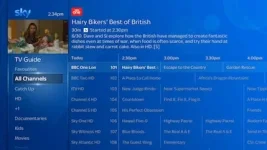
It looks okay in KiddaC's images.

787613647532a37f5837552a.webp
 
i know this is an old thread. But my skins do require some tweaking of settings to get them to be displayed correctly.
The line is casued by the service_width setting. It needs amending in my skins.

Here is a cut and paste from the original instructions.


Recommended Settings


Channel selection settings...

Show event-progress in channel selection: Progress bar right
Show channel numbers in channel selection: yes
Show crypto Icons: Left from service/name
Show picons in service list: your choice?
Show columns: Disable
Number of rows: 14
All font sizes: 0


Graphical infobar EPG Settings…

Number of rows: 4 (set in skin)
All font sizes: 0
Timeline font: 0
Service width :490 minus picon width if picons shown
Info icon width: 75
Time scale: 120 minutes

GraphicalEPG settings…

View mode: graphics
Service Title mode: Service number and Service Name
base time: 15 minutes
service width: 490 minus picon width if picons shown (important)
picon width: 100
info icon width: 75
time scale: 120 minutes

EPG Settings...

Show EIT now/next in infobar: YES
Enable EIT EPG: YES

Movie Planner settings… (file list button… menu…settings)

Number of rows: <= 14
show status icons in movielist - icons
show icon for new/unseen - yes

OSD settings… (Usage & GUI… OSD settings) – vix menu locations will be slightly different

2nd Infobar: 2nd infobar INFO
Show infobar picon: yes
Show infobar on skip forward/backward: yes (required for movies pause icon)
Show channel number in infobar: yes
Show picon background colour: Disabled
Show crypto info in infobar: Two lines
Show PVR status in MoviePlayer infobar: yes (required for movies pause icon)
 

OpenViX Feeds Status

Back
Top