
Superb quality and spec AB-Com PULSe 4K SE. Crazy offer! Only £129! FREE UK DELIVERY! 4K UHD, Enigma 2, Multiboot 4 images & more!...
Superb quality and spec AB-Com PULSe 4K Rev II Twin Satellite tuner only £179! FREE UK DELIVERY! 4K UHD, Enigma 2, SATA HDD facility, Multiboot 4 images & more!...
You are using an out of date browser. It may not display this or other websites correctly.
You should upgrade or use an alternative browser.
You should upgrade or use an alternative browser.
Ultimo 4k froze updating
- Thread starter thor1
- Start date


bellejt
Forum Supporter

- Joined
- Dec 24, 2013
- Messages
- 2,254
- Reaction score
- 53
- Points
- 48
- Age
- 65
then you are not flashing the image rightly

abu baniaz
Moderator
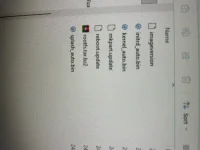
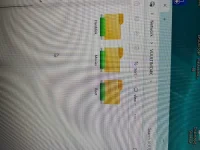
You were meant to transfer the vuplus folder. By transferring that folder, the contents will be copied across too. Please post a picture/screenshot of your USB drive layout. What size is your USB flash drive What file system is it ( fat 16, fat 32, exfat)?
Secondly, does your receiver show up on your network? You can check with Angry IP scanner or logging in to your router.
Secondly, does your receiver show up on your network? You can check with Angry IP scanner or logging in to your router.

I would be surprised if a software update killed the image completely…… have you tried accessing the box through a telnet(e.g. putty) session? Or checked network to see if it still shows up?updating my Ultimo 4k last night from 6.7.003 to 6.7.019 and just froze, i am just left with Open Vix logo any way to recover it
You were meant to transfer the vuplus folder. By transferring that folder, the contents will be copied across too. Please post a picture/screenshot of your USB drive layout. What size is your USB flash drive What file system is it ( fat 16, fat 32, exfat)?
Secondly, does your receiver show up on your network? You can check with Angry IP scanner or logging in to your router.
Attachments
abu baniaz
Moderator
I have deleted the picture with your email address. The other pictures do not show the full layout structure of the USB flash drive.
A guide to Putty is here:
Can you please log into your receiver and issue following commands. Paste, don't type
Copy and paste the whole output into a text file and attach the file (not just contents).
Don't you have anyone who can help you remotely using temaviewer?
A guide to Putty is here:
https://world-of-satellite.com/threads/how-to-use-putty-for-unix-linux-commands.40948/Can you please log into your receiver and issue following commands. Paste, don't type
init 4 && ENIGMA_DEBUG_LVL=4 /usr/bin/enigma2Copy and paste the whole output into a text file and attach the file (not just contents).
Don't you have anyone who can help you remotely using temaviewer?
Similar threads
- Replies
- 1
- Views
- 296
- Replies
- 11
- Views
- 729


