

Hi All,
I have a tiny problem with the sound on my vu+ duo2. My son has been playing with the remote (the same genuine as this one: https://www.world-of-satellite.co.uk/satellite-and-terrestrial/Replacement-Remote-Controls/VU-Plus-Remote-Controls/VU-Duo-Duo2-Duo-2-Solo-Uno-Ultimo-Genuine-Universal-Remote-Control) and he pressed some button/combination of buttons and muted the sound. I cannot unmute it now (I'm not talking about the mute button in the top right corner of the remote - this controls my sound bar). The mute icon appears on the top of the screen.
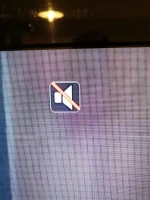
I have the latest update of openvix installed.
How to unmute this, please? What button on the remote controls it?
Thank you for your help!
I have a tiny problem with the sound on my vu+ duo2. My son has been playing with the remote (the same genuine as this one: https://www.world-of-satellite.co.uk/satellite-and-terrestrial/Replacement-Remote-Controls/VU-Plus-Remote-Controls/VU-Duo-Duo2-Duo-2-Solo-Uno-Ultimo-Genuine-Universal-Remote-Control) and he pressed some button/combination of buttons and muted the sound. I cannot unmute it now
(I'm not talking about the mute button in the top right corner of the remote - this controls my sound bar). The mute icon appears on the top of the screen. I have the latest update of openvix installed.
How to unmute this, please? What button on the remote controls it?
Thank you for your help!
Last edited:


 Thanks anyway

