Superb quality and spec AB-Com PULSe 4K SE. Crazy offer! Only £129! FREE UK DELIVERY! 4K UHD, Enigma 2, Multiboot 4 images & more!...
Superb quality and spec AB-Com PULSe 4K Rev II Twin Satellite tuner only £179! FREE UK DELIVERY! 4K UHD, Enigma 2, SATA HDD facility, Multiboot 4 images & more!...

Build my own Vix image

It only happens on a fresh build (of which I did a lot when looking at the coreutils issues). so lots of rebuilds probably wouldn't show it.

I can see something that looks odd.
My last fresh build reported:
Code:
ERROR: Taskhash mismatch 9e57fc094016674115898a613fb6c0c72714ce77df033aaea02a931ab73025fe versus e90fd5fe55e36492991f936c01c08e119d18fc4b921e8b1b322b02462eb6ff8d for /vix-build/
But when I look under oe-alliance/builds/openvix/sstate-cache then the e9/0f directory contains both of these:

Code:
sstate:network-usb-drivers-meta:all-oe-linux:1.0:r1:allarch:14:9e57fc094016674115898a613fb6c0c72714ce77df033aaea02a931ab73025fe_package.tar.zst.siginfo
sstate:network-usb-drivers-meta:all-oe-linux:1.0:r1:allarch:14:e90fd5fe55e36492991f936c01c08e119d18fc4b921e8b1b322b02462eb6ff8d_package.tar.zst

Surely the *9e57* file is in the wrong location?
Perhaps not, but it certainly looks odd.
 
No, since others get the same error reported.
Okay, Either the package is broken or not. It is not going to build correctly for anyone if it is broken! Attached is a build log is the Zgemma H7. Nowhere in the log will you find the words Taskhash mismatch. The build log has several listings for network-usb-drivers-meta, and it clearly shows the package being built without errors:
NOTE: recipe network-usb-drivers-meta-1.0-r1: task do_package_write_ipk: Succeeded

What is the difference in my build as compared to the others that are getting Taskhash mismatch? Probably 1 or two things. The build that is shown in the log did not have a previous sstate-cache folder or a tmp folder. Both of these folders did not exist when the build first started.

It is very common for image builders to reuse the sstate-cahe and tmp folders because the build time increases dramatically if both are removed before every build. There is nothing wrong with network-usb-drivers-meta, as you van see, it builds clean. Anyone that continues to reuse sstate-cache and the tmp folder can expect to see errors, most of them harmless.
 

Attachments

Just to clarify, I do NOT get a taskhash mismatch currently and when I did, some time ago, I don't think it was those particular files. IIRC it was enigma-info.bb, nodejs and a couple of others
 
It only happens on a fresh build (of which I did a lot when looking at the coreutils issues). so lots of rebuilds probably wouldn't show it.

I can see something that looks odd.
My last fresh build reported:
Code:
ERROR: Taskhash mismatch 9e57fc094016674115898a613fb6c0c72714ce77df033aaea02a931ab73025fe versus e90fd5fe55e36492991f936c01c08e119d18fc4b921e8b1b322b02462eb6ff8d for /vix-build/
But when I look under oe-alliance/builds/openvix/sstate-cache then the e9/0f directory contains both of these:

Code:
sstate:network-usb-drivers-meta:all-oe-linux:1.0:r1:allarch:14:9e57fc094016674115898a613fb6c0c72714ce77df033aaea02a931ab73025fe_package.tar.zst.siginfo
sstate:network-usb-drivers-meta:all-oe-linux:1.0:r1:allarch:14:e90fd5fe55e36492991f936c01c08e119d18fc4b921e8b1b322b02462eb6ff8d_package.tar.zst

Surely the *9e57* file is in the wrong location?
Perhaps not, but it certainly looks odd.
I did a dev build from scratch last night. No errors.
 
Just to clarify, I do NOT get a taskhash mismatch currently and when I did, some time ago, I don't think it was those particular files. IIRC it was enigma-info.bb, nodejs and a couple of others
Enigma-info was due to date/time issue that was fixed ages ago.
 
I did a dev build from scratch last night. No errors.
And, in a change to our schedule, I've just done a build of 6.8.002.002 from scratch (well, a new builds directory - old sources).
There was no Taskhash mismatch.

Looking back at the snapshot of 6.8.002.001 (same sort of build from scratch) it did have the Taskhash mismatch.

I haven't changed anything.
 
It is very common for image builders to reuse the sstate-cahe and tmp folders because the build time increases dramatically if both are removed before every build.

But, as I noted, I was doing builds from scratch every time. A fresh builds directory. Sometimes a fresh sources too.
Every time there was a Taskhash mismatch error.

There is nothing wrong with network-usb-drivers-meta, as you van see, it builds clean. Anyone that continues to reuse sstate-cache and the tmp folder can expect to see errors, most of them harmless.
Errors are not harmless. If the issue is harmless it is not an error (and should not be reported as one).
If the result of the test is always ignored then why bother spending the time doing the test in the first place?
 
The way this image build thing is setup and presented to people is: MACHINE="bla bla bla" make image. In reality, it is not that simple because more often than not, some problem will be encountered that stops the build or points to packages not being constructed correctly.

The trick in image building is knowing what to fix and knowing what to ignore. Almost every image build will throw some type of warning, and a lot of builds will not complete in a single pass or try. Fuzz in patch files and Taskhash mismatch are two errors that can usually be ignored.

It has already been explained how the Taskhash mismatch error occurs, and Huevos even provided the solution not to see it any more. Put simply, it is an error that can be ignored if the build does not stop. I can understand the perfection and wanting to get it right, but enigma2 image builds to a degree are built with imperfection.

So how about let's look at the Yocto source and see what it says:
4.3.5.1 Source Fetching
Note
For every local file (e.g. file://) that is part of a recipe’s SRC_URI statement, the OpenEmbedded build system takes a checksum of the file for the recipe and inserts the checksum into the signature for the do_fetch task. If any local file has been modified, the do_fetch task and all tasks that depend on it are re-executed.
This is EXACTLY what's happening with your taskhash mismatch:
Files were modified (git pull updated recipes)
Checksums changed (old hash vs new hash)
Task is re-executed (do_package reruns)
Build succeeds (system working correctly)
It is a meta .bb error. Look at the .bb file in question and maybe it makes more sense why it would change on a dime.

Want to fix it taskhash mismatch errors? Huevos explained exactly how, but the procedure is also on the internet:

if you want to make better builds then read all : https://docs.yoctoproject.org/overview-manual/
And also read the bitbake manual (usermanual.pdf) that is included in the build directory.
 
It has already been explained how the Taskhash mismatch error occurs,
No, it hasn't.
and Huevos even provided the solution not to see it any more.
No, he didn't. He showed why it was ignored (which is not the same thing at all).

Put simply, it is an error that can be ignored if the build does not stop.
Well, if you set a variable that says to ignore the error then clearly the build will not stop when that error is seen.
I can understand the perfection and wanting to get it right, but enigma2 image builds to a degree are built with imperfection.
So you're saying that not knowing whether the build is OK is actually OK? !!!
So how about let's look at the Yocto source and see what it says:
4.3.5.1 Source Fetching
Note
For every local file (e.g. file://) that is part of a recipe’s SRC_URI statement, the OpenEmbedded build system takes a checksum of the file for the recipe and inserts the checksum into the signature for the do_fetch task. If any local file has been modified, the do_fetch task and all tasks that depend on it are re-executed.
This is EXACTLY what's happening with your taskhash mismatch:
Files were modified (git pull updated recipes)
Checksums changed (old hash vs new hash)
Task is re-executed (do_package reruns)
Build succeeds (system working correctly)
It is a meta .bb error. Look at the .bb file in question and maybe it makes more sense why it would change on a dime.
You seem to be ignoring the fact that this happens on a completely fresh build. Nothing was "modified".
Want to fix it taskhash mismatch errors? Huevos explained exactly how, but the procedure is also on the internet:
Thanks. I'll look at that.
if you want to make better builds then read all : https://docs.yoctoproject.org/overview-manual/
And also read the bitbake manual (usermanual.pdf) that is included in the build directory.
I have....
 
Gordon, if this problem is bothering you, you need to fix it, because no one else is particularly bothered.
 
To recap Taskhash mismatch:

Post#849, Image builders know this error is harmless:
They don't stop the build because IGNORE_TASKHASH_MISMATCH is set.

Post#851, Explanation given as to possibly why Taskhash mismatch error is set:
Probably date or time used in package version.

Post#854 Explained it...Taskhash mismatch:
1. BitBake calculates the initial taskhash based on metadata
2. As dependencies build, variables resolve, and the environment stabilizes
3. BitBake recalculates and notices the hash changed
4. It rebuilds the task with the correct hash (that's why it shows in red but continues)
5. The corrected hash is now cached

Post#855 provides a solution:
So just use [vardepsexclude] to exclude the problematic variable from the taskhash.

Post#862 Provides a log proving the package can be built without errors:
No one bothered to look at the log (views = 0), which is OK.
Put simply, if there was an actual error, then this package would not build without errors for anyone!

No one mentions examining the actual .bb file where the Taskhash mismatch is set. Looking at this .bb file shows the depndencies.
/OE-5.6/build-enviroment/meta-oe-alliance/meta-oe/recipes-oe-alliance/enigma2-network-drivers/network-usb-drivers-meta.bb

No one bothers to check the completed Taskhash mismatch package to see what is in it:
/OE-5.6/build-enviroment/builds/openvix/release/h7/tmp/deploy/ipk/all/network-usb-drivers-meta_1.0-r1_all.ipk

Unpacking network-usb-drivers-meta_1.0-r1_all.ipk ( ar x network-usb-drivers-meta_1.0-r1_all.ipk) Shows an empty package, except for a CONTROL file listing the dependencies.
So in a way, all of this concern is over an empty .ipk file.

Note:
For every local file (e.g. file://) that is part of a recipe's SRC_URI statement, the OpenEmbedded build system takes a checksum of the file for the recipe and inserts the checksum into the signature for the do_fetch task. If any local file has been modified, the do_fetch task and all tasks that depend on it are re-executed.

So what else can be said?
My suggestion is to re-read the Yocto and BitBake manuals Completly to understand this issue and why it exists.
If you want to "fix" it, then do away with the .bb file and build the drivers individually. Of course you will still most likely get erros, but the error would point specifically to which one of the drivers has changed and then the source fo the driver could then be inspected.

Best of Luck with it!!!
 
Gordon, if this problem is bothering you, you need to fix it, because no one else is particularly bothered.
I realize that.
What bothers me is people thinking it is OK to ignore errors.
Makes me wonder what else is allowed to go wrong....
 
To recap Taskhash mismatch:
To recap the original report(s).
  • This happens from time to time (it has disappeared between 6.8.002.001 an d 6.8.002.002).
  • For any version where it happens it always happens for that module. Even on a completely fresh build.
The bitbake authors reckon that the condition is an ERROR. i.e. something has happened that should not have happened.
If it is not actually an error then there is something wrong in the recipe.

I reckon it might be related to the fact it is a meta package. I don't think it actually builds anything itself - just causes other packages to be built.
Perhaps it shouldn't be creating/checking a Taskhash at all?
 
View attachment 68206
Is there a video tutorial available ?
No . but lots of help if required is here on this forum.
I was well into retirement when i started to build images, so anybody can do this.
First read the bottom of this page
Code:
https://github.com/OpenViX/enigma2
and then follow the instructions to setup.
You need a linux (preferably Ubuntu) system and the build is CPU (and memory ) intensive, so I always dual boot (between Ubuntu & Windows) to reduce the overhead.

Problems? - just ask!
 
Something worth fixing:
Skin error when building Edision 4K's ( and most likely any other Vix image). Edited .bb file is attached. There is probably a better way of getting there, but this worked.

vix-skin-issue-2025-12-22 21-22-50.webp
 

Attachments

Something worth fixing:
Skin error when building Edision 4K's ( and most likely any other Vix image). Edited .bb file is attached. There is probably a better way of getting there, but this worked.

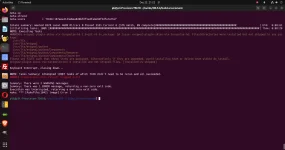
View attachment 68211
I don,t get that … have you added that skin as an installed skin to the image?
Just run osmio4k+ build - skins compiled- no issues with standard files
 
Last edited:
That's just a warning (there can be quite a few in a build).
The only "error" is that you interrupted the build with a ctl-C.
 
I've just built for my Ultimo4K without issue as well. Maybe it's already built on my system and didn't try to rebuild to give the error
 

OpenViX Feeds Status

Back
Top