Superb quality and spec AB-Com PULSe 4K SE. Crazy offer! Only £99! FREE UK DELIVERY! 4K UHD, Enigma 2, Multiboot 4 images & more!...
Superb quality and spec AB-Com PULSe 4K Rev II Twin Satellite tuner only £149! FREE UK DELIVERY! 4K UHD, Enigma 2, SATA HDD facility, Multiboot 4 images & more!...

[SF8008] Small issue with fstrim on my internal SSD - It doesn't work

FWIW:

The SF8008 M.2 slot connects to the
HiSilicon SoC via a JMicron JMS583 USB 3.1 to NVMe bridge chip. The drive appears
to Linux as a USB SCSI device (sdd), not a native NVMe device (nvme0n1). This is
confirmed by the Enigma2 log:
[Harddisk][Init] Device 'sdd' (Internal (SSD) - JMicron (Generic))
physicalDevice: .../f9890000.ehci/usb1/...


The kernel uses the LBPME bit (Logical Block Provisioning Management Enabled) from
the READ CAPACITY(16) SCSI command as its gate for enabling discard support. The JMicron
bridge does NOT set this bit, so the kernel sets discard_granularity=0 and refuses all
discard operations regardless of what the drive itself supports:
sg_readcap -l /dev/sdd
Logical block provisioning: lbpme=0, lbprz=0


This blocks every standard TRIM path — including the OpenATV cron approach.

Everything That Was Tried (and Why Each Failed)
1. Fstrim:
fstrim -v /media/hdd
fstrim: /media/hdd: the discard operation is not supported

Blocked by discard_granularity=0 at kernel level.

2. Provisioning_mode=unmap (sysfs):
echo unmap > /sys/block/sdd/device/scsi_disk/*/provisioning_mode
sh: echo: write error: Invalid argument

Kernel 4.4.35 checks lbpme=0 before allowing the write. Rejected regardless of
VPD page 0xB0 advertising full UNMAP support.

3. Mount -o discard:
Accepted by the kernel but silently dropped at the block layer. No UNMAP commands
reach the drive. Kernel 4.4.35 drops discard commands for USB-attached storage.

4. Udev rule for provisioning_mode:
Same result as #2: The kernel rejects the write before the udev rule can take effect.

5. OpenATV fstrim-cron package:
Their fstrim-all simply runs `fstrim -v "$mnt" 2>/dev/null` on SF8008 this returns
an error to stderr which is suppressed, $out is empty, nothing is logged, nothing is
trimmed. The cron job runs silently every week and does absolutely nothing on this
hardware.

The kernel CANNOT be updated on these receivers.
HiSilicon SoC drivers are proprietary binary blobs tied to kernel 4.4.35. Any
solution must work within that constraint.

What Actually Appears to Work:
The JMicron bridge DOES support SCSI UNMAP commands — this can be verified with:
sg_vpd -p bl /dev/sdd
unlimited: Maximum unmap LBA count blocks
Maximum unmap block descriptor count: 0x3f

The sg_unmap tool from sg3-utils bypasses the kernel block layer entirely and sends
UNMAP commands directly. However and this is critical, you cannot simply unmap
the whole partition as that destroys all data including the filesystem metadata.
You must only unmap blocks that the filesystem has marked as FREE.

Since no standard tool (e2freefrag, debugfs, filefrag) is available on these images
to enumerate free blocks, a Python script was written that reads the ext4 block group
bitmaps directly from the raw partition to identify free block extents, then sends
targeted sg_unmap commands only for those extents.

This is essentially re-implementing what fstrim does internally, but in userspace,
bypassing the kernel's blocked ioctl path.

fstrim-cron_1.0-r10_all.ipk
ext4trim.py
: Python 3 script that reads ext4 bitmaps and sends safe UNMAP
commands only for free blocks. Compatible with Python 3.6+.
fstrim-all: Shell wrapper with dual-path logic: uses standard fstrim for SATA
receivers, ext4trim.py for SF8008. Automatically detects which path to use.
fstrim-boot: Init script that checks on every boot whether a weekly trim was
missed (receiver was off on scheduled day) and runs trim if overdue.
Automatic cron setup on install, automatic removal on uninstall.

Confirmed working on:
Octagon SF8008 running TNAP image (OpenViX also confirmed working)

Installation:
More or less for OpenVix 6.8: opkg update && opkg install fstrim-cron

Sample Log Output (SF8008, Crucial P310 1TB)
(fstrim-cron: running initial trim in background -- check /var/log/fstrim.log
root@sf8008:~# )
See: /var/log/fstrim.log
Code:
2026-03-05 11:28:48 fstrim-all: starting
2026-03-05 11:28:49 ext4trim: =======================================================
2026-03-05 11:28:49 ext4trim: device   : /dev/sdd (partition: /dev/sdd1)
2026-03-05 11:28:49 ext4trim: size     : 915 GiB (983,351,099,392 bytes)
2026-03-05 11:28:49 ext4trim: used     : 4 GiB (5,131,632,640 bytes)
2026-03-05 11:28:49 ext4trim: free     : 911 GiB (978,202,689,536 bytes)
2026-03-05 11:28:49 ext4trim: =======================================================
2026-03-05 11:28:49 ext4trim: partition start LBA: 40
2026-03-05 11:28:49 ext4trim: ext4: 7453 groups, block_size=4096, total_blocks=244190636 (64-bit)
2026-03-05 11:28:50 ext4trim: filesystem frozen: /media/hdd (FIFREEZE ioctl)
2026-03-05 11:28:50 ext4trim: freeze watchdog armed: 900s timeout
2026-03-05 11:28:50 ext4trim: scanning block bitmaps -- this may take several minutes ...
2026-03-05 11:29:27 ext4trim:   scanning group 500/7453 (6%) ...
2026-03-05 11:30:04 ext4trim:   scanning group 1000/7453 (13%) ...
2026-03-05 11:30:41 ext4trim:   scanning group 1500/7453 (20%) ...
2026-03-05 11:31:18 ext4trim:   scanning group 2000/7453 (26%) ...
2026-03-05 11:31:55 ext4trim:   scanning group 2500/7453 (33%) ...
2026-03-05 11:32:32 ext4trim:   scanning group 3000/7453 (40%) ...
2026-03-05 11:33:09 ext4trim:   scanning group 3500/7453 (46%) ...
2026-03-05 11:33:46 ext4trim:   scanning group 4000/7453 (53%) ...
2026-03-05 11:34:23 ext4trim:   scanning group 4500/7453 (60%) ...
2026-03-05 11:35:00 ext4trim:   scanning group 5000/7453 (67%) ...
2026-03-05 11:35:38 ext4trim:   scanning group 5500/7453 (73%) ...
2026-03-05 11:36:15 ext4trim:   scanning group 6000/7453 (80%) ...
2026-03-05 11:36:52 ext4trim:   scanning group 6500/7453 (87%) ...
2026-03-05 11:37:29 ext4trim:   scanning group 7000/7453 (93%) ...
2026-03-05 11:38:03 ext4trim: filesystem thawed: /media/hdd (FITHAW ioctl)
2026-03-05 11:38:03 ext4trim: =======================================================
2026-03-05 11:38:03 ext4trim: scan complete in 9m 14s
2026-03-05 11:38:03 ext4trim: free extents found : 8827 (each >= 32KB)
2026-03-05 11:38:03 ext4trim: free space before  : 911 GiB (978,202,689,536 bytes)
2026-03-05 11:38:03 ext4trim: free space after   : 911 GiB (978,202,689,536 bytes)
2026-03-05 11:38:03 ext4trim: trimmed            : 910 GiB (978,117,951,488 bytes)
2026-03-05 11:38:03 ext4trim: drive reclaimed    : 0 bytes (drive was already clean)
2026-03-05 11:38:03 ext4trim: =======================================================
2026-03-05 11:38:03 fstrim-all: done

The "drive reclaimed: 0 bytes" is expected on a freshly formatted drive. After normal
recorder use, recordings written and deleted over weeks, this will show actual
reclaimed bytes, which is the metric that demonstrates the trim is genuinely working.

TRIM often fails over USB-to-NVMe enclosures. The
reason it works here is that the SF8008's JMicron bridge runs under the UAS
(USB Attached SCSI) driver rather than the generic usb-storage driver. UAS passes
SCSI commands more directly to the device. Combined with the userspace bitmap approach
that bypasses the kernel's blocked discard ioctl entirely, this makes a safe TRIM possible where the standard tools fail.

The SF8008 has a perfectly capable NVMe drive that can be trimmed. It just needs a smarter approach than fstrim.

Disclaimer:
The attached fstrim solution for SF8008 M.2 has been ran on my receiver. It has not received wide-spread esting.
Addtions, Sutracttions, or Tweaks to the installed files may be needed. Safety and unwanted wping of the dirve have been considered.
Therefore, Use at your own risk!
 

Attachments

actually - this is the enclosure I was toying with:

fanxiang M.2 NVMe Enclosure, With Built-in Cooling Fan System SSD Enclosure, USB 3.2 Gen2 10Gbps, Up to 4TB M Key/B+M Key, With USB C to C and USB A to C Cables for 2230/2242/2280—MD85​


The idea was to try to cover all bases including my M.2 SATA SSD in my laptop, my NVME M.2 in the desktop and possibly the SSD in the sf8008...... but if I can't be sure the sf8008 SSD will be trimmable with one then I don't really need.
Thanks, just ordered this for my build PC as my m2,s get really hot - so will see if it trims!
 
FWIW:

The SF8008 M.2 slot connects to the
HiSilicon SoC via a JMicron JMS583 USB 3.1 to NVMe bridge chip. The drive appears
to Linux as a USB SCSI device (sdd), not a native NVMe device (nvme0n1). This is
confirmed by the Enigma2 log:
[Harddisk][Init] Device 'sdd' (Internal (SSD) - JMicron (Generic))
physicalDevice: .../f9890000.ehci/usb1/...


The kernel uses the LBPME bit (Logical Block Provisioning Management Enabled) from
the READ CAPACITY(16) SCSI command as its gate for enabling discard support. The JMicron
bridge does NOT set this bit, so the kernel sets discard_granularity=0 and refuses all
discard operations regardless of what the drive itself supports:
sg_readcap -l /dev/sdd
Logical block provisioning: lbpme=0, lbprz=0


This blocks every standard TRIM path — including the OpenATV cron approach.

Everything That Was Tried (and Why Each Failed)
1. Fstrim:
fstrim -v /media/hdd
fstrim: /media/hdd: the discard operation is not supported

Blocked by discard_granularity=0 at kernel level.

2. Provisioning_mode=unmap (sysfs):
echo unmap > /sys/block/sdd/device/scsi_disk/*/provisioning_mode
sh: echo: write error: Invalid argument

Kernel 4.4.35 checks lbpme=0 before allowing the write. Rejected regardless of
VPD page 0xB0 advertising full UNMAP support.

3. Mount -o discard:
Accepted by the kernel but silently dropped at the block layer. No UNMAP commands
reach the drive. Kernel 4.4.35 drops discard commands for USB-attached storage.

4. Udev rule for provisioning_mode:
Same result as #2: The kernel rejects the write before the udev rule can take effect.

5. OpenATV fstrim-cron package:
Their fstrim-all simply runs `fstrim -v "$mnt" 2>/dev/null` on SF8008 this returns
an error to stderr which is suppressed, $out is empty, nothing is logged, nothing is
trimmed. The cron job runs silently every week and does absolutely nothing on this
hardware.

The kernel CANNOT be updated on these receivers.
HiSilicon SoC drivers are proprietary binary blobs tied to kernel 4.4.35. Any
solution must work within that constraint.

What Actually Appears to Work:
The JMicron bridge DOES support SCSI UNMAP commands — this can be verified with:
sg_vpd -p bl /dev/sdd
unlimited: Maximum unmap LBA count blocks
Maximum unmap block descriptor count: 0x3f

The sg_unmap tool from sg3-utils bypasses the kernel block layer entirely and sends
UNMAP commands directly. However and this is critical, you cannot simply unmap
the whole partition as that destroys all data including the filesystem metadata.
You must only unmap blocks that the filesystem has marked as FREE.

Since no standard tool (e2freefrag, debugfs, filefrag) is available on these images
to enumerate free blocks, a Python script was written that reads the ext4 block group
bitmaps directly from the raw partition to identify free block extents, then sends
targeted sg_unmap commands only for those extents.

This is essentially re-implementing what fstrim does internally, but in userspace,
bypassing the kernel's blocked ioctl path.

fstrim-cron_1.0-r10_all.ipk
ext4trim.py
: Python 3 script that reads ext4 bitmaps and sends safe UNMAP
commands only for free blocks. Compatible with Python 3.6+.
fstrim-all: Shell wrapper with dual-path logic: uses standard fstrim for SATA
receivers, ext4trim.py for SF8008. Automatically detects which path to use.
fstrim-boot: Init script that checks on every boot whether a weekly trim was
missed (receiver was off on scheduled day) and runs trim if overdue.
Automatic cron setup on install, automatic removal on uninstall.

Confirmed working on:
Octagon SF8008 running TNAP image (OpenViX also confirmed working)

Installation:
More or less for OpenVix 6.8: opkg update && opkg install fstrim-cron

Sample Log Output (SF8008, Crucial P310 1TB)
(fstrim-cron: running initial trim in background -- check /var/log/fstrim.log
root@sf8008:~# )
See: /var/log/fstrim.log
Code:
2026-03-05 11:28:48 fstrim-all: starting
2026-03-05 11:28:49 ext4trim: =======================================================
2026-03-05 11:28:49 ext4trim: device   : /dev/sdd (partition: /dev/sdd1)
2026-03-05 11:28:49 ext4trim: size     : 915 GiB (983,351,099,392 bytes)
2026-03-05 11:28:49 ext4trim: used     : 4 GiB (5,131,632,640 bytes)
2026-03-05 11:28:49 ext4trim: free     : 911 GiB (978,202,689,536 bytes)
2026-03-05 11:28:49 ext4trim: =======================================================
2026-03-05 11:28:49 ext4trim: partition start LBA: 40
2026-03-05 11:28:49 ext4trim: ext4: 7453 groups, block_size=4096, total_blocks=244190636 (64-bit)
2026-03-05 11:28:50 ext4trim: filesystem frozen: /media/hdd (FIFREEZE ioctl)
2026-03-05 11:28:50 ext4trim: freeze watchdog armed: 900s timeout
2026-03-05 11:28:50 ext4trim: scanning block bitmaps -- this may take several minutes ...
2026-03-05 11:29:27 ext4trim:   scanning group 500/7453 (6%) ...
2026-03-05 11:30:04 ext4trim:   scanning group 1000/7453 (13%) ...
2026-03-05 11:30:41 ext4trim:   scanning group 1500/7453 (20%) ...
2026-03-05 11:31:18 ext4trim:   scanning group 2000/7453 (26%) ...
2026-03-05 11:31:55 ext4trim:   scanning group 2500/7453 (33%) ...
2026-03-05 11:32:32 ext4trim:   scanning group 3000/7453 (40%) ...
2026-03-05 11:33:09 ext4trim:   scanning group 3500/7453 (46%) ...
2026-03-05 11:33:46 ext4trim:   scanning group 4000/7453 (53%) ...
2026-03-05 11:34:23 ext4trim:   scanning group 4500/7453 (60%) ...
2026-03-05 11:35:00 ext4trim:   scanning group 5000/7453 (67%) ...
2026-03-05 11:35:38 ext4trim:   scanning group 5500/7453 (73%) ...
2026-03-05 11:36:15 ext4trim:   scanning group 6000/7453 (80%) ...
2026-03-05 11:36:52 ext4trim:   scanning group 6500/7453 (87%) ...
2026-03-05 11:37:29 ext4trim:   scanning group 7000/7453 (93%) ...
2026-03-05 11:38:03 ext4trim: filesystem thawed: /media/hdd (FITHAW ioctl)
2026-03-05 11:38:03 ext4trim: =======================================================
2026-03-05 11:38:03 ext4trim: scan complete in 9m 14s
2026-03-05 11:38:03 ext4trim: free extents found : 8827 (each >= 32KB)
2026-03-05 11:38:03 ext4trim: free space before  : 911 GiB (978,202,689,536 bytes)
2026-03-05 11:38:03 ext4trim: free space after   : 911 GiB (978,202,689,536 bytes)
2026-03-05 11:38:03 ext4trim: trimmed            : 910 GiB (978,117,951,488 bytes)
2026-03-05 11:38:03 ext4trim: drive reclaimed    : 0 bytes (drive was already clean)
2026-03-05 11:38:03 ext4trim: =======================================================
2026-03-05 11:38:03 fstrim-all: done

The "drive reclaimed: 0 bytes" is expected on a freshly formatted drive. After normal
recorder use, recordings written and deleted over weeks, this will show actual
reclaimed bytes, which is the metric that demonstrates the trim is genuinely working.

TRIM often fails over USB-to-NVMe enclosures. The
reason it works here is that the SF8008's JMicron bridge runs under the UAS
(USB Attached SCSI) driver rather than the generic usb-storage driver. UAS passes
SCSI commands more directly to the device. Combined with the userspace bitmap approach
that bypasses the kernel's blocked discard ioctl entirely, this makes a safe TRIM possible where the standard tools fail.

The SF8008 has a perfectly capable NVMe drive that can be trimmed. It just needs a smarter approach than fstrim.

Disclaimer:
The attached fstrim solution for SF8008 M.2 has been ran on my receiver. It has not received wide-spread esting.
Addtions, Sutracttions, or Tweaks to the installed files may be needed. Safety and unwanted wping of the dirve have been considered.
Therefore, Use at your own risk!
Wow... You sure have done a lot of work there. Respect to you.

To the admins of openvix... Am I good to run this as it stands or are some tweaks required as el bandido suggests may be the case?? Happy to do some testing but rather have your "approval" so to speak before I take the plunge. As a non py programing expert I wouldn't know what to look for to validate before running and.... This is my live system (although I'll back up prior to running obviously - golden rule #1)

Thanks to el bandido for the very thorough explanation and solution.
 
Wow... You sure have done a lot of work there. Respect to you.

To the admins of openvix... Am I good to run this as it stands or are some tweaks required as el bandido suggests may be the case?? Happy to do some testing but rather have your "approval" so to speak before I take the plunge. As a non py programing expert I wouldn't know what to look for to validate before running and.... This is my live system (although I'll back up prior to running obviously - golden rule #1)

Thanks to el bandido for the very thorough explanation and solution.
I am sure el bandido has been very thorough , so as long as you backup as much as possible, then you have a fallback. Either it works or you maybe have to re format the disk, but there is only way of finding out.
 
FWIW:

The SF8008 M.2 slot connects to the
HiSilicon SoC via a JMicron JMS583 USB 3.1 to NVMe bridge chip. The drive appears
to Linux as a USB SCSI device (sdd), not a native NVMe device (nvme0n1). This is
confirmed by the Enigma2 log:
[Harddisk][Init] Device 'sdd' (Internal (SSD) - JMicron (Generic))
physicalDevice: .../f9890000.ehci/usb1/...


The kernel uses the LBPME bit (Logical Block Provisioning Management Enabled) from
the READ CAPACITY(16) SCSI command as its gate for enabling discard support. The JMicron
bridge does NOT set this bit, so the kernel sets discard_granularity=0 and refuses all
discard operations regardless of what the drive itself supports:
sg_readcap -l /dev/sdd
Logical block provisioning: lbpme=0, lbprz=0


This blocks every standard TRIM path — including the OpenATV cron approach.

Everything That Was Tried (and Why Each Failed)
1. Fstrim:
fstrim -v /media/hdd
fstrim: /media/hdd: the discard operation is not supported

Blocked by discard_granularity=0 at kernel level.

2. Provisioning_mode=unmap (sysfs):
echo unmap > /sys/block/sdd/device/scsi_disk/*/provisioning_mode
sh: echo: write error: Invalid argument

Kernel 4.4.35 checks lbpme=0 before allowing the write. Rejected regardless of
VPD page 0xB0 advertising full UNMAP support.

3. Mount -o discard:
Accepted by the kernel but silently dropped at the block layer. No UNMAP commands
reach the drive. Kernel 4.4.35 drops discard commands for USB-attached storage.

4. Udev rule for provisioning_mode:
Same result as #2: The kernel rejects the write before the udev rule can take effect.

5. OpenATV fstrim-cron package:
Their fstrim-all simply runs `fstrim -v "$mnt" 2>/dev/null` on SF8008 this returns
an error to stderr which is suppressed, $out is empty, nothing is logged, nothing is
trimmed. The cron job runs silently every week and does absolutely nothing on this
hardware.

The kernel CANNOT be updated on these receivers.
HiSilicon SoC drivers are proprietary binary blobs tied to kernel 4.4.35. Any
solution must work within that constraint.

What Actually Appears to Work:
The JMicron bridge DOES support SCSI UNMAP commands — this can be verified with:
sg_vpd -p bl /dev/sdd
unlimited: Maximum unmap LBA count blocks
Maximum unmap block descriptor count: 0x3f

The sg_unmap tool from sg3-utils bypasses the kernel block layer entirely and sends
UNMAP commands directly. However and this is critical, you cannot simply unmap
the whole partition as that destroys all data including the filesystem metadata.
You must only unmap blocks that the filesystem has marked as FREE.

Since no standard tool (e2freefrag, debugfs, filefrag) is available on these images
to enumerate free blocks, a Python script was written that reads the ext4 block group
bitmaps directly from the raw partition to identify free block extents, then sends
targeted sg_unmap commands only for those extents.

This is essentially re-implementing what fstrim does internally, but in userspace,
bypassing the kernel's blocked ioctl path.

fstrim-cron_1.0-r10_all.ipk
ext4trim.py
: Python 3 script that reads ext4 bitmaps and sends safe UNMAP
commands only for free blocks. Compatible with Python 3.6+.
fstrim-all: Shell wrapper with dual-path logic: uses standard fstrim for SATA
receivers, ext4trim.py for SF8008. Automatically detects which path to use.
fstrim-boot: Init script that checks on every boot whether a weekly trim was
missed (receiver was off on scheduled day) and runs trim if overdue.
Automatic cron setup on install, automatic removal on uninstall.

Confirmed working on:
Octagon SF8008 running TNAP image (OpenViX also confirmed working)

Installation:
More or less for OpenVix 6.8: opkg update && opkg install fstrim-cron

Sample Log Output (SF8008, Crucial P310 1TB)
(fstrim-cron: running initial trim in background -- check /var/log/fstrim.log
root@sf8008:~# )
See: /var/log/fstrim.log
Code:
2026-03-05 11:28:48 fstrim-all: starting
2026-03-05 11:28:49 ext4trim: =======================================================
2026-03-05 11:28:49 ext4trim: device   : /dev/sdd (partition: /dev/sdd1)
2026-03-05 11:28:49 ext4trim: size     : 915 GiB (983,351,099,392 bytes)
2026-03-05 11:28:49 ext4trim: used     : 4 GiB (5,131,632,640 bytes)
2026-03-05 11:28:49 ext4trim: free     : 911 GiB (978,202,689,536 bytes)
2026-03-05 11:28:49 ext4trim: =======================================================
2026-03-05 11:28:49 ext4trim: partition start LBA: 40
2026-03-05 11:28:49 ext4trim: ext4: 7453 groups, block_size=4096, total_blocks=244190636 (64-bit)
2026-03-05 11:28:50 ext4trim: filesystem frozen: /media/hdd (FIFREEZE ioctl)
2026-03-05 11:28:50 ext4trim: freeze watchdog armed: 900s timeout
2026-03-05 11:28:50 ext4trim: scanning block bitmaps -- this may take several minutes ...
2026-03-05 11:29:27 ext4trim:   scanning group 500/7453 (6%) ...
2026-03-05 11:30:04 ext4trim:   scanning group 1000/7453 (13%) ...
2026-03-05 11:30:41 ext4trim:   scanning group 1500/7453 (20%) ...
2026-03-05 11:31:18 ext4trim:   scanning group 2000/7453 (26%) ...
2026-03-05 11:31:55 ext4trim:   scanning group 2500/7453 (33%) ...
2026-03-05 11:32:32 ext4trim:   scanning group 3000/7453 (40%) ...
2026-03-05 11:33:09 ext4trim:   scanning group 3500/7453 (46%) ...
2026-03-05 11:33:46 ext4trim:   scanning group 4000/7453 (53%) ...
2026-03-05 11:34:23 ext4trim:   scanning group 4500/7453 (60%) ...
2026-03-05 11:35:00 ext4trim:   scanning group 5000/7453 (67%) ...
2026-03-05 11:35:38 ext4trim:   scanning group 5500/7453 (73%) ...
2026-03-05 11:36:15 ext4trim:   scanning group 6000/7453 (80%) ...
2026-03-05 11:36:52 ext4trim:   scanning group 6500/7453 (87%) ...
2026-03-05 11:37:29 ext4trim:   scanning group 7000/7453 (93%) ...
2026-03-05 11:38:03 ext4trim: filesystem thawed: /media/hdd (FITHAW ioctl)
2026-03-05 11:38:03 ext4trim: =======================================================
2026-03-05 11:38:03 ext4trim: scan complete in 9m 14s
2026-03-05 11:38:03 ext4trim: free extents found : 8827 (each >= 32KB)
2026-03-05 11:38:03 ext4trim: free space before  : 911 GiB (978,202,689,536 bytes)
2026-03-05 11:38:03 ext4trim: free space after   : 911 GiB (978,202,689,536 bytes)
2026-03-05 11:38:03 ext4trim: trimmed            : 910 GiB (978,117,951,488 bytes)
2026-03-05 11:38:03 ext4trim: drive reclaimed    : 0 bytes (drive was already clean)
2026-03-05 11:38:03 ext4trim: =======================================================
2026-03-05 11:38:03 fstrim-all: done

The "drive reclaimed: 0 bytes" is expected on a freshly formatted drive. After normal
recorder use, recordings written and deleted over weeks, this will show actual
reclaimed bytes, which is the metric that demonstrates the trim is genuinely working.

TRIM often fails over USB-to-NVMe enclosures. The
reason it works here is that the SF8008's JMicron bridge runs under the UAS
(USB Attached SCSI) driver rather than the generic usb-storage driver. UAS passes
SCSI commands more directly to the device. Combined with the userspace bitmap approach
that bypasses the kernel's blocked discard ioctl entirely, this makes a safe TRIM possible where the standard tools fail.

The SF8008 has a perfectly capable NVMe drive that can be trimmed. It just needs a smarter approach than fstrim.

Disclaimer:
The attached fstrim solution for SF8008 M.2 has been ran on my receiver. It has not received wide-spread esting.
Addtions, Sutracttions, or Tweaks to the installed files may be needed. Safety and unwanted wping of the dirve have been considered.
Therefore, Use at your own risk!
Hi @el bandido,

I will test this on my box on Sunday (once im backed up again and the wife is away for the day).
Can I please just check. Is is OK to run fstrim-all while enigma2 is up or do I need to do an init 4 first? I plan to test it at the command line as a one off initially.

Many thanks
Paul
 
Let me explain this:
Disclaimer:
The attached fstrim solution for SF8008 M.2 has been ran on my receiver. It has not received wide-spread esting.
Addtions, Sutracttions, or Tweaks to the installed files may be needed. Safety and unwanted wping of the dirve have been considered.
Therefore, Use at your own risk!

The plugin has scripts that alters a disk drive. For this reason, No writes to the drive should be ongoing.
Some possibilities:
Physical hardware damage: very low risk
Permanent inoperable/brick: low risk
Temporary hang or forced reboot: real possibility
Recording/timeshift disruption if run at the wrong time: meaningful risk
So do not record and you will be OK. I actually tested it while recording and did not see any problems. But my drive has been recently formatted and has little information on it.

When you install the plugin, 2 things happen.
(1) A cron job is set to run the script weekly on Sunday at 2:AM (0 2 * * 0 /usr/sbin/fstrim-all >> /var/log/fstrim.log 2>&1).
(2). A trim starts immediately after installation of the plugin, so it is a good idea not to be writing to the drive during installation.

These scripts were written in stages where they were tested then edited and tested again. At the end, they were evaluated for safety, and it was decided that maybe a race condition could happen if writes to the disk were ongoing during the TRIM, so freeze and thaw were added to the scripts as a caution. The feature runs as designed on my receiver. It is installed and now forgotten about.

A worst-case scenario, probably two things could happen.
(A) The drive is completely wiped.
(B) The drive is completely wiped plus corrupted to the point where errors are created in reboot, causing a kernel panic which makes the boot fail. This actually happened to me in early testing but it did not happen with these scripts! Different commands were being used. The corrupted drive was formatted in U-Boot and all was well. This requires rs232 connection or physically remove the drive and reformat. Again, this happened with different scripts using different commands.


Logs are written to: /var/log/fstrim.log. Log rotation was added to ensure the logs never grow past 1MB in size. The log is small and generated once a week would take a long time to grow to any noticeable size. Still the feature is there to ensure no runaway log writes cause excessive log size.

There is also a feature that checks to see if the receiver was off and runs the script to catch up right after boot. There are too many things that can go wrong with this, so this feature should probably be eliminated. This is why I say more edits may be needed.

Is it safe to use now? Yes.
Can it be improved? Yes.
 
Let me explain this:
Disclaimer:
The attached fstrim solution for SF8008 M.2 has been ran on my receiver. It has not received wide-spread esting.
Addtions, Sutracttions, or Tweaks to the installed files may be needed. Safety and unwanted wping of the dirve have been considered.
Therefore, Use at your own risk!

The plugin has scripts that alters a disk drive. For this reason, No writes to the drive should be ongoing.
Some possibilities:
Physical hardware damage: very low risk
Permanent inoperable/brick: low risk
Temporary hang or forced reboot: real possibility
Recording/timeshift disruption if run at the wrong time: meaningful risk
So do not record and you will be OK. I actually tested it while recording and did not see any problems. But my drive has been recently formatted and has little information on it.

When you install the plugin, 2 things happen.
(1) A cron job is set to run the script weekly on Sunday at 2:AM (0 2 * * 0 /usr/sbin/fstrim-all >> /var/log/fstrim.log 2>&1).
(2). A trim starts immediately after installation of the plugin, so it is a good idea not to be writing to the drive during installation.

These scripts were written in stages where they were tested then edited and tested again. At the end, they were evaluated for safety, and it was decided that maybe a race condition could happen if writes to the disk were ongoing during the TRIM, so freeze and thaw were added to the scripts as a caution. The feature runs as designed on my receiver. It is installed and now forgotten about.

A worst-case scenario, probably two things could happen.
(A) The drive is completely wiped.
(B) The drive is completely wiped plus corrupted to the point where errors are created in reboot, causing a kernel panic which makes the boot fail. This actually happened to me in early testing but it did not happen with these scripts! Different commands were being used. The corrupted drive was formatted in U-Boot and all was well. This requires rs232 connection or physically remove the drive and reformat. Again, this happened with different scripts using different commands.


Logs are written to: /var/log/fstrim.log. Log rotation was added to ensure the logs never grow past 1MB in size. The log is small and generated once a week would take a long time to grow to any noticeable size. Still the feature is there to ensure no runaway log writes cause excessive log size.

There is also a feature that checks to see if the receiver was off and runs the script to catch up right after boot. There are too many things that can go wrong with this, so this feature should probably be eliminated. This is why I say more edits may be needed.

Is it safe to use now? Yes.
Can it be improved? Yes.
My plan of action: On sunday morning (10am ish) I will do an init 4 from putty, install the plugin using putty, it can run with no enigma2 running initially ( I will check logs), I will then reboot and and then the cron job can take over for the week after at 2am. I normally put my box into deep standby when I go to bed so at 2am enigma2 will be sleeping and should not interfere in any way. The box is normally never "off" fully. but....

I would guess that the safest option for the "off" check would be to ignore it and just do a trim the following week (or the week after if off for two weeks at the allotted time) as a two / three week lack of trim is not a big deal right? Afterall the drive has not been trimmed for over 3 months already (since I got the box) with no issue.

I'll let you and everyone else know the outcome this Sunday for the initial trim and also update the following week once the cron runs.

Thanks so much for this - it is a great bit of work
:)

Paul
 
Results of a --dry-run done today in prep for the real run on Sunday:

2026-03-07 11:54:50 ext4trim: scan complete in 10m 35s
2026-03-07 11:54:50 ext4trim: free extents found : 8378 (each >= 32KB)
2026-03-07 11:54:50 ext4trim: free space before : 651 GiB (699,548,061,696 bytes)
2026-03-07 11:54:50 ext4trim: free space after : 650 GiB (698,275,479,552 bytes)
2026-03-07 11:54:50 ext4trim: [dry-run] would trim: 651 GiB (699,458,400,256 bytes)

Doing a bit more research on the P310 M.2 NVME SSD I have - it is meant to have a garbage collection on the controller that, as long as the SSD is not being used and is not in standby, is meant to do the same thing as a Trim. With this in mind I have also set the Standby time of the SSD to 0 in enigma2 in case when being put into deep standby at night it will mean that the garbage collection algorithm will kick in and do, essentially, the same thing:

This is the article: https://uk.crucial.com/support/articles-faq-ssd/ssd-used-to-be-faster-but-has-slowed-down

I wonder if setting this timeout to 0 on the drive in enigma2 menus will be enough for that to work?? If not, an init 4 at midnight once per month and then leaving the box for 8 hours before rebooting may also acheive the same result (but with a lot more hassle and manual intervention of course).

Cheers
Paul
 
Last edited:
If you're putting the receiver into deep standby at night, I doubt that anything in the box is powered apart from the IR receiver and front panel clock (or psuedo clock) which is used to wake the box for timed recordings etc. so I would assume that the disks are powered down.
 
Maybe the init 4 would be best then (for anyone not wishing to install the plugin). For me... The plugin will do just fine. I'll report back my results and maybe see if the admins/developers of openvix might consider incorporating it into the standard build. Seems to make sense as it covers normal fstrim and el bandido's "special" code for sf8008 type devices that have the "poor mans" nvme. Anyone fitting a 1tb drive to such a device will highly likely go for the nvme as its nice and neat and barely any more cost over a spinning 1tb drive so I personally reckon it is worthy of adoption and inclusion. Just my opinion obviously....

Paul
 
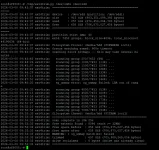
Hi, Did the init 4 and ran the py script manually from tmp and got the following output:
1772963707428.webp

I am assuming this is a good result?

Now going on to install the package as per "opkg update && opkg install fstrim-cron" and the install didn't work (Couldn't find anything to satisfy 'fstrim-cron'). So I downloaded the Zip. Initailly I installed it via the vix menus with the box (obviously) switched on and tuned to a channel (not sure what) - the job started to run but about 1/2 way through the box froze. It was a hard freeze with a spinner and I was tailing the log file at the time and this froze too. it was at the "scanning block bitmaps" stage about 20% the way through this stage.

I had to hard power cycle the box, check the FS was okay (recordings still inteact) and then decided to try a different method: I popped the ipk file it into tmp, critically - I then put the box into standby. Wnet to putty and uninstalled the package with opkg (which removed it and the cron job).

I then reinstalled the package (opkg install fstrim-cron_1.0-r10_all.ipk) with the box this time still in standby. Installed ok and said it was running. I left the box in standby and did a tail ton the log file to follow its progress. It again froze at the "scanning block bitmaps" stage about 20% the way through this stage

Here is the screen dump of the putty session:

root@sf8008:/var/volatile/tmp# opkg install fstrim-cron_1.0-r10_all.ipk
Installing fstrim-cron (1.0) on root
Configuring fstrim-cron.
Backup of root's previous crontab saved to /home/root/.cache/crontab/crontab.bak
fstrim-cron: cron entry added (Sunday 02:00)
fstrim-cron: running initial trim in background -- check /var/log/fstrim.log
root@sf8008:/var/volatile/tmp# opkg install fstrim-cron_1.0-r10_all.ipk^C
root@sf8008:/var/volatile/tmp# tail /var/volatil/log/fstrim.log
tail: can't open '/var/volatil/log/fstrim.log': No such file or directory
tail: no files
root@sf8008:/var/volatile/tmp# tail -f /var/volatile/log/fstrim.log
2026-03-08 10:34:17 ext4trim: sg_unmap error: UNMAP not supported
2026-03-08 10:34:23 ext4trim: sg_unmap error: UNMAP not supported
2026-03-08 10:34:28 ext4trim: sg_unmap error: UNMAP not supported
2026-03-08 10:34:34 ext4trim: sg_unmap error: UNMAP not supported
2026-03-08 10:34:40 ext4trim: sg_unmap error: UNMAP not supported
2026-03-08 10:34:45 ext4trim: sg_unmap error: UNMAP not supported
2026-03-08 10:34:51 ext4trim: sg_unmap error: UNMAP not supported
2026-03-08 10:34:56 ext4trim: sg_unmap error: UNMAP not supported
2026-03-08 10:34:58 ext4trim: scanning group 6000/7452 (80%) ...
2026-03-08 10:35:02 ext4trim: sg_unmap error: UNMAP not supported
2026-03-08 10:35:08 ext4trim: sg_unmap error: UNMAP not supported
2026-03-08 10:35:13 ext4trim: sg_unmap error: UNMAP not supported
2026-03-08 10:35:19 ext4trim: sg_unmap error: UNMAP not supported
2026-03-08 10:35:25 ext4trim: sg_unmap error: UNMAP not supported
2026-03-08 10:35:30 ext4trim: sg_unmap error: UNMAP not supported
2026-03-08 10:35:36 ext4trim: sg_unmap error: UNMAP not supported
2026-03-08 10:35:42 ext4trim: sg_unmap error: UNMAP not supported
2026-03-08 10:35:43 ext4trim: scanning group 6500/7452 (87%) ...
2026-03-08 10:35:47 ext4trim: sg_unmap error: UNMAP not supported
2026-03-08 10:35:53 ext4trim: sg_unmap error: UNMAP not supported
2026-03-08 10:35:59 ext4trim: sg_unmap error: UNMAP not supported
2026-03-08 10:36:04 ext4trim: sg_unmap error: UNMAP not supported
2026-03-08 10:36:10 ext4trim: sg_unmap error: UNMAP not supported
2026-03-08 10:36:16 ext4trim: sg_unmap error: UNMAP not supported
2026-03-08 10:36:21 ext4trim: sg_unmap error: UNMAP not supported
2026-03-08 10:36:26 ext4trim: sg_unmap error: UNMAP not supported
2026-03-08 10:36:28 ext4trim: scanning group 7000/7452 (93%) ...
2026-03-08 10:36:32 ext4trim: sg_unmap error: UNMAP not supported
2026-03-08 10:36:38 ext4trim: sg_unmap error: UNMAP not supported
2026-03-08 10:36:43 ext4trim: sg_unmap error: UNMAP not supported
2026-03-08 10:36:49 ext4trim: sg_unmap error: UNMAP not supported
2026-03-08 10:36:54 ext4trim: sg_unmap error: UNMAP not supported
2026-03-08 10:37:00 ext4trim: sg_unmap error: UNMAP not supported
2026-03-08 10:37:06 ext4trim: sg_unmap error: UNMAP not supported
2026-03-08 10:37:08 ext4trim: sg_unmap error: UNMAP not supported
2026-03-08 10:37:08 ext4trim: filesystem thawed: /media/usb (FITHAW ioctl)
2026-03-08 10:37:08 ext4trim: =======================================================
2026-03-08 10:37:08 ext4trim: scan complete in 10m 40s
2026-03-08 10:37:08 ext4trim: free extents found : 5762 (each >= 32KB)
2026-03-08 10:37:08 ext4trim: free space before : 658 GiB (706,850,041,856 bytes)
2026-03-08 10:37:08 ext4trim: free space after : 658 GiB (706,850,041,856 bytes)
2026-03-08 10:37:08 ext4trim: WARNING: 92 sg_unmap batch(es) failed
2026-03-08 10:37:08 ext4trim: trimmed : 0 bytes
2026-03-08 10:37:08 ext4trim: drive reclaimed : 0 bytes (drive was already clean)
2026-03-08 10:37:08 ext4trim: =======================================================
2026-03-08 10:37:08 ext4trim: device : /dev/sdd (partition: /dev/sdd1)
2026-03-08 10:37:08 ext4trim: size : 915 GiB (983,351,099,392 bytes)
2026-03-08 10:37:08 ext4trim: used : 257 GiB (276,457,054,208 bytes)
2026-03-08 10:37:08 ext4trim: free : 658 GiB (706,877,267,968 bytes)
2026-03-08 10:37:08 ext4trim: =======================================================
2026-03-08 10:37:08 ext4trim: partition start LBA: 40
2026-03-08 10:37:08 ext4trim: ext4: 7453 groups, block_size=4096, total_blocks=244190636 (64-bit)
2026-03-08 10:37:08 ext4trim: filesystem frozen: /media/hdd (FIFREEZE ioctl)
2026-03-08 10:37:08 ext4trim: freeze watchdog armed: 900s timeout
2026-03-08 10:37:08 ext4trim: scanning block bitmaps -- this may take several minutes ...
2026-03-08 10:37:47 ext4trim: scanning group 500/7453 (6%) ...
2026-03-08 10:38:27 ext4trim: scanning group 1000/7453 (13%) ...
2026-03-08 10:39:08 ext4trim: scanning group 1500/7453 (20%) ...
++++++++++++++++++++++THIS IS WHERE THE BOX FROZE FOR 2ND TIME +++++++++++++++++++++++++++++++++++

I left the box for a good 30 minutes at this point to be sure it was not simply busy but the networking kicked me off from my winscp session almost straight away so I assume it was pretty terminal from the point of the freeze. The clock on the front of the box also froze at that point.

For now - I have done another hard reset of the box, done an init 4 and umount of hdd and run an fsck of dev/sdd1 and it said all was okay. For now I have manually uninstalled the package (opkg remove) until I get some further advice.

On the plus side - it did not seem to trash the hard drive and after the hard reset the box was still in a good state.

Many thanks
Paul
 
Two comments:
1. fstrim usually takes only a couple of seconds on my SSD (1TB) on my linux workstation each Monday. When I ran it manually on my Vu+ receiver (also 1TB SSD) it also only took seconds.
2. the run of the utility you have run twice now has taken several minutes and also - more telling - "2026-03-08 10:37:08 ext4trim: drive reclaimed : 0 bytes (drive was already clean)" - this is on both your runs.

Something is keeping your SSD clean, already!
 
Two comments:
1. fstrim usually takes only a couple of seconds on my SSD (1TB) on my linux workstation each Monday. When I ran it manually on my Vu+ receiver (also 1TB SSD) it also only took seconds.
2. the run of the utility you have run twice now has taken several minutes and also - more telling - "2026-03-08 10:37:08 ext4trim: drive reclaimed : 0 bytes (drive was already clean)" - this is on both your runs.

Something is keeping your SSD clean, already!
I thought this too. Maybe it's the controllers own garbage collection...
 
Problem 1 — /media/usb processed before /media/hdd:
The log shows ext4trim ran on /media/usb first — 92 sg_unmap failures "UNMAP not supported" on what is clearly a USB thumb drive or external drive that reported removable=0. Our removable check failed.
Problem 2 — FIFREEZE caused the kernel deadlock:
I think this is the real culprit. The freeze succeeded on /media/hdd, the watchdog armed — then the box locked hard at group 1500.

Something to think about:
If a fstrim takes only a couple of seconds on on a 1TB SSD, is it actually doing anything? Sure, a home computer is faster than a fta receiver, but is the fstrim actually doing anything or simply failing silently?
And does the M.2 drive have its own garbage collection? In my researches, I saw reference that it did or at least might have. Are we wasting our time? Probably...But you learn nothing by doing nothing!

Anyway, Let's change the fta receiver approach and make things simple. Attached is a .py file that supposedly has solved problems 1 and 2 mentioned above. Manually run it and see if you get better results.

Unpack it and put it into the receiver. /tmp is an example. Make it executable
root@sf8008:/tmp# chmod +x ext4trim.py
Make 100 percent certain ext4trim.py does not exist in /usr/sbin. Remove it completely if it does exist in /usr/sbin
Run it:
root@sf8008:/tmp# ./ext4trim.py
If anything about freeze is mentioned in the terminal, then you have another instance of this script somewhere in the receiver's files:
2026-03-08 11:24:58 ext4trim: freeze watchdog armed: 900s timeout
2026-03-08 11:24:58 ext4trim: scanning block bitmaps -- this may take several minutes ...
 

Attachments

Hi, you are right. I did accidentally leave my USB backup drive attached. I will try the new py during the week and report back.

I am guessing that the internal garbage collection must be working in the background. I find this a bit odd though as its only meant to kick in when the drive is not being accessed and the drive is on but idle. I would expect this never to occur as I have debug logging enabled which is pretty much writing to the drive constantly apart from when in deep standby. When in deep standby the drive is (I assume) powered down. So when could the garbage collection kick in. I'm guessing that it only needs a few ms of idle time to do a bit of work but all the same, I record and delete upwards of 3 hours of content per day and am surprised that there is enough idle time (unless it's pretty instantaneous) . Who knows!


Thanks
Paul
 
OK ...

So I did the following:

1. Copied new py over and made sure it was the only copy
2. Did a backup to USB HDD
3. Unlpugged USB HDD
4. Used winSCP to delete over 16Gb worth of files in the .Trash folder under /media/hdd/movie
This is a lot of data to be trimmed (or cleaned up by the internal controllers Garbage Collection) and I can see no way that there could be time to clean all 16Gb in the 5 second gap between deleting the 16Gb and running the new script unless it is just a marker that is set and it is super fast and manages to get in and do its thang within the 5 seconds (of non idle disk time)???
5. ran /tmp/ext4trim.py /dev/sdd1 /dev/sdd

This was the result:

root@sf8008:~# /tmp/ext4trim.py /dev/sdd1 /dev/sdd
2026-03-08 22:51:20 ext4trim: =======================================================
2026-03-08 22:51:20 ext4trim: device : /dev/sdd (partition: /dev/sdd1)
2026-03-08 22:51:20 ext4trim: size : 915 GiB (983,351,099,392 bytes)
2026-03-08 22:51:20 ext4trim: used : 256 GiB (275,595,411,456 bytes)
2026-03-08 22:51:20 ext4trim: free : 659 GiB (707,738,910,720 bytes)
2026-03-08 22:51:20 ext4trim: =======================================================
2026-03-08 22:51:20 ext4trim: partition start LBA: 40
2026-03-08 22:51:20 ext4trim: ext4: 7453 groups, block_size=4096, total_blocks=244190636 (64-bit)
2026-03-08 22:51:20 ext4trim: scanning block bitmaps -- this may take several minutes ...
2026-03-08 22:51:58 ext4trim: scanning group 500/7453 (6%) ...
2026-03-08 22:52:39 ext4trim: scanning group 1000/7453 (13%) ...
2026-03-08 22:53:19 ext4trim: scanning group 1500/7453 (20%) ...
2026-03-08 22:54:02 ext4trim: scanning group 2000/7453 (26%) ...
2026-03-08 22:54:42 ext4trim: scanning group 2500/7453 (33%) ...
2026-03-08 22:55:25 ext4trim: scanning group 3000/7453 (40%) ...
2026-03-08 22:56:05 ext4trim: scanning group 3500/7453 (46%) ...
2026-03-08 22:56:45 ext4trim: scanning group 4000/7453 (53%) ...
2026-03-08 22:57:29 ext4trim: scanning group 4500/7453 (60%) ...
2026-03-08 22:58:12 ext4trim: scanning group 5000/7453 (67%) ...
2026-03-08 22:58:56 ext4trim: scanning group 5500/7453 (73%) ...
2026-03-08 22:59:40 ext4trim: scanning group 6000/7453 (80%) ...
2026-03-08 23:00:24 ext4trim: scanning group 6500/7453 (87%) ...
2026-03-08 23:01:07 ext4trim: scanning group 7000/7453 (93%) ...
2026-03-08 23:01:47 ext4trim: =======================================================
2026-03-08 23:01:47 ext4trim: scan complete in 10m 27s
2026-03-08 23:01:47 ext4trim: free extents found : 8144 (each >= 32KB)
2026-03-08 23:01:47 ext4trim: free space before : 659 GiB (707,738,910,720 bytes)
2026-03-08 23:01:47 ext4trim: free space after : 659 GiB (707,738,910,720 bytes)
2026-03-08 23:01:47 ext4trim: trimmed : 659 GiB (707,657,437,184 bytes)
2026-03-08 23:01:47 ext4trim: drive reclaimed : 0 bytes (drive was already clean)
2026-03-08 23:01:47 ext4trim: =======================================================


If garbage collection is kicking in it is flaming fast!! I see the result "drive reclaimed : 0 bytes (drive was already clean)" again and could not quite believe my eyes
:)

Cheers to el bandido for the tweaks to the script to allow it to run but I am now questioning myself as to whether it is even needed on the P310 SSD?? It was not the result I was expecting - bit of a head scratcher unless the script is reporting a wrong result, the script is failing to clean the free data for some reason or unless the action of deleting 16Gb of data from /movie/.trash does not actually delete the files?????

I'm beyond my knowlege on those questions :-)

thanks
Paul


Paul
 
I would expect this never to occur as I have debug logging enabled which is pretty much writing to the drive constantly apart from when in deep standby.
Not really. It's writing to the filesystem buffers. These will get flushed from time to time (several seconds at least). In computer terms this is ages.
 
So maybe the garbage collection is doing its thing then and the need to fstrim / trim the drive is negated. If so that's a good thing but it would be good to know for sure and, of course, not all ssd have internal garbage collection I guess. I think this needs more tests from folk with other ssd makes so I will defer for now until more data is gathered by other people.
 
To be Clear,
TRIM does not free filesystem space. The filesystem already knows those blocks are free , and that's how we found them by reading the bitmap. What TRIM does is tell the SSD controller which physical NAND cells correspond to logically free blocks so it can erase them in advance of the next write. A df command in terminal, done before and after trim will always be identical because nothing changed at the filesystem level. The current "drive reclaimed" metric is measuring the wrong thing and the label is actively misleading into thinking the trim failed.

What should be reported is simply how much free space was communicated to the drive, which is the "trimmed" line. The "drive reclaimed" line needs to be removed or replaced with something meaningful. (This was done in the attached .py file.)

"Did deleting 16GB and immediately trimming work?" Yes, completely. When Linux deletes a file it updates the ext4 bitmap immediately marking those blocks free. Our script reads that bitmap, so within seconds of deletion those blocks appear as free and get included in the UNMAP. The SSD controller received the signal to erase those 16GB of cells. The "0 bytes reclaimed" was a misleading label.

"Is TRIM even needed on the P310?": The P310's Garbage Collection is real but it works blind without TRIM. It can only reclaim blocks it knows about from its own write history. Linux-deleted files become invisible to the controller until TRIM tells it. After months or years years of heavy recording use without TRIM, write speed degrades noticeably. Weekly or monthly TRIM keeps the controller fully informed and write performance consistent for the life of the drive.

Is this something we need on a FTA receiver? That question could probably be debated until the end of time.

Will TRIM help improve drive performance of a FTA receiver? That will probably depend on what happens with the drive along with how it is used. Would the drive slow down enough without TRIM to be noticeable.? That question is probably debatable as well...

For me personally, I have this TRIM set up to run on cron and more or less forget about it. Others may use it if they want... Or Not!
 

Attachments

OpenViX Feeds Status

Back
Top