hi 
i'm new to this so please forgive me if i have missed something obvious here. i have searched and have found nothing that really relates to my dilemma.
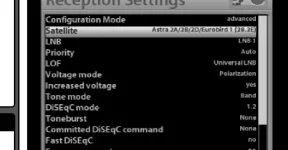
I took delivery of my et9000 in july and have it set up with a fixed and motorised dish. since i upgraded to the latest Vix 2.2.100
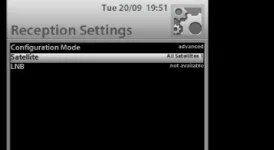
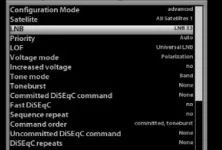
i have been unable to select a satellite to tune to in the satfinder interface.
i have successfully loaded a previous image and have no problems selecting a satellite to tune to so am not sure why this is so.
i have flashed the latest version of VIX several times and every time i get this same problem
i have a fixed dish set to tuner A in simple mode and tuner B is set to simple mode with positioner using USAL with my long/lat details
any ideas ?
thanks
i'm new to this so please forgive me if i have missed something obvious here.
i have searched and have found nothing that really relates to my dilemma.I took delivery of my et9000 in july and have it set up with a fixed and motorised dish. since i upgraded to the latest Vix 2.2.100
i have been unable to select a satellite to tune to in the satfinder interface.
i have successfully loaded a previous image and have no problems selecting a satellite to tune to
so am not sure why this is so. i have flashed the latest version of VIX several times and every time i get this same problem
i have a fixed dish set to tuner A in simple mode and tuner B is set to simple mode with positioner using USAL with my long/lat details
any ideas ?
thanks