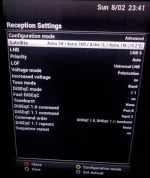
I have updated to a newer Vix image and find that the layout of Advanced tuner configuration menu (at Menu>Setup>Service Searching>Tuner Configuration>Advanced) has changed. I havent figured out how to setup for this new layout menu (I didn't have a problem in the past) and wonder if someone can help me.
This is my Dish/LNB setup - 16 lnb's running of one (Torroidal Wavefrontier) dish. I have the 16lnb's running into 4 diseq switches and in turn these 4 diseq switches run into 1 diseq switch which runs into the Vu+Duo box.
After setting menu to Diseq Mode 1.1 I gave every LNB a number ie. Lnb 1 Lnb2 Lnb3...etc., I then allocated each Lnb to one of four inputs by changing the menu as follows:-
Uncommitted Diseq Command = Input 1 or Input 2 or Input 3 or Input 4
I then allocated a position to each LNB within each input by manipulating the menu as follows:-
Committed Diseq Command = AA or AB or BA or BB
This would mean mean that Hotbird 13, for example, might be LNB 5, Input 2, BA
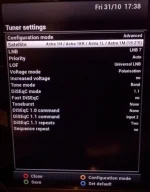
I have no idea how to translate these setting to the new Tuner Configuration menu (see photo below). Anyone help?
This is my Dish/LNB setup - 16 lnb's running of one (Torroidal Wavefrontier) dish. I have the 16lnb's running into 4 diseq switches and in turn these 4 diseq switches run into 1 diseq switch which runs into the Vu+Duo box.
After setting menu to Diseq Mode 1.1 I gave every LNB a number ie. Lnb 1 Lnb2 Lnb3...etc., I then allocated each Lnb to one of four inputs by changing the menu as follows:-
Uncommitted Diseq Command = Input 1 or Input 2 or Input 3 or Input 4
I then allocated a position to each LNB within each input by manipulating the menu as follows:-
Committed Diseq Command = AA or AB or BA or BB
This would mean mean that Hotbird 13, for example, might be LNB 5, Input 2, BA
I have no idea how to translate these setting to the new Tuner Configuration menu (see photo below). Anyone help?