Superb quality and spec AB-Com PULSe 4K SE. Crazy offer! Only £99! FREE UK DELIVERY! 4K UHD, Enigma 2, Multiboot 4 images & more!...
Superb quality and spec AB-Com PULSe 4K Rev II Twin Satellite tuner only £149! FREE UK DELIVERY! 4K UHD, Enigma 2, SATA HDD facility, Multiboot 4 images & more!...

Aspect problem with VIX image

  • Thread starter Thread starter unknown
  • Start date Start date
U

unknown

Guest
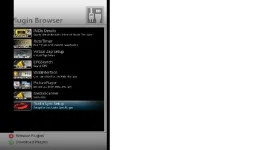
Part of the text from the menu is cropped, look at the attachment below. this is via HDMI , Samsung 225MD 22inch.
 

Attachments

  • screenshot.webp
    screenshot.webp
    16.1 KB · Views: 68
i downloaded the manual of ur tv and suppose u connect it using hdmi

in the settings there is P.size with the options wide, 16:9, zoom1, zoom2 and 4:3

try making it 16:9 or 4:3 and see if u'll get it all
 
Already tried 16:9 and 4:3 . I think the issue is within the image, but I also tried changing the setting and no good result. :(
 
Part of the text from the menu is cropped, look at the attachment below. this is via HDMI , Samsung 225MD 22inch.

first off, if this is a problem ONLY showing on TV, (not when getting screen grabs), then it is a known issue with some tv and something overscan (you might know it as TV SAFE AREA). in the upcoming version 1.1 i have coded i setting that lets you 'shift' the menu to the right to compensate for it.

however the image, is a screen grab and thus must have been photoshoped, has it ?, if not i dont know what would cause the problem as the you can still see the bottom grey banner and the red circle fine !!

andy
 
Last edited:
Hi Andy, Yes I photoshoped to "simulate" what I am seeing on my screen.
 
Hi Andy, Yes I photoshoped to "simulate" what I am seeing on my screen.

then there will be an option for you to set in version 1.1 :) that will fix this for you
 
I have same screen and same problem, have you found a solution ?

Chris
 
Hi,
Can someone explain how this works. My menus are slightly too far left (Vix1.1).

I've found the TV Overscan setting in Menu > Setup > VIX > Skin Settings

The default value is 40. I've tried setting to zero and to 500 (amongst others) and it makes no difference. You get a message saying theGUI needs to restart - I presume this just invloves exiting the menu, and pressing menu again.

I'm using a scart connection to a Sony 32" CRT TV.

Thanks
 
after changing the setting (value) u need to long press the power button, choose restart gui and press ok on remote.

gui= graphical user interface
 
Thanks grtmoby. That did the trick.....500 was bit much LOL. Changed it to 100 which is about right for me.
Cheers for the quick response.
 
Hi,
I have a similar problem, when using the SCART connection the image seems to be slightly larger than the TV screen. All the image not just the menus, For example when it's starting the image has the "V" of VIX in the lower left corner cropped (just a lttle bit off of the left side) and the "1.1" in the lower right has the .1 almost out of the screen. I have tried different settings in the A/V menu and it seems that the only one that has a little effect is changing the color format. The TV doesn't have any setting for this. Any other change I can try?.

GiP
 

OpenViX Feeds Status

Back
Top