Superb quality and spec AB-Com PULSe 4K SE. Crazy offer! Only £99! FREE UK DELIVERY! 4K UHD, Enigma 2, Multiboot 4 images & more!...
Superb quality and spec AB-Com PULSe 4K Rev II Twin Satellite tuner only £149! FREE UK DELIVERY! 4K UHD, Enigma 2, SATA HDD facility, Multiboot 4 images & more!...

BLACK 28.2e by mmc Discussion ONLY

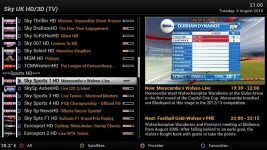
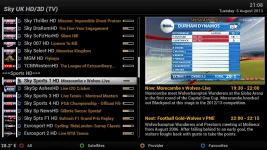
I've finally been able to update to 714. Picon problem still exists though.

Edit - It would appear that some picons are OK. Sky 007 HD, Sky Sports Ashes HD, BT Sport 1 & 2 HD picons all appear without the white bars.

whitebars1.webp
 
Last edited:
I've finally been able to update to 714. Picon problem still exists though.

Edit - It would appear that some picons are OK. Sky 007 HD, Sky Sports Ashes HD, BT Sport 1 & 2 HD picons all appear without the white bars.

View attachment 27825

Hi noticed the same, in plugins menu, there is picons by oscram the shd ones work perfect, but you need usb or hard drive as i think he has picons for other sats as well,
 
Guys.. This thread is about mmc picons..

This seems not to be a mmc problem..

Please open a new thread stating the above..
 
Guys.. This thread is about mmc picons..

This seems not to be a mmc problem..

Please open a new thread stating the above..
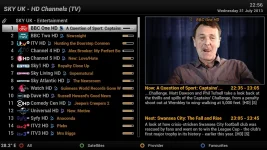
ok the mmc picons dont seem to look right on the picon channel list , one shot of mmc and one of oscrams , white border ? thanks


Chl.webpwhitebars1.webp
 
Hello, ESPN HD, ESPN & Primetime sports not showing (I use autobouquets) , are they included? Thanks in advance and thanks for all your hard work :thumbsup:
 
Hello, ESPN HD, ESPN & Primetime sports not showing (I use autobouquets) , are they included? Thanks in advance and thanks for all your hard work :thumbsup:

Recent transponder changes means the picons need renaming. Anybody know where I get the new name/reference from? Had a quick look in DBE but can't see anything resembling how the picons are named.


Tapatalker
 
Recent transponder changes means the picons need renaming. Anybody know where I get the new name/reference from? Had a quick look in DBE but can't see anything resembling how the picons are named.


Tapatalker

In DBE, right-click on the known working channel in the "TV User Bouquet details" column, click "Copy Service Reference to clipboard", open your picon folder, find and highlight the picon you want, click again on the filename of the thumnail, then paste the previously copied service reference. Reload to the receiver and job done.
 
In DBE, right-click on the known working channel in the "TV User Bouquet details" column, click "Copy Service Reference to clipboard", open your picon folder, find and highlight the picon you want, click again on the filename of the thumnail, then paste the previously copied service reference. Reload to the receiver and job done.

Cheers Clabs,
I don't have the option to copy service reference. Might be on an older version so will check now. Are there any menu options I should enable to show Copy Service Reference when I right click?


Tapatalker
 
Menu -> Information -> Service while on the channel you want will also show the ref number.
A lot harder than copy & paste though...
 
Menu -> Information -> Service while on the channel you want will also show the ref number.
A lot harder than copy & paste though...

I can live with that for one change - wouldn't want to update many that way though!!!! Thanks.


Tapatalker
 
Was on version 3+ but now on 5.1.0.2 and option is available. Happy days. Thanks.


Tapatalker
 
Hi mmc many thanks for your latest picon file(yesterday) I noticed that the superheroes picon HD/SD are missing. and they have been put in a seperate post. I have tried for the last 5 hours to attach these picons to my channel lists but cannot get them to display in info banner, but do appear in epg banner. Would it be possible to make another picon file to include these picons, then maybe things will be ok for me. I have managed to implement other picon changes sucsessfully, qvc stlye, tcm+1 etc. without problems. Thanks for all your work it is very much appreciated.
 
Hope these help

The Color mode is wrong on the ones posted by andy hazza that's probably why they are not been displayed correctly but youll be ok with the ones below :thumbsup:
 

Attachments

  • 1_0_1_1612_7D7_2_11A0000_0_0_0.webp
    1_0_1_1612_7D7_2_11A0000_0_0_0.webp
    2.1 KB · Views: 106
  • 1_0_19_EE7_7E8_2_11A0000_0_0_0.webp
    1_0_19_EE7_7E8_2_11A0000_0_0_0.webp
    2.1 KB · Views: 106
Last edited:

OpenViX Feeds Status

Back
Top