Superb quality and spec AB-Com PULSe 4K SE. Crazy offer! Only £129! FREE UK DELIVERY! 4K UHD, Enigma 2, Multiboot 4 images & more!...
Superb quality and spec AB-Com PULSe 4K Rev II Twin Satellite tuner only £179! FREE UK DELIVERY! 4K UHD, Enigma 2, SATA HDD facility, Multiboot 4 images & more!...

creating a swap file problem

  • Thread starter Thread starter impoundeddog
  • Start date Start date
I

impoundeddog

Guest
hi guys
got a strange one on a solo 2 running vix 3.0 build 744

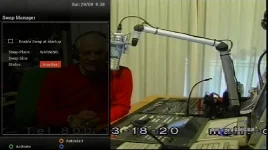
when going into the swap manager the blue button is blank, no create ?
the usb stick is a kingston 4mb, and has been initialised and formated to ext4.
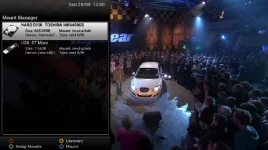
it shows up correctly in the mount manager and is also seen by the epg setup.
I at first thought it was the stick but it appears ok in epg setup and mount manager
it also holds the epg without a problem ?

any idea guys ??
 
There is no need what so ever to create a swap file on the solo2, it is more than powerful enough never to need one in fact setting one up on the solo2 will slow the receiver down.
 
the swap file is there for a reason and yes i agree normally not needed pheonix but
it should still be able to be set up if needed
 
similar problem i found on using the recent image and an earlier image on 733 there was a blue button create file and just gives a warning now, i am also using a kingston micro 8gb and i was using it on an earlier image that had an audio bug issue so reflashed with all new data:confused:
 
yes it sees the usb for the epg and is shown in mounts as ext4 having formatted to ntfs on another deskstop as before but does not give me any option to create a swap file place [ used to be able to pick size needed nothing there ] and just get a warning and cannot go further on 744 image now.

swap mananager error.webp
 
Last edited:
Whay ever you do dont be tempted to point it to the hard drive... i had to system restore last night after trying this, time shift and recordings wouldn't work. :-(
 
dont have system restore set up with this new image yet as i might end up reflashing again:D
 
yes it sees the usb for the epg and is shown in mounts as ext4 having formatted to ntfs on another deskstop as before but does not give me any option to create a swap file place [ used to be able to pick size needed nothing there ] and just get a warning and cannot go further on 744 image now.
Sorry, you lost me. Is the USB-stick formatted in Ext 3/4 or not? It must be, otherwise the swap-manager won't allow you to create a swap-file.

Whay ever you do dont be tempted to point it to the hard drive... i had to system restore last night after trying this, time shift and recordings wouldn't work. :-(
Not sure what you mean: an HDD is a perfect location for a swap-file (as it is much faster then any USB-device).
 
hi rob, thanks for your input.
the usb stick is formated to ext4 as is the internal hard drive.
when I go to the swap manager there is a warning about the swap file location but have no way to change it as this used to
be under the blue button which had "create" then you got the option where to save it too, but blue is now blank?
so can not set it up on either the usb stick or the internal HDD which are both showing in the mount manager as ext 4 R/W.
the box is seeing both as it does record to HDD and i have my epg set up on the usb stick.
 
Last edited by a moderator:
yes setup correctly as far as i can see.

mount manager.webp

if you set to run on internal hdd would it get the hdd spinning up when in use as i think i might have set it up that way on my duo takes longer to do things and hdd spins up
so dont want to go back to it on solo2:thumbsup:
 
Last edited:
If the hard drive is in fat32 format a swap file can be created of 256mb (I know the solo2 is fast, but may as well use it ) but no time shift can be done without converting to ext3 or 4. When this has been converted then there is no way to make a swap file on that hard drive. I have no crash logs to show this as it has not crashed yet.
 
i would have assumed in post 11 they were converted.maybe its another bug but with it on 2 images?
 
talking to someone else he has now got the swap file error since he reflashed as it does show the new image has changed,re loaded old one and it works ok.flashed new image removed internal hdd and externally formatted on pc to ntfs,move your recordings first,swap file he has now working on usb.
 

OpenViX Feeds Status

Back
Top