Superb quality and spec AB-Com PULSe 4K SE. Crazy offer! Only £99! FREE UK DELIVERY! 4K UHD, Enigma 2, Multiboot 4 images & more!...
Superb quality and spec AB-Com PULSe 4K Rev II Twin Satellite tuner only £149! FREE UK DELIVERY! 4K UHD, Enigma 2, SATA HDD facility, Multiboot 4 images & more!...

Difficulty flashing different images

It's nothing like flashing the receiver. It just restores previous settings.
What receiver does it say it is in MENU > INFORMATION > ABOUT
 
When you've found out what the receiver thinks it is, you need to establish which one it actually is.

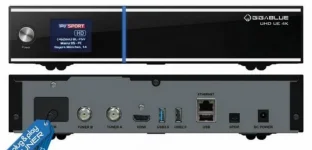
Gigablue UHD UE 4K.webp

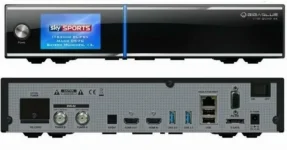
Gigablue UHD Quad 4K.webp
 
Hi Willo,

It thinks it is a Quad 4K.

It is definitely a UHD 4K.

What is the point of doing an image backup if it cannot then be used to restore a state?
 
You didnt do an image backup - you only did a settings backup
 
Those files you found aren't image backups, they are settings backups.

So at least you've definitely established that the box has been flashed with the wrong image.
I'm pretty sure that the only way to get it back to the right image would be to flash by usb.

Are you following the flash by usb instructions here? https://www.openvix.co.uk/openvix-builds/Guides%20and%20Tutorials/Flashing%20Guides/GiGaBlue%20USB%20Flashing%20Guides/How%20to%20flash%20a%20Gigablue%20UHD%20UE%204K.pdf

I'm still convinced that you should be able to flash the UHD UE image by usb or at least by renaming the folder to the quad version.
 
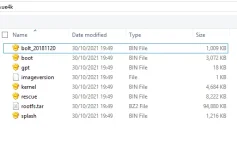
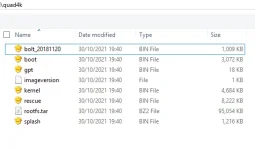
There is no difference in the file names between the 2 boxes. rootfs is a bit larger on the quad, that's all.

ue4k.webp quad4k.webp
 
Hi again one and all,

I really do not know where to start with my thanks to everyone that responded and continues to respond despite the frustration I am sure gets transmitted through my posts. In particular thanks to Willo for finally getting me on the right track.

Although renaming the subfolder did not work it set me thinking about how I got myself in this position so I approached the Trojan horse solution differently. I took a UHD 4K image in BlueTeam and renamed the file to Quad 4K before sending to to the machine over ftp. I then ran the GUI Online Flash from the downloaded files selecting the renamed file and it flashed properly. The machine now thinks it is a UHD 4K once more.

Too late to try a USB flash tonight but I am pretty certain it will now run with the UHD 4K file. I will let you know tomorrow. A nightmare brought about by my own lack of understanding and dangerous level of knowledge (enough for sound bytes but not truly deep enough to keep me out of trouble) that has come to a happy end. I have made some good forum contacts and learned a great deal about Enigma 2, OpenVix and its other flavours.

There will be many more questions to come but for now I just wanted to show my appreciation for your help,
 
TIP

One last thing before I retire to bed.

Online flashing other images in TeamBlue.

The TeamBlue image only offers TeamBlue images for download in Online Flash and even if your (eg) openvix-6.0.001.release-gbue4k_usb file is transferred via ftp to media/hdd/images alongside other downloaded TeamBlue files the openvix file is ignored and not displayed in the Downloads section of Online Flash.

The workaround is to: either before it is transferred or once there using ftp, change the file name to teamblue-filename (teamblue-openvix-6.0.001.release-gbue4k_usb in this case) and then refresh the GUI. Now the file is visible and can be flashed from the GUI. I have just done this and my OpenVix is up and running.
 
Hi Willo,

It thinks it is a Quad 4K.

It is definitely a UHD 4K.

What is the point of doing an image backup if it cannot then be used to restore a state?

Quad 4k and Quad UHD 4k are two different boxes
 
As this thread has been answered and new questions will go to new threads, is there a way for me to mark this thread as closed?
 
The TeamBlue image only offers TeamBlue images for download in Online Flash and even if your (eg) openvix-6.0.001.release-gbue4k_usb file is transferred via ftp to media/hdd/images alongside other downloaded TeamBlue files the openvix file is ignored and not displayed in the Downloads section of Online Flash.
Probably worried people will load another image and never return.

No need to close the thread. It will just fizzle out by itself.
 
Just for information and to close this thread properly. I am now running the machine properly with the correct image(s) and have also got the multi boot working. Took lots of attempts but eventually it was the USB stick compatibility that was causing the problem. Finally found a stick that would work and managed to get Multiboot working. Have also got ABM working.

I am now trying to sort out tuning and scanning but in other threads.

Thanks again,
 

OpenViX Feeds Status

Back
Top