Superb quality and spec AB-Com PULSe 4K SE. Crazy offer! Only £129! FREE UK DELIVERY! 4K UHD, Enigma 2, Multiboot 4 images & more!...
Superb quality and spec AB-Com PULSe 4K Rev II Twin Satellite tuner only £179! FREE UK DELIVERY! 4K UHD, Enigma 2, SATA HDD facility, Multiboot 4 images & more!...

[OS-mini] Dvbsky T330 usb tuner problem

  • Thread starter Thread starter hicky087
  • Start date Start date
H

hicky087

Guest
Hi, My dvbsky t330 also known as a opticombo usb tuner will not work with my os mini. The tuner works as I used it with my laptop and the channels were there but when I connect it to the box it doesn't work. The os mini recognizes the tuner as I can configure it but will not scan in the channels. Could this be a problems with the drivers in the plugins?
 
Can you confirm driver have been installed succesfully?

What have you set your tuner as? (a screenshot may be better)
 
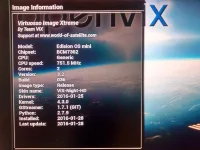
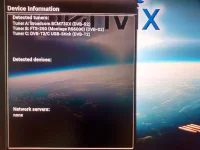
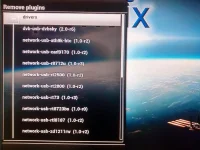
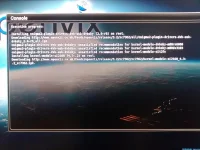
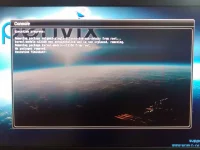
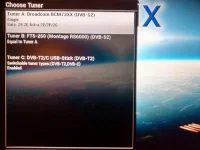
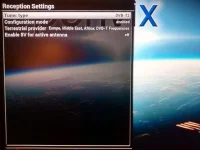
I have my tuner set to T2 in the config menu. Here are a few screenshots of the information on my box. I also included two pictures showing the info related to the driver when you download and/or remove it from the box. IMG_20160221_155532770_HDR.webp IMG_20160221_155626979_HDR.webp IMG_20160221_160348244_HDR.webp IMG_20160221_162836530.webp IMG_20160221_162658338.webp
 
Can you enable debug logs, reboot, try to perform a scan. Save your debug log and attach it to the thread.

A screenshot of the tuner configuration would be good too. (see guides in signature)
 
Almost every major region in Ireland is listed thanks to Fat Tony. You should select your region, not europe

Are you able to select Terrestrail and not Terrestrial 2?

Not sure what this is, hopefully someone will confirm
Code:
[ScanSetup] cur is ('System', <Components.config.ConfigSelection object at 0x7254d0f0>)


This may be the problem
Code:
<    29.078045> [eRCInputEventDriver] devicename=DVBSky T330
<    29.078088> [eRCDeviceInputDev] device "DVBSky T330" is a [B]remotecontrol[/B]
 
Last edited:
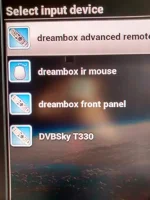
I was told that selecting europe dvb t frequencies would cover ireland but I can select my region also and I have and still no good. I can select either T or T2 or Auto all of which still dont get it too work Im afraid. I have just noticed that in my input device menu the DvbT330 is listed there and it has a remote control icon beside it. Could this be a problem?
 
Last edited by a moderator:
I was told that selecting europe dvb t frequencies would cover ireland but I can select my region also and I have and still no good. I can select either T or T2 or Auto all of which still dont get it too work Im afraid. I have just noticed that in my input device menu the DvbT330 is listed there and it has a remote control icon beside it. Could this be a problem?

Screenshot of the 'remote control icon', not sure what that is?
Using a USB DVB-T stick, Saorview settings set correctly in 3 different areas in last week & all works perfectly.
Maybe a driver issue or wrongly configured setting?
 
I found this for you,
Code:
http://forums.openpli.org/topic/36675-usb-dvb-c-tuneer-dvbsky-t330/#entry471058
However your kernel is higher than 3.19
 
Screenshot of the 'remote control icon', not sure what that is?
Using a USB DVB-T stick, Saorview settings set correctly in 3 different areas in last week & all works perfectly.
Maybe a driver issue or wrongly configured setting?

Her is what is on the input device menu. IMG_20160222_113159137_HDR.webp
 
I found this for you,
Code:
http://forums.openpli.org/topic/36675-usb-dvb-c-tuneer-dvbsky-t330/#entry471058
However your kernel is higher than 3.19

IM not sure I understand what you sent me. It's worth noting that am a novice when comes to all of this. I purchased the box off an irish business that deal with sat boxes and the likes. They had pre set up the box for me by installing openvix and set the tuners and installed the drivers, etc. Maybe I should just send the box back to them?
 
That USB tuner won't work for time being. Issue will be reported to Edision and they will have to look at issue.
 
That USB tuner won't work for time being. Issue will be reported to Edision and they will have to look at issue.

Do you think it is a quickly solvable problem or should I return the tuner and get a sundtesk tuner instead or just try for a Different box altogether? I have been talking to the business I purchased the box from and they said all their equipment is tested and works perfectly fine with them so how I am having this problem is mind boggling.
 
I wouldn't return the receiver, it is working fine apart from the USB tuner I trust? There is no guarantee that another receiver will work with that USB tuner.

The Sundtek tuners are very good. They work in a sort of "separate environment", independent of receiver's drivers/kernel. One of the receiver I have won't function with USB tuners, the Sundtek works. One some of my other receivers, a USB tuner used to work, they chanegd the drivers and the USB tuner no longer works. But the Sundtek still works I'm led to believe. Sundtek are usually very quick at fixing things and provide good after sales support including through skype.

It is your money at the end of the day. Also depends on what your retailer is prepared/obliged to do. If he/she offers you a refund for the USB tuner and you buy the Sundtek, that would be a good outcome IMO.
 

OpenViX Feeds Status

Back
Top