Superb quality and spec AB-Com PULSe 4K SE. Crazy offer! Only £129! FREE UK DELIVERY! 4K UHD, Enigma 2, Multiboot 4 images & more!...
Superb quality and spec AB-Com PULSe 4K Rev II Twin Satellite tuner only £179! FREE UK DELIVERY! 4K UHD, Enigma 2, SATA HDD facility, Multiboot 4 images & more!...

[VU+ Solo] Epg on Apollo

  • Thread starter Thread starter tandaman
  • Start date Start date
T

tandaman

Guest
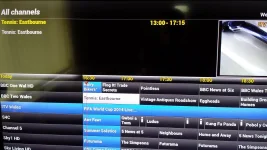
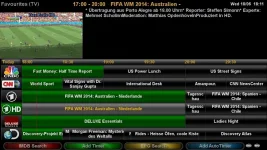
Hi since Ive updated to Apollo 007 on my Vu Solo, epg all set up and downloaded, when I press the down or up arrow to get the channel list the epg only shows whats on now and not next.
 
Hi,

Can confirm same issue on Gigablue Quad. Thought it might be a skin issue (I use Blue HD), but the issue persists with Vix Night HD too.

GAH
 
Yeah its like that on technomate-nano maybe theres something missing that was there in other images
 
Hi,
I have a vu solo2 with the latest Apollo build 008 using the default vix night hd skin. I have downloaded the epg using crossepg but I only get the title of a programme on what's on now and the same title is copied in the description or information section. It doesn't show the information of what a programme is about, all channels are like that. This problem only started when I updated to the latest build (I had vix 3.0 before) I have tried many skins, but still same problem. Is anyone else experiencing this?
 
Hi,
I have a vu solo2 with the latest Apollo build 008 using the default vix night hd skin. I have downloaded the epg using crossepg but I only get the title of a programme on what's on now and the same title is copied in the description or information section. It doesn't show the information of what a programme is about, all channels are like that. This problem only started when I updated to the latest build (I had vix 3.0 before) I have tried many skins, but still same problem. Is anyone else experiencing this?

Gigablue ue+ Apollo 08 the download of epg just sticks on loading data.
 
I don't use "CrossEPG" but wanna try it with apollo8 and got stuck during download.(GBUE).
Use XMLTV-importer.Much better.
 

Attachments

  • shot1.webp
    shot1.webp
    50.7 KB · Views: 41
If I were you, I would telnet init 4 command, this puts your box sleep basically, and ftp to box then delete your epg.dat file. Then telnet init 3 command, to re awaken your box. Then try a fresh epg download.

Sent from my GT-I9195 using Tapatalk
 
If I were you, I would telnet init 4 command, this puts your box sleep basically, and ftp to box then delete your epg.dat file. Then telnet init 3 command, to re awaken your box. Then try a fresh epg download.

Sent from my GT-I9195 using Tapatalk

I telnet init 4 and deleted epg.dat file, init 3 and downloaded epg but still no luck. Someone else on another forum had a similar problem, the solution was when first setting up the box instead of automatically scanning to find the correct satellite, manually select your satellite on both tuners (in my case 28.2). So I re-flashed the box with Apollo 008 and manually set both tuners up, set crossepg up with opentv provider selected sky uk and it worked. I have all 7day epg with the information for every programme. I don't know if re-flashing the box or setting the tuners up manually fixed the epg, either way it worked for me.

Thanks for your help guys.
 
Glad you're sorted and it's good to know the solution for future reference, my tuners are set manually, but have often thought about leaving on automatic selection, when doing a fresh flash. ....but now I won't.

Sent from my GT-I9195 using Tapatalk
 

OpenViX Feeds Status

Back
Top