Joe_90
Moderator
Thanks ccs.
@goRt - are you still using the Release version 5.4? I'm testing this on a development image which has had fixes made to the Event Id (sourced from the Sky IEPG transponder) which now matches the EIT now/next data. There have been a few tweaks to the menus system also, but I don't know if they will have any effect on VPS function.
Just for clarity.
1) AutoTimer setting from EPG works fine for me. It provides a VPS setting option in the menu dialogue. The subsequent timers generated by AutoTimer have the VPS info in them and they appear to be working fine.
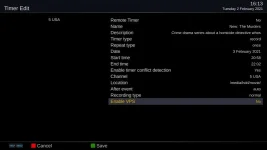
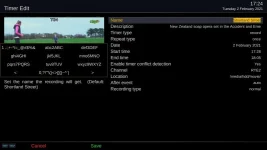
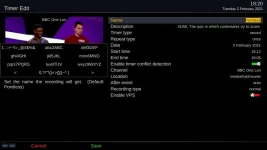
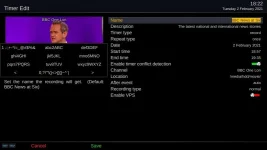
2) Manual timer setting from EPG does not provide any VPS options. No VPS info visible in the subsequently generated timer unless I delete the timer name in the menu dialogue. Then I get VPS option.
3) Instant record pops up a VPS dialogue once the recording starts.
This is through the menu system. I haven't tried OpenwebIF.
@goRt - are you still using the Release version 5.4? I'm testing this on a development image which has had fixes made to the Event Id (sourced from the Sky IEPG transponder) which now matches the EIT now/next data. There have been a few tweaks to the menus system also, but I don't know if they will have any effect on VPS function.
Just for clarity.
1) AutoTimer setting from EPG works fine for me. It provides a VPS setting option in the menu dialogue. The subsequent timers generated by AutoTimer have the VPS info in them and they appear to be working fine.
2) Manual timer setting from EPG does not provide any VPS options. No VPS info visible in the subsequently generated timer unless I delete the timer name in the menu dialogue. Then I get VPS option.
3) Instant record pops up a VPS dialogue once the recording starts.
This is through the menu system. I haven't tried OpenwebIF.