D
Deleted member 86165
Guest
Hi All,
I hope someone can help me with my query, I do not know if this is just the way the system is or whether I have missed doing something.
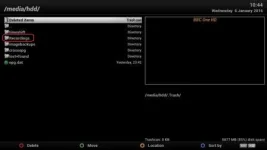
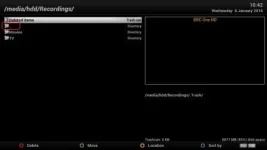
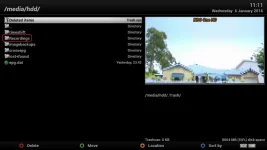
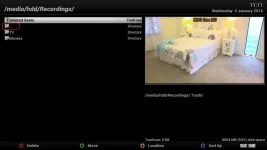
Firstly I have a USB as my HDD (temp fix until my HDD arrives), this is Mounted and has been Initilised by my Xtrend ET8000 box. To make life easier I have renamed the Default Recordings Folder from 'movies' to 'Recordings' and within this I have added sub-folders via FTP so that I can keep my movie recordings seperate from my TV recordings.
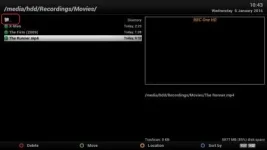
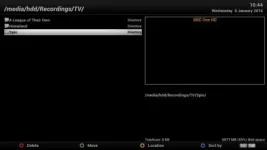
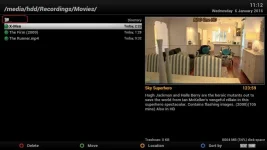
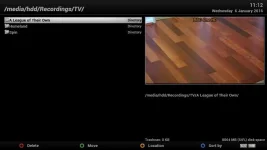
I have noticed that on all the folders & sub-folders there is a folder that allows you to go back up a folder level which makes it easy to navigate different sub-folders and access various recordings, however on the 'TV Folder' this is missing.....is this supposed to be like this?
I have aligned the new Folders to various test recordings and the Folder structure and Hierarchy is working with great success.
Many thanks for your help.
Jason
I hope someone can help me with my query, I do not know if this is just the way the system is or whether I have missed doing something.
Firstly I have a USB as my HDD (temp fix until my HDD arrives), this is Mounted and has been Initilised by my Xtrend ET8000 box. To make life easier I have renamed the Default Recordings Folder from 'movies' to 'Recordings' and within this I have added sub-folders via FTP so that I can keep my movie recordings seperate from my TV recordings.
I have noticed that on all the folders & sub-folders there is a folder that allows you to go back up a folder level which makes it easy to navigate different sub-folders and access various recordings, however on the 'TV Folder' this is missing.....is this supposed to be like this?
I have aligned the new Folders to various test recordings and the Folder structure and Hierarchy is working with great success.
Many thanks for your help.
Jason