Superb quality and spec AB-Com PULSe 4K SE. Crazy offer! Only £99! FREE UK DELIVERY! 4K UHD, Enigma 2, Multiboot 4 images & more!...
Superb quality and spec AB-Com PULSe 4K Rev II Twin Satellite tuner only £149! FREE UK DELIVERY! 4K UHD, Enigma 2, SATA HDD facility, Multiboot 4 images & more!...

[VU+ Duo] green button timer

  • Thread starter Thread starter stevesom
  • Start date Start date
S

stevesom

Guest
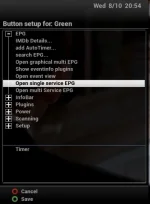
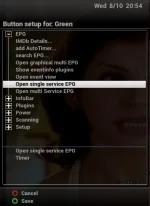
I have updated to 047 when I press the green button the epg comes up instead of timers I have tried customise - button setup- but I dont get no options to change to timers, I only get epg, inforbar, plugins, power, scanning and setup.
 
Thanks mine is open single service epg, no option for timer like you have posted for me, nothing selected for green long.
 
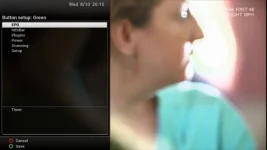
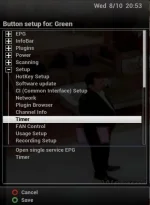
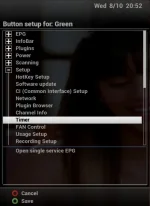
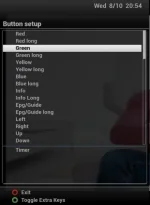
You can have several actions assigned. To remove an action, you have to navigate into the menu from which action is found and click on it again. Hopefully pictues should explain better. Adding then removing unwanted action

Side issue
To grab screenshots, one wasy it to paste following into web browser address bar. Obviously changing IP to your box. You can then save picture with a right click.
Code:
http://192.168.X.XX/grab?format=jpg
 

Attachments

  • 3. timer.webp
    3. timer.webp
    20 KB · Views: 31
  • 4. timer.webp
    4. timer.webp
    18.2 KB · Views: 32
  • 5. end.webp
    5. end.webp
    11.9 KB · Views: 31
  • 1. single epg.webp
    1. single epg.webp
    16.9 KB · Views: 35
  • 2. single epg.webp
    2. single epg.webp
    19.4 KB · Views: 34
Last edited:
In build 48 all previous ViX-defaults are back again. That of course only applies if you didn't make a setting yourself.
 
You can have several actions assigned. To remove an action, you have to navigate into the menu from which action is found and click on it again. Hopefully pictues should explain better. Adding then removing unwanted action
Much easier: in the first screen click on the button that has an unwanted action assigned (or push on that button on your RC); in the second screen use CK+ to jump to the action and OK to remove.
 
Much easier: in the first screen click on the button that has an unwanted action assigned (or push on that button on your RC); in the second screen use CK+ to jump to the action and OK to remove.

More reason to add some hint text, somewhere?. Excellent solution when you know how.
 
Hi there ...

but how can i get to the first screen ? Or have i to you a plugin for that ?

Thanks No.Trace ...
 
Hi there ...

so i've learned something new ... perfect ...

Thanks No.Trace !
 

OpenViX Feeds Status

Back
Top